
Don't just take our word for it. Here's what our customers have to say about ARPHost.
"ARPHost has been our hosting provider for over 5 years. Their uptime is incredible and the support team truly understands enterprise needs. Highly recommended!"
M
Michael R.
Tech Solutions Inc.
"We migrated from a major competitor and the difference is remarkable. Faster servers, better support, and more competitive pricing. ARPHost delivers."
S
Sarah K.
Digital Agency Pro
"The bare metal servers are perfect for our high-traffic e-commerce platform. Zero downtime in 2 years. The technical team really knows their stuff."
D
David L.
E-Commerce Solutions
Ready to Get Started?
Join thousands of satisfied customers. Deploy your infrastructure in minutes with our enterprise-grade hosting solutions.
ARPHost has been a trusted leader in web hosting and IT infrastructure since 2015. Based in Durango, CO, with datacenter facilities in Tampa, Florida, we provide enterprise-grade hosting solutions to businesses of all sizes across the globe.
Comprehensive Hosting Solutions
Whether you need affordable shared web hosting starting at just $5.99/month, powerful VPS servers from $4/month, or high-performance bare metal dedicated servers starting at $99/month, ARPHost has the right solution for your needs. Our infrastructure is built on enterprise-grade hardware with NVMe SSD storage for lightning-fast performance.
Enterprise Security & Reliability
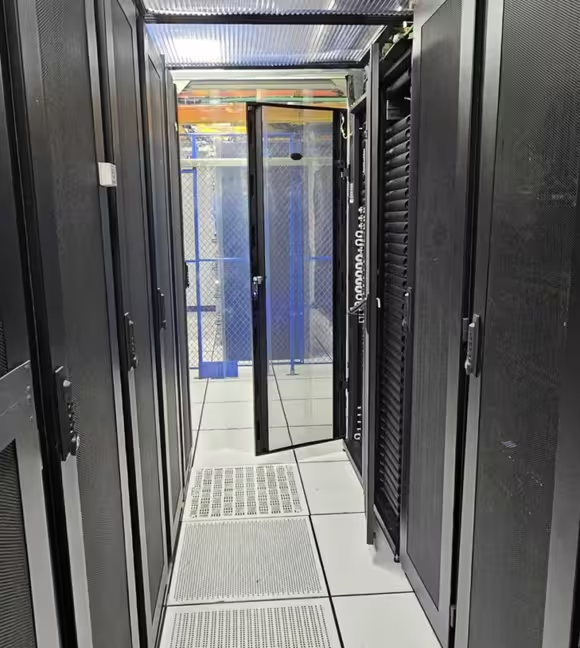
Security is at the core of everything we do. All our hosting plans include DDoS protection, advanced firewalls, and regular security updates. Our Tampa datacenter features N+1 redundant power systems, precision cooling, and 24/7 physical security with biometric access controls.
24/7 Expert Support
Our US-based technical support team is available around the clock via ticket, live chat, and phone. With an average response time under 15 minutes, you can count on ARPHost to be there when you need us most. We don't just host your servers – we're your technology partner.
Flexible Solutions for Every Business
From managed web hosting with Webuzo for small businesses to Proxmox VE cloud infrastructure for enterprises, colocation services for those who prefer their own hardware, and VoIP phone systems for unified communications – ARPHost provides complete IT infrastructure solutions under one roof.
Industry-Leading Uptime
We back our commitment to reliability with a 99.99% uptime SLA. Our redundant network infrastructure, multiple Tier-1 bandwidth providers, and proactive monitoring ensure your websites and applications stay online. When you choose ARPHost, you choose peace of mind.
At its core, the difference between a dedicated server and a VPS boils down to resource allocation and architectural control. With a dedicated server, you get exclusive, bare metal access to an entire physical machine. A VPS, on the other hand, gives you a private, KVM-virtualized slice of a shared server. Your choice hinges on whether you need guaranteed, top-tier performance and total hardware isolation or a more flexible, cost-effective, and rapidly scalable starting point.
Choosing Your Hosting Foundation: Bare Metal vs. Virtualization
Picking the right server infrastructure is one of the most critical decisions an IT professional or system administrator can make. It’s the foundation that directly impacts your application's performance, security posture, scalability, and operational overhead. While both dedicated servers and a Virtual Private Server (VPS) are a massive step up from basic shared hosting, they are architected for entirely different operational needs and control levels.
A dedicated server, often called "bare metal," provides raw, unfiltered access to all physical hardware—CPU, RAM, and storage are all yours. This direct hardware access eliminates hypervisor overhead and resource contention, making it the definitive choice for workloads that cannot tolerate latency or I/O bottlenecks, such as large databases or real-time processing applications.
A VPS uses a hypervisor like KVM to partition a single physical server into multiple, isolated virtual environments. Each VPS operates with its own OS and a guaranteed pool of resources, striking an optimal balance between granular control and infrastructure cost-efficiency.
Quick Comparison: Dedicated Server vs. VPS
To provide a clear framework for decision-making, let's break down the core technical differences. This table offers a high-level overview for a quick assessment.
Attribute
Dedicated Server (Bare Metal)
Virtual Private Server (VPS)
Resource Allocation
100% exclusive access to all physical hardware resources (CPU, RAM, I/O).
Guaranteed slice of resources on a shared physical server, enforced by the hypervisor.
Performance
Maximum and predictable, with no resource contention from other users. Ideal for I/O-intensive workloads.
Consistent but can be impacted by host node activity ("noisy neighbor" effect), though mitigated by modern hypervisors.
Isolation
Complete physical and logical isolation, offering the highest possible security boundary.
Strong logical isolation via a hypervisor (e.g., KVM), but shares underlying hardware.
Management Control
Full root/administrator access, including BIOS/UEFI and kernel-level control.
Full root/administrator access within the virtual machine; no hardware-level control.
Rapid vertical scaling by adjusting resource allocation, often with only a reboot required.
Cost Structure
Higher initial and ongoing cost due to exclusive hardware rental.
More affordable entry point with flexible, tiered pricing models.
This table lays out the facts, but sometimes a visual helps drive the point home.
This infographic simplifies the decision-making process based on your initial traffic and performance demands.
The visualization really highlights a key takeaway: if you're running a high-demand application that needs unwavering performance, dedicated hardware is where you should be looking.
While this guide gets into the technical weeds of both options, it's also crucial to understand the 5 key factors to consider when choosing a hosting provider to ensure a successful partnership. It's also worth noting that beyond these traditional options, modern approaches like serverless architecture can offer unique benefits for specific project needs.
Deconstructing Server Architecture and Resource Management
To fully grasp the dedicated server vs VPS debate, one must look past the simple "exclusive vs. shared" tags. The real difference is in the architecture—how resources are managed at the hardware and software levels. This is what dictates performance, control, and security.
Think of it like this: a dedicated server is like owning the entire factory. A VPS is like leasing a highly-secured, private wing within it.
A bare metal dedicated server gives you raw, direct access to the physical hardware. There's no software layer, or hypervisor, sitting between your operating system and the server's CPU, RAM, and storage. This direct line means zero overhead. Every single clock cycle and I/O operation belongs to you. For example, a sysadmin can check raw disk health directly:
# Check the health of a physical NVMe drive on a bare metal server
smartctl -a /dev/nvme0n1
This architecture gives you total control, right down to the BIOS/UEFI. You can fine-tune hardware settings, enable specific processor features like Intel VT-x for your own virtualization projects, or install any OS you want—including specialized hypervisors like VMware ESXi or Proxmox VE.
How KVM Virtualization Works in a VPS
On the flip side, a VPS lives inside a multi-tenant environment managed by a hypervisor. The hypervisor is a software layer that sits on the physical hardware and carves it up to create, run, and manage virtual machines (VMs).
Top-tier hypervisors like Kernel-based Virtual Machine (KVM), which is native to the Linux kernel, are key to this process. KVM leverages hardware virtualization extensions to partition the physical server’s resources—CPU cores, memory, and disk space—into separate, logically isolated containers. Each one of those containers becomes a VPS.
Here’s a technical breakdown of that resource allocation:
CPU Allocation: KVM assigns a set number of virtual CPU cores (vCPUs) to your VPS. These vCPUs are mapped to the physical CPU's processing threads, and the kernel's scheduler ensures your VPS gets its fair share of processing time.
Memory (RAM) Isolation: A fixed amount of RAM is completely reserved for your VPS. No other VPS on that physical server can touch it, guaranteeing your applications have the memory they need.
Storage Partitioning: A logical volume is carved out from the host's storage (usually high-speed NVMe SSDs) and presented to your VPS as its own private block device. Your data is kept entirely separate from other tenants.
This structured setup provides a reliable and secure environment that feels just like a standalone server, but for a fraction of the cost.
The Noisy Neighbor Effect and Modern Mitigation
A classic concern with any multi-tenant environment is the "noisy neighbor" effect. This occurs when another VPS on the same host node monopolizes shared resources—like network bandwidth or disk I/O—and temporarily degrades performance for others.
A dedicated server's primary architectural advantage is the complete elimination of the 'noisy neighbor' problem. Performance is not just high; it's predictable and consistent because there are no other tenants competing for underlying resources like I/O channels or network interfaces.
However, modern virtualization platforms are engineered to mitigate this. Quality hosting providers use several key strategies:
Resource Throttling: Hypervisors use Linux control groups (cgroups) to enforce strict limits on CPU usage and I/O operations, preventing any single VPS from monopolizing the hardware.
Network QoS: Quality of Service (QoS) policies are implemented at the network level to guarantee a fair share of bandwidth for each tenant.
IOPS Guarantees: On premium storage arrays, providers can guarantee a minimum number of Input/Output Operations Per Second (IOPS), ensuring consistent disk performance.
While these mitigations are highly effective, the architecture is still fundamentally shared. For workloads that cannot tolerate even the slightest latency or demand absolute performance consistency, the hypervisor-free nature of a bare metal dedicated server remains the superior choice.
Analyzing Performance and Scalability Under Load
When you’re weighing a dedicated server vs VPS, performance under load is where the architectural differences become tangible. This isn't just about CPU clock speed; it's about the consistency of every single resource, from disk I/O to network throughput. For applications where every millisecond counts, these details are paramount.
A dedicated server provides absolute performance predictability. You command 100% of the hardware resources, period. There's no hypervisor overhead, no resource contention, and no "noisy neighbors." This translates directly into rock-solid, high-speed I/O operations per second (IOPS) and unwavering CPU cycles. It’s precisely why they’re the gold standard for database-heavy applications, high-frequency trading platforms, and large-scale virtualization hosts running platforms like Proxmox VE.
This exclusive hardware access has cemented the market for bare metal solutions. In fact, dedicated hosting carved out about 25.5% of the global web hosting market back in 2021, and its valuation is projected to hit around USD 29.6 billion by 2026. That kind of growth hammers home its importance for mission-critical workloads that demand zero compromises.
VPS Performance: Burstable vs. Dedicated Resources
A VPS, while incredibly capable, operates in a shared environment, which introduces performance variables you need to anticipate. Many starter VPS plans feature burstable CPU resources, which allow you to temporarily exceed your baseline allocation to handle short traffic spikes. It’s a useful feature, but sustained high loads can trigger throttling, where the hypervisor caps your CPU to ensure fair resource distribution among all tenants.
The solution is to opt for a VPS plan that guarantees dedicated CPU cores. This carves out a reserved slice of processing power just for your virtual machine, shielding you from performance dips during peak hours and neutralizing the "noisy neighbor" effect. For a vast number of applications, the performance from a well-tuned KVM VPS is more than sufficient. You can explore the advantages of virtualizing servers in our full guide on the topic.
The real performance difference boils down to one word: consistency. A dedicated server delivers a flat, predictable baseline. A VPS offers excellent performance that can have slight fluctuations depending on the host node’s overall load and the provider's management policies.
Contrasting Scalability Models
Scalability is another area where these two paths diverge sharply. Your application's growth strategy will heavily influence which model is a better fit.
Dedicated Server (Vertical Scaling): Growing a dedicated server means physically adding more powerful hardware—upgrading the CPU, slotting in more RAM, or adding storage drives. This method, known as vertical scaling, is incredibly powerful but almost always requires scheduled downtime while a technician performs the physical upgrade.
VPS (Cloud-Based Vertical Scaling): A VPS is built for speed and agility. Upgrading your plan to add more vCPUs, RAM, or storage is usually a few clicks in a control panel, often requiring just a simple reboot with minimal downtime. This flexibility is a game-changer for businesses with rapid or unpredictable growth.
To make the right call, you must benchmark both environments under conditions that mimic your real-world traffic. Use tools like stress-ng for CPU/memory load and fio for disk I/O testing. This is the only way to uncover potential bottlenecks before they impact production and accurately match your workload to the right hosting foundation.
A Practical Comparison of Security and Isolation
When you're choosing between a dedicated server vs VPS, the security and isolation discussion is paramount. The core architectural differences between bare metal and virtual machines create distinct threat models, and you need to know how to harden each one. This is critical for data protection and service availability.
A dedicated server provides the highest level of isolation possible. You're the sole tenant of the physical hardware, which completely eliminates the entire class of co-tenant threats. You never have to worry about another user's compromised machine impacting your environment through a shared hypervisor.
This total physical and logical separation means you have absolute control over the entire security stack. You can implement granular hardware-level firewall rules, set up custom network routing, and harden the OS from the kernel up without any provider-imposed limitations. This level of control is non-negotiable for industries with strict compliance standards, like finance (PCI DSS) or healthcare (HIPAA).
Hardening the Bare Metal Environment
Securing a dedicated server is your responsibility from the ground up. Here is a step-by-step best practice approach:
Initial OS Hardening: Start with a minimal OS install. Remove unnecessary packages, disable unused services (systemctl disable <service-name>), and enforce strong password policies to shrink the attack surface.
Network Security Configuration: Deploy advanced firewall rules with iptables or nftables. For example, to allow SSH only from a specific IP:
# Using iptables to lock down SSH access
iptables -A INPUT -p tcp -s YOUR_ADMIN_IP --dport 22 -j ACCEPT
iptables -A INPUT -p tcp --dport 22 -j DROP
Implement Regular Patch Management: Automate security updates for the OS kernel, system libraries, and all applications to protect against known vulnerabilities.
Deploy Proactive Monitoring: Set up tools like fail2ban for brute-force protection and AIDE (Advanced Intrusion Detection Environment) for file integrity monitoring.
This hands-on control is a significant advantage, especially when paired with dedicated hosting with DDoS protection, which combines network-level security with your exclusive hardware.
Analyzing VPS Security and the Hypervisor
With a VPS, your security is built on the logical isolation provided by a hypervisor like KVM. The hypervisor creates a strong boundary that prevents processes in one VPS from accessing the memory or storage of another. Modern hypervisors have an excellent security track record, making this an incredibly reliable isolation method.
However, the hypervisor itself introduces a new, albeit small, attack surface. A vulnerability in the hypervisor's code could theoretically be exploited to "escape" a guest VPS and affect the host server. This is known as a "VM escape," and while exceedingly rare, it is a valid concern in high-security threat modeling.
The primary security trade-off is clear: A dedicated server provides inherent physical isolation, eliminating co-tenant risks entirely. A VPS relies on robust logical isolation, which is highly effective but introduces the hypervisor as a shared component that must be meticulously managed and secured by the provider.
To mitigate this, reputable hosting providers invest heavily in securing their host nodes through aggressive hypervisor patching, kernel-level security modules (like AppArmor or SELinux), and strict network segmentation. You can add another layer of defense by configuring virtual firewalls within your own virtualized network.
Ultimately, while a dedicated server offers unparalleled isolation, a well-managed VPS from a security-conscious provider can achieve an enterprise-grade security posture. Remember that infrastructure is only part of the puzzle; adhering to web application security best practices is equally critical.
Management and Control From a SysAdmin Perspective
For a system administrator, the choice between a dedicated server vs VPS isn't just about hardware—it fundamentally changes your day-to-day workflow and responsibilities. It's the difference between having keys to the entire building versus having the key to a penthouse suite. One offers total control, the other offers incredible convenience.
With a dedicated server, you have unrestricted root access that extends to the BIOS/UEFI level. This is the deep control needed for highly customized, performance-tuned environments.
Need to modify kernel parameters in /etc/sysctl.conf to optimize network stack performance for a high-throughput application? You can. Need to install a specialized hypervisor like Proxmox VE to build your own private cloud from scratch? The hardware is all yours.
The Scope of Dedicated Server Management
That level of power comes with a matching level of responsibility. When you manage bare metal, you own the entire software stack, from the firmware up.
Your daily checklist will likely include:
Hardware Health Monitoring: Proactively check the health of physical drives with smartctl, monitor RAM for errors with memtester, and watch CPU temperatures using sensors to preempt hardware failure.
Manual Patching and Updates: You are responsible for scheduling and applying updates to the OS kernel, system libraries, and all installed software.
Custom Network Configuration: Configure complex routing tables, bond multiple network interfaces for redundancy (LACP), or build out intricate firewall rules directly on the hardware.
It's a hands-on job that demands deep technical expertise and a significant time commitment. But for those who require it, there is no substitute.
The Convenience of VPS Management
A VPS, on the other hand, is built for operational efficiency. You still get full root access inside your virtual machine, but the hosting provider manages the underlying hardware and hypervisor. This immediately abstracts away some of the most time-consuming infrastructure management tasks.
Sysadmins working with a VPS often operate within a control panel like Proxmox VE. These tools are designed to turn complex operations into simple, repeatable tasks. Need to deploy a new server from a template? That’s a few clicks. Need to schedule automated backups? You can set it and forget it.
A game-changing feature for any sysadmin is automated snapshots. Before rolling out a major software upgrade or configuration change, you can take an instant, point-in-time snapshot of the entire VM. If the update causes issues, rolling back to the previous state takes minutes, not hours of troubleshooting. That capability alone can be invaluable.
This simplified management model is why the VPS market has seen explosive growth. The managed VPS segment, where the provider handles even more of the security and monitoring workload, was projected to hit around 54.3% of the total VPS market revenue by 2025. You can get a deeper look at these trends in this comprehensive virtual private server market analysis.
Ultimately, this convenience allows IT teams to shift focus from hardware maintenance to value-driving activities like application optimization, CI/CD pipeline automation, and improving service delivery.
Matching Server Types to Technical Use Cases
The dedicated server vs VPS debate is academic until applied to real-world workloads. Making the right choice means avoiding overprovisioning on hardware you'll never use or, worse, underpowering a mission-critical application. It all comes down to the specific technical demands of your workload.
Bare metal dedicated servers are the undisputed champions where performance must be absolute and predictable. The direct, uncontended access to hardware makes them the only logical choice for anything sensitive to latency and I/O bottlenecks.
Dedicated Server Workloads
Consider a dedicated server for these use cases:
High-Traffic E-commerce Platforms: For a large Magento or WooCommerce store, consistent database performance is critical. A dedicated server ensures that complex SQL queries and transaction processing aren't competing for I/O, preventing slowdowns during peak traffic events like a Black Friday sale.
Large-Scale Game Servers: Multiplayer games demand low latency. Bare metal delivers the raw CPU power and prioritized network throughput needed for a smooth, responsive player experience.
Private Cloud Deployments: A dedicated server is the ideal foundation for building a private cloud with a hypervisor like Proxmox VE. You have total control over the hardware, allowing you to create and manage your own fleet of high-performance VMs and LXC containers without any noisy neighbors.
Big Data and Analytics: Processing large datasets with tools like Hadoop or Elasticsearch requires sustained, high-throughput disk I/O and significant CPU resources. A dedicated server ensures these resources are always available.
VPS Workloads and Hybrid Solutions
VPS hosting excels where flexibility, rapid scaling, and cost-efficiency are the primary drivers. It is no surprise that the VPS market is a significant slice of the global hosting pie, projected to become a $6.4 billion market by 2025. You can dig deeper into these numbers in this analysis of web hosting statistics.
A VPS is a perfect fit for:
Hosting Multiple Client Websites: Agencies can easily manage dozens of client sites, keeping each in its own secure, isolated environment on a single, powerful VPS.
Development and Staging Environments: Quickly provision a test environment, subject it to rigorous testing, and tear it down. A VPS lets you do this in minutes without the overhead of dedicated hardware.
CI/CD Pipelines: Automate your build, test, and deploy workflows. A flexible VPS integrates seamlessly with tools like Jenkins, GitLab, and container runtimes.
A hybrid setup often delivers the best of both worlds. A business might run its core, I/O-heavy database on a dedicated server for peak performance while using a fleet of scalable VPS instances to handle the stateless web front-end. It's a smart strategy that puts resources precisely where they're needed most, balancing cost and power perfectly.
Frequently Asked Questions
When you're weighing a dedicated server against a VPS, a few key questions always come up. Here are some straightforward answers based on real-world experience to help you make the right call.
Can a High-Performance VPS Outperform a Low-End Dedicated Server?
Absolutely, and this scenario is increasingly common. A premium VPS equipped with dedicated CPU cores, NVMe storage, and ample RAM can easily outperform an older, budget dedicated server with slower hardware. Performance isn't just about exclusivity; it's about the quality and generation of the underlying components.
Don't just compare server categories—look at the actual specs. A modern KVM VPS running on a powerful host node with a recent CPU and NVMe drives will almost always deliver better value and raw speed than an entry-level bare metal box with last-gen components.
Is It Difficult to Migrate from a VPS to a Dedicated Server?
The difficulty depends heavily on your application's architecture. If you've containerized your application using a tool like Docker, or if your infrastructure is managed via code (e.g., Ansible, Terraform), the migration can be surprisingly smooth. The primary challenge lies in migrating monolithic applications with deep dependencies on the OS configuration, which requires careful planning to minimize downtime.
A typical migration plan follows these steps:
Data Synchronization: Use a robust tool like rsync to perform an initial data mirror to the new server.
# Example rsync command for initial data transfer
rsync -avz -e "ssh -p 22" --progress /path/to/source/ user@new_server_ip:/path/to/destination/
Environment Replication: Rebuild the application environment, installing all necessary software packages and replicating service configurations.
Final Cutover: Perform a final, incremental data sync, then update your DNS records to point to the new server's IP address with a low TTL.
When Is the Extra Cost of a Dedicated Server Justified?
The investment in a dedicated server is justified when performance consistency is non-negotiable or when you are bound by strict security and compliance requirements that mandate physical isolation.
For use cases like high-volume e-commerce, real-time financial applications, or large private cloud deployments using Proxmox VE, the guaranteed resources and complete isolation of a dedicated server are not luxuries—they are operational necessities for ensuring stability, predictability, and security.
Ready to make a move? ARPHost, LLC offers a full range of high-performance infrastructure, from flexible KVM VPS plans to powerful bare metal dedicated servers. Our team is here to help you build the perfect solution, ensuring you get the performance, security, and control your project demands. Explore our hosting solutions today.
So, what is a bare metal server?
At its core, it’s a physical, single-tenant computer server dedicated entirely to a single client. Think of it as owning a standalone data center facility versus leasing a partitioned suite. In your own facility, you control everything—the physical access, the network stack, the power distribution—without sharing a single resource with other tenants.
The Foundation of Dedicated Performance
A bare metal server is raw, dedicated hardware provisioned without a pre-installed hypervisor. It’s the purest form of hosting infrastructure. Unlike a virtualized setup that carves up a single physical server for multiple users, a bare metal environment gives you 100% of the physical resources, all the time.
There’s no "hypervisor" layer—the software that creates and manages virtual machines (VMs), like Proxmox VE or VMware ESXi—sandwiched between your operating system (OS) and the hardware. This direct-to-metal architecture is what gives it a massive advantage in performance, control, and security.
This structure translates into significant technical benefits:
Direct Hardware Access: Your applications interface directly with the CPU, RAM, and storage controllers. There's no performance penalty, or "hypervisor tax," introducing I/O latency or consuming CPU cycles.
Complete Control: You have root access and administrative control over the entire machine, from low-level BIOS/UEFI and firmware settings up to the OS kernel and the software stack you install.
Total Isolation: As the sole tenant, your server is physically and logically insulated from the activities of other users. This eliminates the "noisy neighbor" problem common in shared cloud environments, where another user's workload can degrade your performance and introduce security risks.
Comparing Server Environments
To fully understand the strategic value of bare metal, it's essential to compare it with other common hosting models. Each has its place, with different trade-offs in performance, flexibility, and operational overhead.
The fundamental choice comes down to this: Bare metal offers raw power and physical isolation for predictable, high-demand workloads, while virtualization provides rapid scalability and resource flexibility for variable needs.
To make this crystal clear, let's break down the core differences between bare metal, a standard virtual machine, and a typical multi-tenant cloud instance.
Bare Metal Versus Virtualization Quick Comparison
This table highlights the unique role bare metal plays in enterprise infrastructure.
Attribute
Bare Metal Server
Virtual Machine (VM)
Multi-Tenant Cloud
Tenancy
Single-Tenant (Dedicated)
Multi-Tenant (Shared Hardware)
Performance
Maximum, no hypervisor overhead
Moderate due to virtualization
Variable, "noisy neighbor" effect
Isolation
Physical and complete
Logical (hypervisor-based)
Control
Full hardware, BIOS, and OS
Limited to the virtual OS
Limited to the specific instance
Scalability
Manual (adding physical hardware)
Rapid (adjusting virtual resources)
Instant and automated
Best For
High-performance computing, databases
Web apps, dev/test environments
Bursting or unpredictable workloads
As you can see, when your workload demands uncompromising performance and security, nothing beats having the entire physical machine to yourself.
Benefits Of Bare metal Servers
When architecting infrastructure, the conversation almost always lands on two critical requirements: raw performance and robust security. This is precisely where bare metal servers excel. They provide a foundational advantage by stripping away the layers of abstraction that sit between your applications and the physical hardware.
The most significant performance gain comes from eliminating the hypervisor—the software layer that creates and manages virtual machines. In a typical cloud or virtualized setup, the hypervisor perpetually consumes a portion of CPU, memory, and I/O for its own operations. This overhead is often called the "hypervisor tax." By removing it, a bare metal server dedicates 100% of the hardware's capacity directly to your applications.
Uncompromised Performance And Predictability
Consider this analogy: a virtual server is like using a shared public transit system. It's an efficient way to move many people to the same general area, but the vehicle makes frequent stops, engine power is shared, and arrival time is subject to the demands of other passengers.
A bare metal server is your own dedicated F1 car. You get all the engine’s power, total control over the vehicle's mechanics, and a direct, uninterrupted path from point A to point B.
This direct-to-metal access delivers key performance advantages:
Consistent CPU and Memory Access: Your code gets exclusive access to every processor cycle and all available RAM, ensuring processing speeds are stable and predictable under load.
Maximum I/O Throughput: With no virtualization layer creating a bottleneck for storage or network traffic, data-intensive operations like large-scale database queries or high-frequency trading execute with the lowest possible latency.
No "Noisy Neighbor" Effect: As the sole tenant, your performance will never degrade because another user’s runaway script is consuming shared resources—a classic operational risk in multi-tenant cloud environments.
This predictable power is non-negotiable for workloads where even milliseconds of latency can cause cascading failures, such as large-scale database clusters (e.g., PostgreSQL with streaming replication), real-time analytics platforms, or high-performance computing (HPC).
Enhanced Security Through Physical Isolation
Performance is one half of the equation; security is the other. The single-tenant design of a bare metal server provides a fundamentally stronger security posture by design. In a multi-tenant environment, users are separated by a hypervisor. While modern hypervisors are extremely secure, they still represent a shared software layer that could theoretically be compromised, creating a potential vector for cross-tenant attacks.
A bare metal server's single-tenancy model provides true physical isolation. This architectural separation drastically reduces the attack surface by eliminating shared layers and insulating your environment from the security posture of other tenants.
This physical separation is not just a technical advantage; it is often a core requirement for regulatory compliance. Industries like finance (PCI DSS), healthcare (HIPAA), and government work with sensitive data governed by strict rules on security and data residency. A bare metal server helps satisfy these requirements by ensuring data and processes are physically segregated.
Furthermore, you gain complete control over the entire security stack—from firewall rules implemented via iptables or a dedicated network appliance, to access control policies and encryption protocols—with no provider-imposed limitations. For businesses facing sophisticated threats, pairing this secure foundation with services like dedicated hosting with DDoS protection builds a resilient fortress for mission-critical applications. By combining physical isolation with advanced network security, you create an infrastructure that can withstand sophisticated attacks while maintaining compliance and performance.
Choosing Between Bare Metal And Cloud Servers
Selecting between bare metal and cloud infrastructure is not about determining which is "better" in a vacuum. It's a strategic decision that hinges on a simple question: what are the specific performance, security, and scalability characteristics of your workload? Think of it as choosing the right tool for the job. You wouldn't use a precision screwdriver to drive a nail.
The core of the decision lies in your workload's profile. Is it predictable and sustained day in and day out? Or is it ephemeral, with unpredictable spikes and lulls? Answering this question gets you 90% of the way to the right choice.
A bare metal server truly shines when performance and consistency are paramount. Consider a high-transaction e-commerce database processing thousands of queries per second. Any latency or jitter introduced by a "noisy neighbor" on a shared cloud server could result in abandoned shopping carts and a direct impact on revenue.
Conversely, the cloud is architected for elasticity. Imagine launching a new mobile application. Traffic might surge during a marketing campaign but then stabilize at a lower baseline. Provisioning a massive bare metal server that sits idle most of the time would be an inefficient use of capital. The cloud’s ability to scale on demand is a perfect, cost-effective fit for such a use case.
Performance Predictability Versus Elastic Scalability
The fundamental trade-off is between raw, dedicated power and the agility to dynamically scale resources. With bare metal, you get 100% dedicated access to the hardware. No sharing, no contention. This provides a stable, predictable performance baseline, making it the superior choice for applications where even minor delays cause significant problems.
Cloud servers, built on a layer of virtualization, offer incredible scalability. You can provision new instances in minutes to handle a sudden influx of users or deprovision them to reduce costs when demand subsides. This flexibility is a game-changer for CI/CD pipelines, websites with seasonal traffic, and any workload that is difficult to forecast.
This decision tree helps frame the choice: what's the primary driver for your workload?
As you can see, it’s a clear architectural split. If your workload lives and dies by consistent, high-octane performance, bare metal is your path. If it’s defined by constant change and variability, the cloud’s model is a much better match.
Workload Suitability For Bare Metal Versus Cloud
To make this even clearer, let's break down which environment is the better fit for different types of jobs. This table should help you match your specific needs to the right infrastructure.
Workload Characteristic
Ideal For Bare Metal
Ideal For Cloud
High-Performance Computing (HPC)
✓
○
Large Databases & Data Warehousing
✓
○
Gaming Servers (Low-Latency)
✓
✗
AI/ML Model Training
✓
○
CI/CD & DevOps Pipelines
○
✓
Web Apps with Variable Traffic
✗
✓
Development & Test Environments
✗
✓
Disaster Recovery & Backup
○
✓
While there's some overlap, the pattern is clear: intensive, steady workloads lean toward bare metal, while dynamic, unpredictable ones are made for the cloud.
Cost Predictability Versus Operational Overhead
Cost is always a key factor in infrastructure decisions. Bare metal servers typically come with a fixed monthly price, which simplifies budgeting. For workloads that run consistently at high capacity, this often yields a much better price-to-performance ratio. It's no surprise the global bare metal server market hit USD 5.24 billion in 2024 and is on track to reach USD 15.12 billion by 2033, pushed by industries that require that power and predictability.
Cloud services, with their pay-as-you-go models, can appear cheaper upfront. However, costs can become highly unpredictable. Hidden fees for data egress or high disk I/O operations can lead to unexpected budget overruns. As you weigh your options, understanding core concepts like vertical and horizontal scaling strategies is critical to accurately forecasting long-term operational expenses.
The golden rule: Choose bare metal for performance-critical, predictable workloads; choose cloud for variable demand and rapid scaling.
The Hybrid Approach A Best Of Both Worlds Solution
Fortunately, this is not an all-or-nothing decision. A hybrid cloud setup allows you to combine the strengths of both environments. It’s a powerful and increasingly common strategy for optimizing cost and performance.
For instance, you could run your mission-critical database on a rock-solid bare metal server and connect it to a fleet of cloud-based web servers that can scale up or down to handle traffic spikes. This gives you dedicated horsepower where it counts and elastic agility where you need it most.
For small and medium-sized businesses, this hybrid model is often the most intelligent way to build an infrastructure that is both powerful and cost-effective. Reviewing different small business server solutions can help you determine how a hybrid model could be architected for your specific needs. By carefully matching each component of your workload to the right environment, you can optimize for both performance and your IT budget.
Common Bare Metal Server Use Cases
Let's move from theory to practical application. The value proposition of bare metal servers becomes clear when you examine their real-world use cases. These are not niche machines for hobbyists; they are the high-performance engines powering some of the most demanding workloads in modern IT. Their ability to deliver raw, unfiltered power makes them the only logical choice for certain high-stakes applications.
When an application is extremely sensitive to latency, requires massive computational power, or is constantly processing large datasets, that direct-to-metal access becomes a critical requirement. In these scenarios, the absence of a hypervisor is not just a technical detail—it's a fundamental business advantage.
So, where do these servers consistently outperform their virtualized counterparts? Let's explore a few real-world examples.
High-Performance Computing And Scientific Research
High-Performance Computing (HPC) is dedicated to solving complex computational problems at high speed. This includes massive workloads like modeling global weather patterns, simulating financial market risk, or sequencing entire genomes. These tasks process colossal datasets using intricate algorithms that can run for days or even weeks.
In this domain, every fraction of processing power is critical. The "hypervisor tax" found in virtualized environments, while seemingly small, introduces enough overhead to slow down calculations and delay important results. Bare metal eliminates this bottleneck, giving researchers and analysts a direct, unmediated connection to the CPU and RAM. It ensures their computations execute as fast as the hardware physically allows.
Large-Scale SQL And NoSQL Databases
Your database is the heart of your application stack. If it’s slow, everything is slow. Large-scale SQL or NoSQL databases—the kind that power major e-commerce platforms or massive enterprise resource planning (ERP) systems—are incredibly I/O-intensive. They are in a constant state of reading from and writing to disk, and any latency in this process creates a system-wide bottleneck.
Bare metal servers offer the absolute lowest latency for disk I/O because there is no virtualization layer to traverse. The application has a direct path to the storage drives.
For transaction-heavy databases, direct access to high-speed NVMe storage on a bare metal server is the key to achieving the sub-millisecond response times required for real-time operations and a seamless customer experience.
This raw I/O performance means database queries execute with minimal delay, keeping your applications snappy and responsive even under heavy concurrent load.
Artificial Intelligence And Machine Learning
Training artificial intelligence (AI) and machine learning (ML) models is one of the most computationally intensive tasks in modern technology. It often involves feeding terabytes of data through complex neural networks—a workload perfectly suited for powerful Graphics Processing Units (GPUs).
Virtualization can introduce complexities in how software interacts with specialized hardware like GPUs, often creating overhead that extends training cycles. A bare metal server equipped with multiple high-end GPUs gives data scientists a direct, low-latency pipeline to execute their training algorithms. This direct access translates to tangible results:
Faster Model Training: Models finish training in hours instead of days, accelerating development and deployment cycles.
Maximum GPU Utilization: You can extract every bit of performance from expensive GPU hardware without virtualization overhead.
Efficient Data Processing: Massive datasets can be fed into the training pipeline without I/O bottlenecks, maximizing throughput.
For any organization leveraging AI for a competitive advantage, this type of infrastructure is absolutely essential.
Real-Time Media Streaming And Gaming Servers
In online gaming and live media streaming, latency is the ultimate antagonist. A few milliseconds of lag is the difference between winning and losing. For a live video stream, constant buffering and delays will cause viewers to abandon the stream immediately.
These use cases demand an incredibly low-latency network connection. Bare metal servers deliver this by providing dedicated network interface cards (NICs) and direct OS-level control over the network stack. This allows administrators to fine-tune network packets and protocols using tools like tc (traffic control) to minimize jitter and shave off every possible millisecond of lag. For a multiplayer gaming server or a high-definition streaming platform handling thousands of concurrent users, that predictable, ultra-low latency is the only way to deliver a high-quality, real-time experience.
Provisioning And Managing Bare Metal Servers
Provisioning a bare metal server is a more involved process than spinning up a VM. It begins with careful hardware selection. You must specify everything—CPU cores, RAM, storage type and capacity, and networking—to precisely match your workload's requirements before placing an order.
Once the physical server is racked, connected, and powered on, the process moves from physical to logical configuration. This is where automation and best practices become critical for efficiency and consistency.
Here is a typical step-by-step provisioning workflow:
Hardware Profile Selection: Choose a configuration that can handle your peak workload with sufficient headroom.
BIOS/UEFI Configuration: Validate settings and ensure features like virtualization technology (VT-x/AMD-V) are enabled if you plan to run a hypervisor like Proxmox VE.
Network Boot Configuration: Configure PXE boot and DHCP services to prepare for automated OS installation.
IP Address Management (IPAM): Automate IP address allocation using scripts or tools like Ansible to avoid conflicts and maintain an accurate inventory.
Automated OS Deployment: Use pre-built OS images (e.g., cloud-init enabled images) with your standard security configurations, monitoring agents, and tools pre-installed.
Automated OS Installation
Manually installing an operating system on one server is tedious; doing it across an entire fleet is unscalable and prone to error. This is where automation tools become indispensable. For example, using a simple Ansible playbook, you can deploy a standardized Ubuntu or CentOS configuration across dozens of servers simultaneously.
Example Ansible Playbook Snippet for OS Configuration:
- name: Install base packages
hosts: bare_metal_servers
become: yes
tasks:
- name: Ensure standard packages are installed
apt:
name:
- htop
- unattended-upgrades
- fail2ban
state: present
update_cache: yes
You can also leverage Infrastructure as Code (IaC) tools like Terraform to manage the server lifecycle. By defining your server specifications in a configuration file, you can use provider APIs to automate everything from power cycling to network boot sequences. A single terraform apply command can kick off the entire provisioning process, ensuring consistency and eliminating manual errors.
Hardening And Patch Management
An OS installation is just the starting point. The moment a server is provisioned, it must be secured. Hardening the operating system is the first critical step. This involves disabling all non-essential services and enforcing strict user access policies to minimize the attack surface.
Next, implement firewall rules and intrusion detection to protect the server from unauthorized network traffic.
Disable unused services to shrink the security footprint. Run systemctl list-unit-files --state=enabled to identify and disable unnecessary daemons.
Enforce SSH key authentication and disable password-based and direct root logins in /etc/ssh/sshd_config.
Configure automated security patching with tools like unattended-upgrades on Debian/Ubuntu or yum-cron on RHEL/CentOS.
Continuous Monitoring And Alerts
You cannot manage what you cannot monitor. Deploying a monitoring agent like the Prometheus node_exporter on each server provides real-time visibility into key system metrics like CPU, memory, disk I/O, and network utilization.
From there, configure Alertmanager to send notifications via Slack or PagerDuty the moment a critical threshold is breached, such as CPU utilization exceeding 90% for more than five minutes. This enables proactive intervention before a resource constraint causes an outage. A well-configured Grafana dashboard allows you to visualize resource utilization trends and perform capacity planning.
Proactive monitoring is the difference between a minor adjustment and a full-blown emergency. It drastically reduces Mean Time To Detection (MTTD) and Mean Time To Resolution (MTTR).
For teams without dedicated system administrators, this level of management can be overwhelming. This is where managed bare metal services become invaluable, offering a completely hands-off approach to maintenance. You can explore fully managed options in our guide on the best bare metal server provider at ARPHost.
24/7 hardware monitoring and incident response.
Automated OS updates and vulnerability scanning performed by experts.
Integrated backup solutions and scheduled snapshots.
Custom firewall policies and DDoS protection built-in.
Industry trends show that about 10% of enterprises and 9% of SMBs with private clouds are already on bare metal, and that number is growing as more businesses chase raw power and low latency.
Configuration Management Automation
To maintain a consistent state across a fleet of servers, a single source of truth is essential. Configuration management tools like Ansible, Chef, or Puppet are designed for this purpose. They allow you to define your desired server state in code, ensuring every machine is configured identically.
Store your playbooks or cookbooks in a Git repository. This not only provides an audit trail for every change but also allows for instant rollbacks if a new configuration introduces issues. By integrating these tools into a CI/CD pipeline, you can fully automate deployments, reduce configuration drift, and deliver infrastructure changes faster and more reliably.
Backup And Disaster Recovery
Finally, always have a comprehensive disaster recovery plan. Implement a robust backup strategy with regular, automated backups sent to geographically redundant off-site storage. Just as importantly, test your recovery procedures frequently. A backup is useless if it cannot be restored successfully when a disaster strikes.
FAQ About Bare Metal Servers
When evaluating bare metal servers, several key questions consistently arise. Below, we address the most common queries to clarify misconceptions and provide a deeper understanding of this powerful infrastructure option.
Understanding these distinctions will help you align your infrastructure choices with your technical requirements, budget, and long-term strategy.
What Is The Difference Between A Bare Metal And A Dedicated Server
On the surface, a bare metal server and a dedicated server appear identical: both are physical machines reserved for a single tenant. The key technical distinction lies in the provisioning process and the state of the delivered hardware.
Dedicated Server • Often comes pre-configured with an operating system, control panel (like cPanel), or a hypervisor chosen by the provider. • You inherit the provider’s software stack but still benefit from single-tenant performance.
Bare Metal Server • Is provisioned as "blank" hardware—no OS, no hypervisor. • You install and configure the entire software stack from the ground up, providing complete control and avoiding any pre-installed bloat.
In short: every bare metal server is a dedicated server, but not every dedicated server is truly "bare metal."
Can You Run Virtualization On A Bare Metal Server
Absolutely. A common and powerful use case is to leverage a bare metal server as the foundation for a private cloud.
You can install a Type-1 hypervisor such as:
Proxmox VE
VMware ESXi
By installing the hypervisor directly on the hardware, you can host multiple isolated virtual machines (VMs) or containers (LXC). This architecture gives you:
The security and guaranteed performance of single-tenant hardware, combined with the operational flexibility of virtualization.
This approach is ideal when you need to create logically separated environments—for example, to isolate development, staging, and production workloads, or to host different clients on a single physical machine while maintaining strict resource boundaries.
Are Bare Metal Servers More Expensive Than Cloud Instances
The cost comparison depends entirely on your workload profile and usage patterns. On paper, a bare metal server carries a higher fixed monthly fee than an entry-level cloud VM. However, for applications with sustained, 24/7 resource utilization, the total cost of ownership (TCO) often favors bare metal:
Superior price-to-performance ratio for compute-intensive tasks.
No unpredictable data egress fees, which can be a major hidden cost in the cloud.
Generous, predictable bandwidth allowances.
When your applications transfer large volumes of data or require constant high performance, the stable monthly cost of bare metal is usually more economical than variable cloud billing.
How Long Does It Take To Provision A Bare Metal Server
The days of waiting hours—or even days—for a manual physical installation are largely over. Modern providers have automated the entire provisioning pipeline:
You select your hardware configuration and place the order via an API or control panel.
Automated scripts handle OS installation and network configuration.
You receive your login credentials, often within minutes.
This process combines the agility of cloud-like provisioning with the raw power and isolation of dedicated hardware.
Ready to harness the uncompromising power and control of dedicated hardware? ARPHost offers high-performance, managed bare metal server solutions designed for mission-critical workloads. Get predictable pricing, expert 24/7 support, and an infrastructure built for performance by visiting https://arphost.com to configure your server today.
Choosing the best hosting for developers goes beyond simple website deployment. It's about finding a platform that offers technical depth, granular control, and a clear path to scalability. Modern development workflows demand environments that can handle everything from CI/CD pipelines and complex container orchestration to secure private cloud deployments and high-performance bare metal for intensive workloads. For developers prioritizing a streamlined workflow, exploring platforms that offer features for simplifying DevOps can be crucial for productivity.
This guide provides a technical analysis of seven leading hosting solutions, evaluated through the lens of an IT professional. We focus on actionable features, real-world use cases, and the underlying technologies—like Proxmox VE, KVM, and Bare Metal—that empower developers to build, deploy, and scale with confidence.
We'll cover infrastructure ranging from managed Proxmox VE private clouds and bare metal servers with full root access to serverless platforms optimized for modern web frameworks. Whether you are managing a complex KVM-based virtual environment, planning a VMware to Proxmox migration, or deploying a global application, this comparison will equip you to make an informed infrastructure decision tailored to your specific technical requirements.
1. ARPHost, LLC
ARPHost emerges as a top contender for the best hosting for developers by offering a full-stack infrastructure portfolio combined with a hands-on, partnership-driven support model. This U.S.-based provider excels at delivering cost-effective, scalable solutions—from KVM-based virtual servers for development to production-grade bare metal and secure Proxmox VE private clouds. This unified approach allows IT teams to consolidate infrastructure, colocation, and managed services under a single, accountable provider, eliminating vendor sprawl.
The platform’s core strength is its flexibility and technical depth. ARPHost champions Proxmox VE for private cloud environments, providing managed deployments, clustering support, and expert-led VMware-to-Proxmox migration services. This focus delivers a powerful, open-source alternative to proprietary virtualization platforms, giving IT managers greater control and significantly lower operational overhead.
Key Differentiators for Developers & IT Teams
ARPHost’s managed services are engineered to function as an extension of your internal IT team. Plans include proactive monitoring, security patching, and 24/7 expert support accessible via phone, chat, or ticket, freeing up development resources to focus on application logic rather than server administration.
A critical feature for data integrity is their Proxmox Backup as a Service, which provides immutable, offsite backups with end-to-end encryption. For any sysadmin concerned with disaster recovery, this is an essential tool that protects against ransomware, hardware failure, and accidental data deletion.
Practical Implementation and Use Cases
Staging and Production: A developer can provision an unmanaged KVM VPS starting at $4.00/month for initial builds. As the project matures, scaling to a managed bare metal server or a Proxmox private cloud is seamless. For example, a production environment can be configured with a dedicated firewall and private networking for enhanced security.
CI/CD Pipelines: Full root access on VPS and bare metal servers allows for direct integration with automation tools. A typical setup involves using Ansible for configuration management and GitLab CI for automated testing and deployment pipelines.
# Example: Provisioning a new server with Ansible
ansible-playbook -i inventory.ini deploy_app.yml --extra-vars "app_version=1.2.0"
VMware to Proxmox 9 Migration: ARPHost provides a structured migration path. The process involves an initial audit, setting up a target Proxmox cluster, and using tools to convert and transfer VMware VMDK files to the Proxmox environment with minimal downtime.
Expert Insight: ARPHost’s specialization in Proxmox presents a strategic advantage for organizations looking to escape VMware's licensing complexity and costs. They provide a clear, technically supported path to an open-source, enterprise-grade private cloud infrastructure.
Pros & Cons
Pros
Cons
Full-Stack Offerings: Consolidate bare metal, KVM VPS, Proxmox clouds, colocation, and VoIP with a single provider.
Smaller Footprint: Lacks the global data center presence of hyperscale cloud providers.
Expert Managed Support: 24/7 human support for proactive monitoring, patch management, and disaster recovery.
Limited Public Reviews: Fewer user reviews compared to larger, more established brands.
Proxmox Specialization: Expertise in secure Proxmox VE 9 private clouds and VMware-to-Proxmox migrations.
Custom Quotes Required: Enterprise-level pricing and SLAs may require direct consultation.
Transparent Pricing: Competitive and clear entry-level pricing for VPS, bare metal, and other core services.
Security-First Backups: Offers immutable, encrypted backups through its Proxmox Backup as a Service.
With its robust feature set and commitment to expert support, ARPHost provides a powerful and pragmatic hosting foundation for developers, SMBs, and enterprises alike.
Amazon Lightsail serves as a simplified on-ramp to the vast Amazon Web Services (AWS) ecosystem, designed for developers who need the power of a Virtual Private Server (VPS) without the complexity of configuring raw EC2 instances. It streamlines cloud hosting by bundling compute, SSD-based storage, and data transfer into predictable, fixed-monthly-price plans. This approach makes it a strong contender for the best hosting for developers who want to start small but require a clear path for scaling within an enterprise-grade cloud environment.
Lightsail's primary advantage is its simplicity and predictable billing, which helps teams avoid the surprise costs often associated with utility-based cloud pricing. It's an ideal platform for deploying test environments, small applications, or managed databases without a steep learning curve.
Key Features and Developer-Centric Tools
Lightsail streamlines deployment with pre-configured templates and managed services, enabling rapid provisioning of common application stacks.
Instance Blueprints: Deploy virtual servers with pre-installed operating systems (e.g., Amazon Linux 2, Ubuntu 22.04 LTS, Windows Server) or applications like WordPress, Magento, and LAMP.
Managed Services: Easily provision managed MySQL/PostgreSQL databases, container services, and object storage buckets without manual configuration overhead.
Integrated Networking: Each instance includes a static IP address, DNS management, and a straightforward firewall configuration via the console, simplifying network security rules.
Scalability Path: As an application's resource demands grow, you can migrate Lightsail instances and databases to more advanced AWS services like EC2, RDS, and S3 for greater control and scalability.
Expert Tip: Use the Lightsail CLI to automate infrastructure management. For instance, creating a snapshot for backup purposes can be scripted with a single command:
These snapshots can then be used to launch larger instances, providing a simple vertical scaling path.
Pricing and Performance
Lightsail offers transparent, bundled pricing starting at just a few dollars per month. Each plan includes a specific amount of vCPU, RAM, SSD storage, and a generous data transfer allowance. The hourly billing model caps out at the low monthly price, so you never pay more than the fixed cost. While not always the absolute cheapest option for minimal specs, its integration with the broader AWS network provides exceptional reliability and performance across global regions. To dive deeper into evaluating different hosting options based on your project's needs, you can learn more about choosing a web hosting provider.
DigitalOcean has carved out a niche as a developer-first cloud platform, praised for its simplicity, predictable pricing, and robust documentation. It offers two primary paths: Droplets, which are KVM-based cloud virtual machines (VMs), and the App Platform, a modern Platform-as-a-Service (PaaS). This dual offering makes DigitalOcean a top choice for the best hosting for developers, catering both to sysadmins who need full root access and to developers who prefer a streamlined, Git-based deployment workflow.
The platform's main appeal is its ability to minimize DevOps overhead. Startups and small teams can launch applications quickly without navigating the complexities of larger cloud providers. Whether you're deploying a prototype on a single Droplet or a production application on the App Platform, DigitalOcean provides essential tools with a clear, user-friendly interface.
Key Features and Developer-Centric Tools
DigitalOcean’s feature set is designed for rapid development and easy management, providing a balanced mix of control and automation.
Droplets (KVM VMs): Highly configurable virtual servers with transparent sizing and pricing. You can deploy standard OS images like Ubuntu or use a 1-Click App from the Marketplace for stacks like Docker, Node.js, or LAMP.
App Platform: A fully managed PaaS that builds, deploys, and scales your apps directly from a Git repository. It automates CI/CD, autoscaling, and SSL certificate management.
Clear Bandwidth and Add-ons: Generous data transfer allowances are included with each Droplet. Essential services like a cloud firewall, DNS management, and a free tier for its container registry add significant value.
Automation via doctl: The doctl command-line tool allows for programmatic management of all DigitalOcean resources, enabling automation and integration with CI/CD scripts.
Expert Tip: For new projects, start with the App Platform to leverage its built-in CI/CD and autoscaling. If your application requires a custom kernel module or specific server configurations not supported by the PaaS, you can easily deploy it on a Droplet for full root control. Here is an example doctl command to create a new Droplet:
DigitalOcean is known for its straightforward, bundled pricing. Droplet plans start at just a few dollars per month, with clear costs for vCPU, RAM, SSD storage, and data transfer. There are no hidden fees, making budgets easy to predict. This simplicity makes it a strong alternative to more complex utility-based pricing. To understand how this compares to other hosting types, you can explore the differences between shared hosting vs. VPS solutions.
Pros
Cons
Straightforward Cost Model: Predictable pricing and clean UI.
Fewer Niche Services: Lacks the vast service catalog of AWS/GCP.
Minimal DevOps Overhead: Quick to launch and manage projects.
App Platform Costs: Dedicated tiers can be pricier than basic Droplets.
Strong Community & Docs: Excellent tutorials and support resources.
Limited Global Regions: Fewer data center locations than major clouds.
Vercel is a frontend-focused cloud platform engineered to deliver the best developer experience for building, deploying, and scaling modern web applications. It is deeply integrated with Next.js (the framework created by Vercel) but also provides an optimized workflow for other frontend frameworks like React, Vue, and Svelte. By abstracting away server management and leveraging serverless functions and a global edge network, Vercel is a top choice for the best hosting for developers who prioritize performance, speed, and a seamless Git-based workflow.
The platform's core advantage is its "develop, preview, ship" mantra. It integrates directly with GitHub, GitLab, and Bitbucket, automatically creating preview deployments for every git push. This allows teams to review changes in a live, production-like environment before merging, drastically improving collaboration and reducing bugs.
Key Features and Developer-Centric Tools
Vercel automates infrastructure management and accelerates the entire development lifecycle, from local development to global deployment.
Git-Based Workflow: Every git push triggers an automatic build and deploy. Merging to the main branch seamlessly updates your production site with zero downtime.
Automatic Previews: Each pull request generates a unique, shareable preview URL, allowing for instant feedback from stakeholders and QA teams.
Serverless and Edge Functions: Deploy backend logic as serverless functions that automatically scale with demand. Edge functions run closer to your users for ultra-low latency, ideal for personalization and A/B testing.
Global Edge Network: Vercel automatically caches static assets and serves content from its global CDN, ensuring fast load times worldwide. It also includes built-in image optimization.
Enterprise-Grade Security: Includes a Web Application Firewall (WAF), DDoS mitigation, and multi-region options to ensure applications are secure and highly available.
Expert Tip: For data-driven Next.js applications, leverage Vercel's Incremental Static Regeneration (ISR). This feature allows you to update static pages after deployment without requiring a full rebuild, combining the performance of a static site with the flexibility of dynamic data. You can configure it directly in your page component:
// pages/posts/[id].js
export async function getStaticProps(context) {
const res = await fetch(`...`);
const post = await res.json();
return {
props: { post },
revalidate: 60, // Re-generate the page at most once every 60 seconds
};
}
Pricing and Performance
Vercel offers a generous free "Hobby" tier for personal projects. Paid plans (Pro and Enterprise) are usage-based, charging for resources like serverless function invocations, bandwidth, and build times. This model is highly scalable, but monitoring usage is crucial to avoid unexpected costs. The platform's performance is exceptional due to its tight integration with Next.js and its globally distributed edge network.
Pros
Cons
Exceptional Developer Experience: Git-based workflow is seamless.
Usage-Based Costs: Add-ons and high traffic can be expensive.
Fast Builds & Previews: Accelerates team collaboration.
Opinionated Workflow: Best suited for JS/TS and specific frameworks.
High Performance: Global edge network ensures speed.
Less Control: Not ideal for apps needing deep server customization.
Netlify is a premier platform for modern web development that championed the Jamstack architecture. It provides an all-in-one solution for frontend developers, automating code deployment from Git, distributing assets across a high-performance global edge network, and offering integrated serverless functions. This workflow-centric approach makes it one of the best hosting for developers focused on building fast, secure, and scalable static-first or hybrid web applications.
Netlify excels by abstracting away complex infrastructure management. Developers connect a Git repository, and the platform's CI/CD pipeline automatically builds, deploys, and hosts the site. Features like deploy previews for every pull request empower development teams to collaborate and iterate with exceptional speed.
Key Features and Developer-Centric Tools
Netlify is packed with tools designed to streamline the entire development lifecycle, from initial build to global deployment and adding dynamic functionality.
Git-Based CI/CD: Instantly deploy from any Git provider (GitHub, GitLab, Bitbucket). Every git push triggers an atomic, immutable deployment.
Deploy Previews: Generate a unique, shareable URL for every pull request, allowing teams to review changes in a live environment before merging.
Serverless and Edge Functions: Add dynamic capabilities with serverless functions that run on-demand. Edge Functions allow you to run code at the network edge, closer to your users, for maximum performance.
Broad Framework Support: Native support for dozens of front-end frameworks and static site generators like Next.js, Nuxt, Astro, and Hugo.
Expert Tip: Use Netlify's split testing feature to A/B test different Git branches without writing any server-side logic. This allows you to easily test new features or UI changes on a percentage of your live traffic directly from your repository. Configuration can be done in your netlify.toml file:
[[plugins]]
package = "@netlify/plugin-split-testing"
[plugins.inputs]
# The branch to test against 'main'
branch = "new-feature-branch"
Pricing and Performance
Netlify's pricing includes a generous free tier perfect for personal projects. Paid plans (Personal, Pro, Enterprise) are credit-based and include set quotas for bandwidth, build minutes, and serverless function invocations, with options for auto-recharge. Performance is a key selling point, as all sites are automatically distributed across a global CDN, ensuring fast load times for users worldwide.
Pros
Cons
Excellent Developer Workflow: Fast to ship with previews and collaboration.
Credit-Based Billing: Can become complex to manage as traffic grows.
Strong Documentation: Extensive guides, templates, and community support.
Less Back-End Control: Not ideal for advanced or monolithic back-end applications.
Global CDN Included: High performance and reliability out-of-the-box.
Potential Vendor Lock-in: Deep integration may complicate future migrations.
Render is a modern, full-stack Platform-as-a-Service (PaaS) that has become a popular alternative to Heroku. It is engineered to simplify cloud infrastructure, allowing developers to deploy web services, background workers, cron jobs, and static sites directly from a Git repository. By bundling services like managed PostgreSQL, Redis, and private networking into a cohesive platform, Render solidifies its place as one of the best hosting for developers seeking a zero-DevOps experience with predictable, per-second billing.
The platform's main appeal is its powerful Git-to-deploy workflow and built-in automation. Render handles the complexities of provisioning servers, configuring networks, and managing databases, letting development teams focus entirely on building their applications. Its underlying infrastructure is built on containers and Kubernetes, but it abstracts away this complexity from the user.
Key Features and Developer-Centric Tools
Render’s feature set is designed for speed and simplicity, enabling teams to go from code to production in minutes.
Git-Based Deploys: Automatically build and deploy your application every time you push to your connected Git branch, with zero-downtime deploys as standard.
Preview Environments: Automatically create a complete, ephemeral copy of your production environment for every pull request, enabling thorough testing before merging.
Built-in Autoscaling: Configure services to automatically scale based on CPU or memory usage, ensuring performance during traffic spikes.
Managed Services: Spin up managed PostgreSQL databases, Redis instances, and private disks with ease, reducing the overhead of manual database administration.
Expert Tip: Leverage Render's "Blueprints" feature by creating a render.yaml file in your repository. This infrastructure-as-code file allows you to define all your services, databases, and environment variables declaratively, making it easy to replicate environments instantly. For a deeper understanding of this approach, you can explore some infrastructure-as-code best practices.
Render's pricing is transparent and service-based. It offers free tiers for static sites, web services, and databases, which are suitable for hobbies and testing but have limitations like sleeping after inactivity (causing cold starts). Paid plans are billed per-second for compute and monthly for storage. Performance on paid plans is reliable, leveraging regional hosting to reduce latency.
Pros
Cons
Effortless Deployment: Git-based workflow is fast and simple.
Cold Starts on Free Tiers: Free services sleep when inactive.
Integrated Services: Managed databases and networking are built-in.
Limits on Free Plans: Paid plans are necessary for production use.
Automatic Scaling: Hands-off scaling based on defined metrics.
Less Control: Less granular control than IaaS providers like AWS.
Fly.io is an application delivery network designed for developers who need to run full-stack applications and databases close to their users globally. It abstracts the complexity of multi-region deployments, allowing you to deploy containerized apps as "Machines" (lightweight Firecracker VMs) across dozens of regions. This "edge" deployment model minimizes latency, making Fly.io an exceptional choice for the best hosting for developers building geographically distributed, performance-sensitive services without the operational overhead of managing a full Kubernetes cluster.
The platform's core advantage is its powerful command-line interface (flyctl) and transparent, per-second billing, which give developers fine-grained control over both performance and cost.
Key Features and Developer-Centric Tools
Fly.io provides a pragmatic toolset focused on global application delivery, support for both stateless and stateful services, and operational simplicity.
Global Machine Deployment: Launch Docker containers as lightweight Firecracker VMs in over 30 regions. The platform automatically routes users to the nearest available instance.
Persistent Storage with Volumes: Attach high-performance NVMe SSD volumes to your Machines, enabling you to run stateful applications like PostgreSQL databases alongside your application code.
Granular Per-Second Billing: Pay only for the resources you use, metered by the second. This model is ideal for environments with fluctuating workloads or auto-scaling applications.
Anycast IP and Private Networking: Your apps get a stable anycast IPv4 and IPv6 address. Fly.io also provides a built-in private network using WireGuard, allowing your Machines to communicate securely across regions.
GPU Support: For AI/ML workloads, you can deploy Machines with attached GPUs (like NVIDIA L40S) in select regions, billed per second just like CPU resources.
Expert Tip: Use the flyctl CLI to scale your application count up or down in specific regions based on traffic patterns. For example, to handle a traffic surge in Europe, you can scale up your instance count in the Amsterdam region with a single command:
# Set the number of app instances in the Amsterdam region to 3
fly scale count 3 --region ams
This allows you to dynamically adjust your global footprint in response to real-time demand.
Pricing and Performance
Fly.io offers a generous free tier that includes enough resources to run small, full-stack applications, making it perfect for hobby projects. Paid plans are based on per-second usage of CPU, RAM, and storage. This usage-based model provides excellent cost control. Performance is a key differentiator; by running applications closer to users, you can significantly reduce network latency and improve user experience.
Pros
Cons
Low-Latency Global Deployments: Unmatched simplicity for multi-region apps.
Requires Infrastructure Knowledge: More DIY than a pure PaaS like Heroku.
Fine-Grained Cost Control: Per-second billing and small instance sizes.
Learning Curve: Understanding Machines, volumes, and regions takes time.
Powerful flyctl CLI: A pragmatic and well-documented command-line tool.
Capacity Planning: Tuning resource allocation across regions can be complex.
Generous Free Allowances: Ideal for getting started and personal projects.
Emerging Platform: Smaller feature set compared to major cloud providers.
Per‑second billing, multi‑region proximity, GPU support ⭐⚡
Choosing a Partner for Your Technical Stack
Selecting the best hosting for developers is less about finding a single "best" provider and more about identifying a strategic partner that aligns with your project's architecture, your team's skillset, and your organization's long-term goals.
For front-end developers building with Jamstack frameworks, the streamlined, Git-native workflows of Vercel and Netlify are hard to beat. Their serverless functions and global edge networks provide an unmatched developer experience. Platforms like DigitalOcean, Render, and Fly.io offer a middle ground, balancing PaaS simplicity with IaaS power. They are excellent choices for full-stack applications, containerized microservices, and teams that want more control without managing the entire hardware stack.
However, for businesses with complex requirements—such as running stateful enterprise applications, managing private cloud infrastructure, or requiring full root access on bare metal—a dedicated infrastructure partner is essential. This is where a provider like ARPHost excels. Their focus on Proxmox VE, bare metal servers, and high-performance private cloud solutions addresses the needs of IT professionals, MSPs, and enterprises that demand granular control, predictable costs, and robust security for their critical workloads.
Key Factors for Your Final Decision
Your decision should be guided by a clear assessment of your project's technical and business drivers. Consider these critical factors:
Level of Control vs. Abstraction: Do you need root access to manage KVM virtual machines or tune kernel parameters on a bare metal server (ARPHost, DigitalOcean), or do you prefer a fully abstracted environment where infrastructure is an implementation detail (Vercel, Render)?
Scalability and Performance: Evaluate how each platform handles scaling. Will you need to provision new servers manually, or can your application scale automatically? Consider network performance, CPU options (e.g., dedicated cores), and storage IOPS for your specific workload.
Cost Predictability: PaaS and serverless models can have variable costs. In contrast, bare metal or private cloud solutions often offer fixed monthly pricing, which is crucial for budget-conscious organizations.
Developer Workflow and Tooling: The right hosting solution should integrate seamlessly into your CI/CD pipeline. Look for features like Git-based deployments, command-line interfaces (CLIs), Infrastructure-as-Code support, and robust APIs. Just as important as selecting the right hosting, developers are increasingly looking for the Top 12 Best AI Tools for Developers in 2025 to optimize their workflow.
Ultimately, the best hosting for developers is the one that empowers your team to build, deploy, and iterate without friction. It becomes an invisible, reliable foundation that lets you focus on creating value, not managing infrastructure. Choose a partner that not only meets your technical needs today but can also grow with you as your applications and business evolve.
Ready to build on a foundation of performance, control, and expert support? ARPHost, LLC provides enterprise-grade bare metal, private cloud, and managed Proxmox solutions designed for developers and IT professionals who demand more from their infrastructure. Explore our custom hosting solutions and discover how a true infrastructure partner can accelerate your most ambitious projects.
A STUN (Session Traversal Utilities for NAT) server is a fundamental component in modern real-time communication architectures, designed to solve a critical networking problem: enabling direct peer-to-peer connections between devices operating behind Network Address Translation (NAT) routers.
For IT professionals managing VoIP, WebRTC, or other real-time services, a STUN server acts as a simple public address discovery service. A device on a private network (e.g., behind a corporate firewall) sends a request to a public-facing STUN server. The server inspects the packet's source IP address and port—which have been rewritten by the NAT device—and sends this public address information back to the client.
This process is the cornerstone of efficient peer-to-peer (P2P) communication.
How STUN Enables High-Performance Networking
When a client initiates a VoIP call or a WebRTC session, establishing a direct media path to the remote peer is the primary goal. To achieve this, the client sends a lightweight "binding request" to a configured STUN server.
The server's function is purely informational. It examines the source IP and port of the incoming request and reflects this data back to the client in a "binding response." Armed with its public, routable address (known as the Server Reflexive Candidate), the client can now share this information with the other peer via signaling to establish a direct P2P media flow.
This direct path is crucial for performance. Without it, all media packets would require relaying through an intermediary server (like a TURN server), which introduces latency, increases bandwidth costs, and adds a potential point of failure. For demanding applications like the intricacies of 24/7 live streaming, a low-latency, direct connection is a non-negotiable requirement for service quality.
The Role of STUN in Modern Communication Protocols
Standardized in RFC 5389, STUN is a lightweight protocol that allows an endpoint behind a NAT to discover its public IP address and the type of NAT it is behind. This discovery process is what makes efficient P2P connections possible, improving the performance and reliability of countless real-time services.
This capability is the bedrock of modern enterprise communication systems. For organizations deploying robust infrastructure, a deep understanding of STUN is essential for architecting effective small business VoIP solutions and private cloud communication platforms.
STUN Server Core Concepts at a Glance
This table summarizes the essential terminology and purpose of STUN, making it easy to grasp how it fits into network architecture.
Concept
Description
Primary Function
STUN
Session Traversal Utilities for NAT
A protocol that helps devices find their public IP address and port from behind a NAT router.
NAT
Network Address Translation
A method used by routers to map multiple private IP addresses to a single public IP address.
Public IP Address
The single, unique address assigned by an ISP that identifies a device on the public internet.
To allow devices outside the local network to find and communicate with a specific device.
P2P Connection
Peer-to-Peer Connection
A direct communication link between two devices without needing a central relay server.
Ultimately, STUN performs the initial address discovery so that services like VoIP and video chat can connect peers directly and efficiently, forming a foundational layer for high-performance virtual server management and communication.
Understanding the STUN Discovery Process Step by Step
To fully grasp what a STUN server does, it's useful to analyze the packet flow from a client to the server. The entire exchange is a simple, efficient query-response mechanism designed to reveal one critical piece of information: a client's public IP address and port mapping.
Let’s use a common technical scenario: two clients initiating a WebRTC video session from browsers within separate private networks.
The process begins when Client A's browser attempts to establish a connection with Client B. The challenge is that Client A only knows its private IP address (e.g., 192.168.1.100), which is non-routable on the public internet and useless for Client B.
To discover its public identity, Client A's browser sends a small UDP packet, known as a binding request, to a pre-configured STUN server on the public internet. These servers are optimized to handle a high volume of these simple requests.
This flow chart illustrates the core address translation problem that STUN is designed to solve.
This NAT-induced address modification is the fundamental reason STUN is a necessity in P2P architectures.
The Server's Role and the Binding Response
When the STUN server receives the binding request, its logic is straightforward. It inspects the source IP address and source port from the IP/UDP headers of the incoming packet. This source information represents the public-facing endpoint created by the NAT router.
The server then constructs a binding response packet, embedding this public IP and port (the server reflexive address) into its payload, and sends it back to the client's original IP and port. Once Client A receives this response, it now knows its public address and can use a signaling server to share it with Client B to initiate a direct P2P connection.
Key Takeaway: A STUN server is a discovery utility, not a media relay. It facilitates the initial P2P handshake by providing address information but does not process or forward any of the subsequent audio, video, or data streams. All media traffic flows directly between peers whenever possible.
Seeing It in Action with a CLI Command
For system administrators and network engineers, this process can be verified directly from the command line. Using a tool like stun-client (part of the stun-client or coturn-client package), you can query a public STUN server.
Execute the following command in a Linux terminal to query one of Google's public STUN servers:
# Example using stun-client to query a public STUN server
stunclient stun.l.google.com 19302
Running this command sends a binding request and returns a response containing the public IP and port as seen by the STUN server, providing a practical demonstration of the protocol in action.
How STUN Navigates Different NAT Types
A STUN server's effectiveness is entirely dependent on the behavior of the NAT device it must traverse. For IT professionals deploying and managing VoIP or real-time communication infrastructure, understanding NAT types is critical for diagnosing connectivity issues and architecting reliable networks.
STUN operates on the assumption that a NAT device will create a port mapping that is predictable and reusable. When a client sends a packet to an external destination, the NAT maps its private IP:port to a public IP:port. STUN works if this public mapping can be used by another peer to send inbound traffic back to the client.
Predictable NATs STUN Can Handle
STUN is generally successful with NATs that maintain consistent external IP and port mappings. This means the public address discovered via the STUN server is a valid destination for other peers.
These are the most common "STUN-friendly" NAT types:
Full Cone NAT: The least restrictive. Once an internal IP:port is mapped to a public IP:port, any external host can send packets to that public mapping to reach the internal client.
Restricted Cone NAT: More restrictive. An external host can only send packets to the internal client if the client has previously sent a packet to that host's IP address.
Port Restricted Cone NAT: The most restrictive of the "cone" types. An external host can only send packets to the internal client from the specific source port that the client originally sent traffic to.
Despite their differences, STUN works with these NATs because the external IP:port pair remains constant for subsequent connections.
Why Symmetric NAT Breaks STUN
The primary obstacle for STUN is Symmetric NAT. This NAT type is highly restrictive and violates the core assumption STUN relies on. When a client behind a Symmetric NAT sends a packet to a specific destination (e.g., a STUN server), the router creates a unique, destination-specific public IP and port mapping.
If that same client then attempts to communicate with a different destination (e.g., another peer in a video call), the NAT router generates a completely new and different public port mapping for that session.
This behavior renders the address obtained from the STUN server useless for connecting to any other peer. The discovered address is only valid for communication back to the STUN server itself, making a direct P2P connection impossible.
This limitation is why STUN is not a complete NAT traversal solution. When encountering a Symmetric NAT, a fallback mechanism is required. This is where protocols like TURN (Traversal Using Relays around NAT) are essential, typically managed within the ICE (Interactive Connectivity Establishment) framework, which orchestrates the entire connectivity process.
A direct, STUN-enabled connection can reduce media latency by up to 50% and lower bandwidth consumption by over 30% compared to a relayed connection. To dig deeper, you can discover more insights about STUN on Wikipedia.
STUN Servers in Real-World Architectures
Moving from theory to practice, STUN servers are a critical infrastructure component configured in production systems to ensure reliable real-time communication.
Its most prominent application is in WebRTC (Web Real-Time Communication), the open-source framework that enables real-time video, voice, and data sharing directly within web browsers. When a WebRTC session is initiated, the browser executes the Interactive Connectivity Establishment (ICE) protocol to find the most efficient network path to other peers.
The first step in the ICE process is to gather "candidates," or potential addresses, for a connection. This begins with a query to a STUN server.
WebRTC and Automated Discovery
In WebRTC implementations, STUN server addresses are explicitly defined in the client-side application code within the RTCPeerConnection configuration. This tells the browser where to send its binding requests.
A standard JavaScript configuration for an RTCPeerConnection in a bare metal or private cloud environment would look like this:
This configuration enables direct P2P connections, which are essential for minimizing latency and reducing the operational load on central servers, aligning with best practices for scalable and performant virtual server management.
VoIP and Unified Communications Systems
Beyond WebRTC, STUN is indispensable for Voice over IP (VoIP) systems and communications platforms like Asterisk, FreeSWITCH, or Kamailio. Most SIP (Session Initiation Protocol) endpoints, such as IP phones and soft clients, reside on private networks, making them unreachable from the public internet without NAT traversal.
By configuring a STUN server address in a SIP client, the client can discover its public IP address and embed it into the Contact headers of SIP messages and the connection information within SDP (Session Description Protocol) payloads. This is a mandatory step for successful call setup and media negotiation, a process detailed further in our guide on how SIP trunking works.
For architects designing modern communications platforms, proper STUN implementation is a key piece of building scalable and resilient microservices architectures. When foundational components like STUN are correctly deployed, they contribute to a high-performance, fault-tolerant system that functions reliably across diverse network environments.
How to Deploy a Private STUN Server with Coturn
For enterprise and commercial applications, relying on public STUN servers introduces unacceptable risks related to availability, performance, and security. While public servers are suitable for testing, production environments demand the control and reliability of dedicated infrastructure. For a deeper analysis, see this overview of STUN servers.
Fortunately, deploying a private STUN server is a straightforward process. This guide provides a step-by-step tutorial for setting up a secure, STUN-only instance using coturn—a robust, open-source TURN/STUN server implementation—on a Linux virtual server. This approach provides full control over your NAT traversal infrastructure, whether deployed on a bare metal server or within a Proxmox VE environment.
Step 1: Provision a Linux Server and Install Coturn
Begin by provisioning a minimal Linux server. A lightweight distribution like Debian 12 or Ubuntu 22.04 LTS is ideal, as coturn has minimal dependencies. A KVM-based virtual machine with 1 vCPU and 512MB of RAM is sufficient for a dedicated STUN server.
Connect to your server via SSH and install coturn using the system's package manager:
Next, enable the coturn service to start on boot. Edit the configuration file /etc/default/coturn and uncomment the TURNSERVER_ENABLED=1 line:
# Use sed to enable the service automatically
sudo sed -i 's/#TURNSERVER_ENABLED=1/TURNSERVER_ENABLED=1/' /etc/default/coturn
Step 2: Configure a Secure, STUN-Only Instance
The primary configuration file is /etc/turnserver.conf. For a STUN-only deployment, you must disable the resource-intensive TURN relaying functionality.
Create a minimal turnserver.conf with the following parameters. Replace your-server-ip with your server's public IP address and your-domain.com with your organization's domain.
# /etc/turnserver.conf
# Listening port for STUN requests
listening-port=3478
# Specify the public IP address of the server
external-ip=your-server-ip
# Enable message integrity checking
fingerprint
# Disable TURN relaying functionality
no-multicast-peers
no-loopback-peers
no-tcp-relay
no-tls
no-dtls
# Disable authentication, as it's not needed for STUN
no-auth
# Define the server's realm
realm=your-domain.com
# Log to a dedicated file instead of stdout
log-file=/var/log/coturn.log
no-stdout-log
Best Practice: Implement strict firewall rules. Any internet-facing server is a potential target. Configure your firewall (e.g., ufw or Juniper SRX) to allow inbound traffic only on UDP port 3478 from trusted sources if possible. A minimal attack surface is a core principle of network security.
This configuration is foundational for any organization deploying its own VoIP infrastructure, such as when selecting a cloud PBX provider or building a custom solution.
Step 3: Start and Verify the Service
After saving your configuration, start and enable the coturn service:
To verify that the server is operational, use a STUN client from a different machine to query your new server. If it returns the correct public IP address, your private STUN server is successfully deployed.
Common Questions About STUN Servers
Here are answers to common technical questions IT professionals encounter when implementing STUN within their infrastructure.
Does a STUN Server Handle Media Traffic?
No. A STUN server's role is strictly limited to the initial address discovery phase. It helps a client determine its public IP address and port (its server reflexive candidate).
Once this discovery is complete and a P2P connection is established, all media packets (audio, video) flow directly between the peers. The STUN server is no longer involved in the session, which is why the protocol is exceptionally lightweight and scalable.
What Is the Difference Between STUN and TURN?
STUN and TURN are both NAT traversal protocols used by the ICE framework, but they serve distinct functions:
STUN is the primary mechanism. It attempts to facilitate a direct P2P connection by discovering a client's public IP address. It is lightweight and efficient but fails in the presence of Symmetric NAT.
TURN (Traversal Using Relays around NAT) is the fallback mechanism. When a direct P2P connection cannot be established, a TURN server acts as a media relay, forwarding all packets between the peers.
While TURN guarantees connectivity even in the most restrictive network environments, it comes at a significant cost. Relaying traffic increases latency, consumes substantial server CPU and bandwidth resources, and introduces a centralized point of failure.
Are Public STUN Servers Secure for Enterprise Use?
For development, testing, or non-critical applications, public STUN servers are acceptable. However, they are not suitable for enterprise or commercial use. Relying on a third-party service introduces significant risks, including lack of availability (no SLA), unpredictable performance, and potential security vulnerabilities.
For any production system, deploying a private STUN/TURN server on dedicated infrastructure is the industry best practice. This ensures full control over reliability, security, and performance, which is non-negotiable for business-critical managed IT services.
Do I Need STUN If I Am Not Using NAT?
No. If a device has a publicly routable IP address and is not behind a NAT or a restrictive firewall, a STUN server is unnecessary. The device already knows its public address and can provide it directly to peers during signaling to establish a connection.
STUN was designed exclusively to solve the address discovery problem for clients located behind NAT devices. In environments with public IP addressing, the problem STUN solves does not exist.
Ready to build a robust, high-performance IT infrastructure? At ARPHost, LLC, we provide the bare metal servers, private cloud solutions, and managed services you need to scale with confidence. Explore our hosting solutions today!
A cloud PBX provider delivers a virtualized business phone system over the internet, replacing legacy on-premise hardware with a software-defined solution. This architecture centralizes voice, video, and messaging services in a provider's secure data center, accessible from any internet-connected device. For IT professionals, this translates to a shift from managing physical servers and POTS lines to overseeing a flexible, API-driven communication platform.
Why Your Business Needs a Cloud PBX System
On-premise PBX systems introduce significant operational overhead for IT departments. The capital expenditure for hardware, coupled with the recurring costs of maintenance, software licensing, and security patching, creates a cycle of technical debt. This legacy infrastructure is ill-suited for the demands of a distributed workforce and lacks the agility required for modern business operations. Migrating to a cloud PBX provider is not merely an upgrade; it is a strategic move to optimize IT resources and enhance organizational agility.
Shifting from Hardware Headaches to Managed Services
Choosing a cloud PBX provider fundamentally alters the operational model from a capital expense (CapEx) paradigm to a predictable operational expense (OpEx) model. More importantly, it offloads the entire lifecycle management of the voice infrastructure to a specialized third party.
The provider assumes responsibility for critical backend operations, including:
Infrastructure Management: Proactive monitoring, hardware lifecycle management, and OS/application patching are handled by the provider. This eliminates late-night maintenance windows for your IT team.
Security Posture Management: Providers deploy enterprise-grade security measures, including DDoS mitigation, toll fraud detection, and intrusion prevention systems, to protect the voice network.
High Availability and Disaster Recovery: Reputable providers engineer their platforms for redundancy across multiple data centers, offering a 99.999% uptime SLA that is often impossible to achieve with a single on-premise system.
By outsourcing these functions, IT teams are freed from managing telephony hardware and can refocus on strategic initiatives that directly support business objectives.
A cloud PBX transforms a static hardware appliance into a dynamic, managed service. This delivers advanced features and operational flexibility while significantly reducing technical debt and administrative overhead.
To better understand the technical and financial implications, consider this direct comparison.
On-Premise PBX vs Cloud PBX A Practical Comparison
This table outlines the core operational differences between maintaining a traditional PBX and leveraging a cloud-hosted solution, focusing on the impact on IT resources, budget, and business continuity.
Factor
On-Premise PBX
Cloud PBX
Initial Cost
High (requires purchasing servers, telephony gateways, phones, and licenses)
Low (typically limited to IP phone hardware, if required)
Ongoing Costs
Maintenance contracts, IT labor, software updates, carrier circuits, and eventual replacement
Predictable monthly subscription fee per user (OpEx)
Maintenance
IT team is responsible for all hardware, software, security, and carrier relations
The provider manages all backend infrastructure, updates, and security
Scalability
Complex and costly. Adding users requires purchasing new hardware cards, licenses, and potential server upgrades.
Elastic. Add or remove users on-demand via an administrative portal.
Native Support. Employees have full feature parity from any location with an internet connection.
Features
Basic call control is standard; advanced UC features often require expensive add-on modules.
A comprehensive suite of UC features (video, messaging, analytics) is typically included.
Reliability
Dependent on local infrastructure (power, cooling, internet connectivity, hardware health).
High reliability with geographic redundancy and contractual uptime guarantees (99.999% is the standard).
The distinction is clear. While an on-premise system provides direct physical control, that control is accompanied by significant operational burdens and inflexibility that cloud architectures are designed to eliminate.
Supporting a Distributed Workforce and Scalability
A cloud PBX is architected for a distributed workforce. An employee operating from a home office, a remote branch, or in the field receives the same unified communications experience—including extension dialing, presence status, and corporate directory access—as a user at headquarters. This consistency is essential for maintaining productivity and collaboration across geographically dispersed teams.
Scalability is equally seamless. Onboarding a new department of 50 users is a matter of provisioning them in the admin portal, not racking and stacking new hardware. This on-demand elasticity is a key advantage for growing organizations, ensuring that communication infrastructure can scale in lockstep with business needs.
Market data supports this transition. The global Cloud PBX market is projected to grow from USD 22.62 billion in 2025 to USD 44.3 billion by 2030.
When evaluating options, compare the architecture to specialized solutions like the top medical office phone systems, which also require high availability. For smaller organizations, our guide on small business VoIP solutions provides further targeted analysis. A cloud PBX provider delivers more than a telephony service—they provide a future-proof platform for business communication and growth.
Evaluating Must-Have Cloud PBX Features
Effective evaluation of a cloud PBX provider requires moving beyond marketing claims and analyzing the technical capabilities that drive operational efficiency. While a dial tone is a baseline expectation, the true value lies in a platform that integrates voice, video, and messaging into a cohesive Unified Communications (UC) framework.
A robust UC platform enables seamless transitions between communication modalities. For example, a user should be able to escalate a team chat conversation to a voice call or a multi-party video conference with a single click, preserving context and streamlining workflow. This integration is critical for supporting the dynamic collaboration needs of a modern, distributed workforce.
Unlocking Mobility with Softphone Clients
A high-performance softphone client is a cornerstone of any modern cloud PBX deployment. This application extends full desk phone functionality to desktops, laptops, and mobile devices, effectively creating a consistent user experience regardless of location.
From a technical standpoint, a superior softphone client should offer:
Codec Support: Support for wideband codecs like Opus and G.722 for HD audio quality.
NAT Traversal: Built-in STUN/TURN/ICE capabilities to ensure reliable call connectivity on diverse networks.
Centralized Provisioning: The ability for administrators to push configuration profiles and updates remotely.
This consistency ensures that employees have access to the same corporate directory, call transfer capabilities, and voicemail management tools, whether they are in the office or working remotely.
Advanced Call Management and Routing
A sophisticated cloud PBX provider delivers granular control over inbound call flows. These features are essential for creating a professional customer experience and optimizing internal workflows.
Key call routing capabilities to validate include:
Auto-Attendant (IVR): A multi-level interactive voice response system that allows for sophisticated call routing logic based on caller input, time of day, or other variables.
Call Queues (ACD): Automatic Call Distribution systems that hold callers in a queue and distribute them to available agents based on configurable algorithms (e.g., round-robin, least recent, skills-based).
Ring Groups: The ability to configure simultaneous, sequential, or weighted ringing across multiple extensions to ensure critical calls are answered promptly.
These features are powered by Session Initiation Protocol (SIP), the signaling protocol that underpins modern VoIP. For a deeper technical dive, explore our guide that explains how SIP trunking works.
The value of a cloud PBX is not merely in call origination and termination, but in its ability to intelligently manage and route calls through automated workflows. This automation empowers teams to focus on high-value interactions rather than manual call handling.
Business Intelligence Through Call Analytics and Integrations
The most advanced platforms transform telephony data into actionable business intelligence. Detailed call analytics dashboards provide insight into key performance indicators (KPIs) such as call volume trends, peak call times, agent performance metrics, and queue wait times.
This data enables data-driven decision-making. For example, a support manager can use call data to identify a need for additional staffing during specific hours, directly improving customer service levels.
Integrations with third-party applications, particularly Customer Relationship Management (CRM) platforms, are equally critical. A well-implemented CRM integration uses incoming Caller ID information to trigger a "screen-pop," presenting the agent with the caller's complete record before they even answer the phone. Post-call, the system should automatically log the call details, duration, and a link to the recording in the CRM record. This creates a unified, 360-degree view of all customer interactions.
Vetting Provider Security and Compliance
Transferring enterprise voice communications to a third-party cloud pbx provider necessitates a rigorous security and compliance audit. This is not a feature checklist; it is a fundamental pillar of the partnership. A security failure can result in data breaches, service disruption, and significant reputational damage. The vetting process must be as stringent as the due diligence performed for any other managed service provider handling critical data.
The scope of trust extends beyond call routing to encompass sensitive voice data, call detail records (CDRs), customer information, and internal communications. A provider's security posture must be scrutinized with the same intensity as if you were architecting the solution on your own bare metal servers.
Non-Negotiable Security Protocols
Certain security controls are non-negotiable for any enterprise-grade provider. A lack of transparency or depth in any of these areas is a critical red flag.
Begin with encryption standards. All communication channels must be secured:
Voice Media: Encrypted via Secure Real-time Transport Protocol (SRTP).
Signaling: Encrypted via Transport Layer Security (TLS).
Data-at-Rest: All stored data, including voicemails and call recordings, must be encrypted using strong ciphers like AES-256.
Next, audit their access control policies. Multi-Factor Authentication (MFA) must be mandatory for all administrative and user portals. Furthermore, inquire about their defense mechanisms against common VoIP threats, such as toll fraud (unauthorized call generation) and Distributed Denial of Service (DDoS) attacks that target SIP infrastructure. A robust defense requires a layered approach, including traffic analysis, rate limiting, and partnerships with DDoS mitigation services. When evaluating providers, it's essential to understand the inherent cloud computing security risks and demand specific details on their mitigation strategies.
A provider's security is a reflection of their engineering culture. Look for detailed security documentation, a well-defined incident response plan, and a technical team willing to engage in deep-dive discussions about their security architecture.
Translating Compliance into Practical Questions
Navigating compliance frameworks like HIPAA, GDPR, PCI DSS, and SOC 2 requires moving beyond simple yes/no questions. Frame your inquiries to validate their operational procedures.
For example, when vetting for HIPAA compliance in a healthcare context, ask specific, technical questions:
Will you sign a Business Associate Agreement (BAA)? This is a legal prerequisite. A non-committal answer is an immediate disqualifier.
How do you implement role-based access control (RBAC) to protect electronic Protected Health Information (ePHI)? Request a demonstration of the administrative controls and audit logging capabilities.
What are your data retention and destruction policies for call recordings and voicemails containing ePHI?
Apply the same methodology for other regulations. For GDPR, inquire about data sovereignty and their process for fulfilling data subject access requests (DSARs). For PCI DSS, demand to know how they ensure that call recordings containing credit card numbers are properly secured or automatically redacted. The goal is to understand the provider's implementation of controls, not just their attestation of compliance.
This focus on robust security is a primary driver for market adoption. Organizations in regulated industries are selecting a cloud pbx provider specifically to leverage their advanced security controls. This trend is highlighted in recent research findings on the Cloud PBX Market, which show security as a key decision-making factor.
Looking Ahead: Scalability and Integration Capabilities
Selecting a cloud PBX provider is a long-term architectural decision. A platform sufficient for a 50-person team may become a bottleneck at 200 employees. True scalability extends beyond user count; it encompasses the provider's underlying infrastructure and its ability to support your growth without requiring a forklift upgrade.
A scalable platform allows for the on-demand provisioning of users, phone lines, and new office locations through a centralized administrative portal. This elasticity is a core tenet of cloud computing, enabling your communication infrastructure to scale dynamically with business demand.
When vetting providers, probe their architectural design. Can they support a multi-site deployment across different geographic regions under a single, unified dial plan? Does their platform allow for centralized administration of all locations? For a growing enterprise, these capabilities are critical for maintaining operational consistency and minimizing IT overhead.
Beyond User Count: The Power of APIs and Integrations
True platform scalability is measured by its interoperability. A leading cloud PBX provider will offer a well-documented Application Programming Interface (API) and a rich ecosystem of pre-built integrations with other business-critical applications.
This is where a communication system evolves into an automation and workflow engine. For example, an inbound call can trigger an API call to your CRM, automatically creating a new support ticket in Zendesk or a new lead record in Salesforce. This automation eliminates manual data entry, reduces human error, and enriches other systems with valuable communication data.
A modern cloud PBX should function as a central communications hub, integrating with and enriching other business platforms. A provider lacking a robust API and integration strategy is delivering an incomplete, siloed solution.
When evaluating a provider's integration capabilities, look beyond the logos on their website:
CRM Integration: Does the integration support advanced features like screen-pops with caller data, and can users initiate calls directly from the CRM interface (click-to-call)?
Productivity Suites: How deep is the integration with Microsoft 365 or Google Workspace? Look for synchronization of user presence status (e.g., "In a Meeting" in Teams sets the PBX status to "Busy").
Help Desk Platforms: Does the integration automatically log call details and attach call recordings to support tickets for quality assurance and training purposes?
These integrations ensure that communication data is contextualized and available within the applications your teams use every day.
Essential Cloud PBX Software Integrations
This table outlines critical integration categories and the tangible benefits they provide. A top-tier cloud PBX provider should offer robust solutions in most, if not all, of these areas.
Enables click-to-call functionality from chat interfaces and delivers voicemail/missed call notifications directly into team channels.
The reliability of these integrated services depends on the provider's core network. Understanding the role of the best SIP trunk providers offers insight into how voice traffic is interconnected with the Public Switched Telephone Network (PSTN)—a critical component of overall service reliability and scalability.
Decoding Pricing Models and Service Level Agreements
While feature sets are important, the long-term viability of a partnership with a cloud PBX provider is determined by the pricing model and the Service Level Agreement (SLA). These documents define the financial commitment and the provider's contractual obligations for service delivery. A misunderstanding here can lead to budget overruns and operational risk.
A thorough analysis of the Total Cost of Ownership (TCO) is required to move beyond the initial quote and understand the true long-term investment.
Analyzing Common Pricing Structures
Providers typically utilize one of two primary pricing models. The most common is a per-user, per-month subscription, which offers predictable costs that scale linearly with headcount.
Alternatively, tiered pricing bundles features into packages (e.g., "Basic," "Pro," "Enterprise"). This can offer value if a specific tier aligns with your requirements, but it can also force you to pay for unused features or discover that a critical function is only available in a higher-cost tier.
It is crucial to identify and quantify all potential hidden fees. Scrutinize quotes for:
Implementation and Onboarding Fees: Charges for initial setup, configuration, and user training.
Number Porting Charges: One-time fees for migrating existing phone numbers (DIDs).
Hardware Costs: The cost of new IP phones, headsets, or network hardware like PoE switches.
Taxes and Regulatory Fees: Universal Service Fund (USF) fees and other taxes can add 10-20% or more to the monthly invoice.
Demand a fully itemized quote that details all one-time and recurring charges to ensure complete budget transparency.
The Service Level Agreement: Your Uptime Guarantee
The SLA is the most critical document in the provider evaluation process. It is a legally binding contract that defines the provider's commitments regarding service availability and support.
The primary metric to scrutinize is the uptime guarantee. The industry standard for enterprise-grade voice services is 99.999% availability ("five nines"). This equates to a maximum of approximately 5.26 minutes of downtime per year. A provider offering a lower guarantee, such as 99.9%, is contractually permitting up to 8.77 hours of downtime annually, a level of risk that is unacceptable for most businesses.
An SLA is a direct measure of a provider's confidence in their infrastructure and operational maturity. It should be reviewed with the same legal and technical rigor as any other mission-critical service contract.
Examine the fine print. The SLA must clearly define what constitutes "downtime," the process for claiming service credits, and the value of those credits. Typically, credits are a small percentage of the monthly fee and do not compensate for the business impact of an outage.
Support Response Times and Resolution Targets
A comprehensive SLA must also specify support commitments. Vague promises of "best-effort" support are insufficient for a critical service.
Look for a tiered support structure with guaranteed response and resolution times based on issue severity. For example, a "Severity 1" issue (e.g., complete service outage) should mandate a response time of 15 minutes or less, with a clearly defined escalation path to senior engineering resources if the issue is not resolved within a specified timeframe.
Choosing a cloud PBX provider with a weak SLA introduces unacceptable operational risk. A strong, transparent agreement is your primary assurance of a reliable and accountable partnership.
Executing a Seamless Cloud PBX Migration
Selecting the right cloud PBX provider is only the first phase. A successful migration is a meticulously planned project that ensures minimal disruption and drives immediate user adoption. A poorly executed transition can lead to service outages, frustrated users, and a failure to realize the platform's full ROI.
This phase is about translating technical requirements into a functional, live system. The following steps provide a framework for a smooth and effective migration to a cloud-based voice platform.
Pre-Flight Checks for Network Readiness
Before initiating the migration, a comprehensive network readiness assessment is mandatory. Voice over IP (VoIP) traffic is highly sensitive to network impairments such as latency, jitter, and packet loss. An internet connection adequate for data traffic may not be sufficient for high-quality, real-time voice communications.
Your provider should offer tools to perform this assessment. Typically, this involves deploying a software agent on your network to simulate VoIP traffic and measure key performance metrics over a period of 24-48 hours. The objective is to identify and remediate any underlying network issues before they impact live call quality.
Here is a sample CLI command snippet used to test latency and jitter to a provider's endpoint using mtr, a common network diagnostic tool:
# Run MTR to test network path, packet loss, and latency
# -r: generate a report
# -c 100: send 100 packets
# sip.provider.com: replace with the provider's SIP endpoint address
mtr -r -c 100 sip.provider.com
Crafting a Zero-Downtime Number Porting Plan
Your business phone numbers are a critical asset. The process of migrating these numbers from your incumbent carrier to the new cloud PBX provider, known as number porting, is the most critical stage of the migration.
Collaborate closely with your provider to develop a detailed porting schedule. A best practice is to avoid porting numbers on a Friday or before a holiday to ensure support availability in case of any issues. A phased approach is recommended: begin by porting a small batch of non-critical numbers (e.g., test lines or fax numbers) to validate the process before migrating your main business numbers.
A successful migration is a structured project, not a simple cutover. It demands phased implementation, proactive communication, and rigorous pre-launch testing, mirroring the methodology for any major IT infrastructure project.
Phased Rollouts and Effective User Training
Instead of a "big bang" cutover, implement a phased rollout strategy. Start with a pilot group of technically proficient users, such as the IT department. This allows for a controlled test of the live environment, enabling you to identify and resolve any unforeseen issues on a small scale. This pilot group can also become internal champions for the new system.
User training is non-negotiable. Conduct multiple live training sessions (and record them for on-demand access) covering core functionalities:
Call Control: Basic operations on both physical IP phones and the softphone client.
Voicemail Configuration: Setting up greetings and accessing messages.
Advanced Features: Executing transfers (blind vs. attended) and initiating conference calls.
Mobile Application: Ensuring users can maintain connectivity and functionality on the go.
Transparent communication throughout the process is essential. Ensure all stakeholders understand the project timeline, the reasons for the change, and the available support channels.
This infographic outlines a best-practice evaluation framework, focusing on the key pillars of pricing, service agreements, and support that are critical for success.
This evaluation flow emphasizes that a strong partnership is based on a balanced assessment of cost, contractual reliability, and support responsiveness—all of which are tested during the migration process.
Post-Launch Optimization and Performance Monitoring
The go-live date marks the beginning of the optimization phase. The initial weeks are an opportunity to fine-tune the system based on real-world usage and feedback.
Work with department leaders to optimize call flows and IVR configurations. For example, configure the sales line to ring a specific ring group simultaneously, while routing support calls to a queue with customized on-hold messaging and periodic status updates.
Configure analytics dashboards to monitor key metrics such as call volume, queue abandonment rates, and average call duration. This data provides invaluable insight into operational performance and identifies opportunities for continuous improvement. The strong adoption of cloud PBX, particularly in digitally mature regions like North America which accounts for approximately 44.6% of the global market, underscores the strategic importance of this technology. You can discover more insights on the Cloud PBX market to explore these global trends.
At ARPHost, LLC, we understand that a successful migration is as critical as the underlying technology. As a managed service and hosting provider, our team offers expert guidance through every stage of the process, from network assessment and architecture design to post-launch optimization, ensuring your transition to a modern communication platform is seamless and strategically sound. Explore our managed voice and private cloud solutions to learn how we can architect a solution that scales with your business.
At its core, SIP trunking works by replacing legacy physical phone lines (like PRI circuits) with virtual voice channels that run over a standard IP network. Instead of dedicated copper wiring, SIP trunking uses your existing internet connection to establish a direct, software-defined link between your on-premise or cloud-hosted Private Branch Exchange (PBX) and the Public Switched Telephone Network (PSTN).
This is orchestrated by the Session Initiation Protocol (SIP), a signaling protocol used for initiating, maintaining, and terminating real-time sessions that involve voice, video, and messaging applications. This shift moves enterprise telephony from a rigid, hardware-centric model to a flexible, software-driven architecture.
How SIP Trunking Modernizes Business Communication Infrastructure
With SIP trunking, your organization transmits and receives voice calls as structured data packets over an IP network, eliminating the need for traditional analog or ISDN circuits. This isn't merely a new way to place a call; it is a strategic infrastructure upgrade that moves communications from dedicated hardware to a flexible, software-based connection managed through your data network.
By converging voice traffic onto your data network, you consolidate services and dramatically simplify infrastructure management. A single internet connection can now handle all data, voice, and video traffic, eliminating the complexity and expense of managing separate, costly phone line contracts.
Key Technical & Operational Benefits
For IT professionals and sysadmins managing enterprise communications, this architectural shift delivers immediate and lasting value. The primary advantages include:
Significant Cost Reduction: By decommissioning physical PRI (Primary Rate Interface) circuits and leveraging VoIP for long-distance, businesses can reduce telecom expenditures by 50% or more.
Dynamic Scalability: Call capacity (channels) can be provisioned or de-provisioned on the fly via a software portal. This allows for rapid scaling to meet seasonal demand or business growth without requiring physical installation or technician dispatch.
Enhanced Redundancy & Disaster Recovery: In the event of a primary site outage, calls can be automatically rerouted to backup locations, mobile devices, or another office. This provides a robust disaster recovery posture that legacy telephony cannot match.
Foundation for Unified Communications (UC): SIP is the underlying protocol that enables the integration of voice with other critical business applications, such as video conferencing, instant messaging, and collaboration platforms, creating a unified ecosystem.
SIP trunking reframes business telephony from a fixed utility to a flexible, scalable service. It empowers IT teams to manage communications as dynamically as they manage other cloud resources, like virtual servers or storage.
To see how this technology fits into a broader toolkit, it’s helpful to look at platforms offering comprehensive SMB solutions. And for businesses aiming to centralize their entire voice infrastructure, understanding how a hosted Virtual PBX saves thousands offers valuable real-world context.
A Breakdown of the Core SIP Trunking Architecture
To understand how SIP trunking works at a technical level, it's essential to analyze its architecture. This is a logical, component-based system designed for efficient voice call processing. The entire system relies on four key components working in concert to route calls from an internal endpoint to any destination on the global telephone network.
The IP-PBX: Your Network's Command Center
Every call originates or terminates at the Private Branch Exchange (PBX), now commonly an IP-PBX. This is the central switching system for your internal phone network, managing call routing, extensions, and features like voicemail and call forwarding. It's the controller that directs calls between internal users and connects them to the external network.
Modern IP-PBXs can be deployed as on-premise hardware (e.g., a bare metal server running Asterisk), a virtual machine in a private cloud environment like Proxmox VE, or as a fully hosted cloud service. Regardless of the deployment model, your PBX is the anchor point for your SIP trunks.
SIP Trunks: The Virtual Connection
The SIP Trunks are the logical connections that replace physical phone lines. Instead of copper wires or ISDN circuits terminating in your data center, a SIP trunk is a virtual link established over your internet connection, connecting your PBX to your service provider’s network.
These trunks are defined by software, not hardware, which is the key to their scalability. To increase call capacity, you simply provision additional channels—each supporting one simultaneous inbound or outbound call—through a control panel. This eliminates the lead times and physical constraints associated with traditional telephony.
The ITSP: Gateway to the Public Network
Your Internet Telephony Service Provider (ITSP) is the entity that provides your SIP trunking service. They operate the infrastructure that bridges your private IP network to the Public Switched Telephone Network (PSTN)—the global network connecting all telephones.
When a user places an outbound call, the ITSP receives the SIP signaling and media packets from your PBX, processes them, and routes the call to its final destination on the PSTN. The global SIP trunking market was valued at around $70.40 billion and is projected to exceed $255 billion by 2034, underscoring the technology's widespread adoption. For detailed analytics, you can explore the full market research about SIP trunking growth.
The SBC: The Network Demarcation and Security Device
The Session Border Controller (SBC) is a critical piece of network equipment or software that serves as a secure demarcation point for all voice traffic. It sits at the edge of your enterprise network, functioning as a specialized firewall engineered for real-time communications.
An SBC is essential for a secure and functional deployment, handling several key tasks:
Security: It serves as the primary defense against VoIP-specific threats like denial-of-service (DoS) attacks, toll fraud, and call eavesdropping.
Interoperability: It acts as a back-to-back user agent (B2BUA), resolving SIP incompatibilities between your PBX and the ITSP's network, effectively functioning as a universal protocol translator.
Quality of Service (QoS) Enforcement: It can mark voice packets (e.g., with DSCP values) and perform traffic shaping to prioritize voice traffic over less time-sensitive data, ensuring call clarity.
The logical flow is as follows: a call is initiated from an IP phone, processed by the PBX, and sent to the SBC for security screening and protocol normalization. The SBC then forwards the call securely over the internet via the SIP trunk to the ITSP, which connects it to the PSTN.
Tracing the Journey of a SIP Call
With the architectural components defined, we can now trace the packet-level journey of a call. This step-by-step process demonstrates how a simple phone call is executed as a rapid, structured exchange of data packets. The flow relies on a clear separation of duties: one protocol for signaling and another for media transport. This is how SIP trunking works in a live environment.
This diagram illustrates the call flow, from the internal PBX, through the secure SBC, and out to the ITSP.
Each component performs a critical function in connecting the call securely and reliably to the global telephone network.
The Outbound Call Flow Explained
An outbound call originates from within your network and is destined for an external number on the PSTN. Here is the technical sequence of events:
Origination and Dial Plan Lookup: A user dials an external number from an IP phone or softphone. The request is sent to the PBX. The PBX authenticates the user's extension and consults its dial plan—a set of programmable rules for call routing.
Routing to the SIP Trunk: The dial plan identifies the number pattern as external and routes the call to the configured SIP trunk.
Sending the INVITE: The PBX generates a SIP INVITE message. This packet contains critical session parameters in its Session Description Protocol (SDP) body, including the caller's ID, the destination number, and a list of supported audio codecs. This INVITE is sent to the Session Border Controller (SBC).
SBC Processing: The SBC, acting as a security gateway, inspects the INVITE message, validates it against security policies, performs any necessary header manipulation or NAT traversal, and forwards the request to the ITSP.
PSTN Interconnection: The ITSP receives the INVITE and initiates the call setup across the PSTN to connect to the recipient's endpoint (landline or mobile).
Media Channel Establishment: Once the receiving end answers, a success message (typically a 200 OK) is sent back along the same path. This signals both endpoints to establish two unidirectional Real-time Transport Protocol (RTP) streams for the audio—one for each direction of the conversation.
It's crucial to distinguish between the roles of these two protocols. SIP is for signaling only; it’s the traffic controller that sets up, manages, and tears down the call session. RTP is the protocol that carries the actual voice data—the media itself—once the call is connected.
The Inbound Call Flow Demystified
For an inbound call, a customer dials one of your company's Direct Inward Dialing (DID) numbers, which are virtual numbers assigned by your ITSP.
PSTN to ITSP: The call originates on the PSTN and is routed to your ITSP. The ITSP's switches recognize the dialed DID number as belonging to your account.
Forwarding to Your Network: The ITSP sends a SIP INVITE message across the internet to the public IP address of your network's SBC.
SBC Validation: The SBC receives the incoming INVITE, validates it to ensure it's from a trusted source (the ITSP), and forwards it to your internal PBX.
PBX Routing: The PBX receives the call and uses its inbound routing rules to determine the final destination—a specific extension, a ring group, or an Interactive Voice Response (IVR) menu.
This bidirectional call flow, managed entirely by software and IP packets, provides the efficiency and scalability that defines modern telephony. For sysadmins, a deep understanding of numbering is crucial; you can learn more about what DID numbers are and how they work to optimize call routing strategies.
To truly understand how SIP trunking works, you must examine the protocols and codecs that form its foundation. These standards govern how voice communication is established, managed, and encoded for transport over an IP network.
Every VoIP call relies on a collaboration between signaling protocols, which manage the call state, and transport protocols, which carry the actual audio data. This separation of concerns is a core principle of the architecture.
SIP: The Master of Signaling
The Session Initiation Protocol (SIP) is the primary signaling protocol. Its sole function is to initiate, maintain, and terminate real-time sessions. SIP itself does not transport any media (voice/video); it sends text-based messages like INVITE, ACK (Acknowledge), and BYE to control the call session.
When a number is dialed, SIP acts as the controller, negotiating the parameters of the call, such as which audio codecs will be used, and managing the call's status from start to finish.
RTP and SRTP: The Media Transporters
Once SIP has successfully established a call, it hands off media transport to the Real-time Transport Protocol (RTP). RTP is designed to carry audio and video data over IP networks. It encapsulates the media into packets, adding sequence numbers and timestamps to ensure they can be reassembled correctly at the destination, minimizing jitter and latency.
For secure communications, Secure Real-time Transport Protocol (SRTP) is used. SRTP is an extension of RTP that adds a layer of security, providing encryption, message authentication, and integrity for the media stream. This prevents eavesdropping and tampering, making it essential for protecting sensitive business communications.
A useful analogy: SIP is the air traffic controller that clears the runway and files the flight plan. RTP is the cargo plane carrying the voice packets, and SRTP is an armored version of that plane, ensuring the cargo arrives securely.
Codecs: The Language of Digital Audio
A codec (coder-decoder) is an algorithm that compresses analog voice signals into digital packets for transmission and then decompresses them back into audible sound on the receiving end.
The choice of codec involves a critical trade-off between audio quality and bandwidth consumption. High-definition codecs provide superior clarity but require more bandwidth, while compressed codecs are more efficient but may result in slightly lower fidelity. The optimal choice depends on network capacity and application requirements.
Comparison of Common VoIP Codecs
Here is a technical comparison of common codecs used in SIP trunking environments, highlighting the balance between quality and network overhead.
Codec
Bandwidth per Call (Kbps)
Mean Opinion Score (MOS)
Use Case
G.711
64 – 87 Kbps
4.1 – 4.4
High-fidelity, uncompressed audio. Ideal for internal calls on high-bandwidth LANs.
G.729
8 – 32 Kbps
3.9
Compressed audio. Best for bandwidth-constrained environments like remote offices or high-density call centers.
G.722
48 – 64 Kbps
4.5+
HD voice quality. Excellent for professional environments where audio clarity is paramount.
Opus
6 – 510 Kbps (Variable)
4.5+
Highly adaptive, variable bitrate codec. Optimal for modern UCaaS and WebRTC applications that must perform well over fluctuating network conditions.
Understanding this protocol stack is fundamental. SIP manages the session, RTP/SRTP transports the media, and codecs determine the audio quality and bandwidth footprint. This layered architecture provides the flexibility and power inherent to SIP trunking.
Securing and Configuring Your SIP Trunk Environment
Understanding the theory of SIP trunking is one thing; implementing it securely is another. A misconfigured system can expose an organization to significant risks, including toll fraud, service denial, and eavesdropping. A hardened configuration is non-negotiable for any enterprise deployment. This section covers actionable steps for securing your PBX and overall voice infrastructure.
Essential PBX Configuration Parameters
Your PBX is the control plane of your voice network. Its configuration dictates authentication, authorization, and routing policies.
The first configuration decision is the authentication method with your ITSP:
IP-Based Authentication: The ITSP whitelists your static public IP address, accepting traffic only from that source. This is a highly secure method as it creates a trusted, fixed connection point.
Registration-Based Authentication: Your PBX authenticates with the ITSP using a SIP username and password. This is more flexible for environments without a static IP but requires extremely strong credentials and credential management policies.
Next, you must implement granular dial plans and outbound routing rules. A dial plan is a set of rules that governs how the PBX handles dialed numbers. It can be used to block calls to high-cost premium-rate numbers, restrict international calling to authorized users, and define least-cost routing paths.
For example, in an Asterisk-based system, a basic outbound rule might look like this:
This rule matches standard 10-digit North American numbers and sends them out through the my-sip-trunk peer.
A well-structured dial plan is a primary defense against toll fraud. By explicitly defining allowed number patterns and blocking all others, you prevent unauthorized users from exploiting the system for fraudulent calls.
Implementing Robust Security Best Practices
Securing a SIP environment requires a defense-in-depth strategy. Your network firewall provides a baseline, but VoIP traffic has unique vulnerabilities that demand specialized protection. The goal is to ensure call integrity (confidentiality, integrity, availability), prevent unauthorized access, and maintain service continuity.
Your Session Border Controller (SBC) is the cornerstone of this strategy. An SBC provides topology hiding, inspects SIP traffic for malformed packets, mitigates denial-of-service (DoS) attacks, and can act as a single, secure point of entry for all voice traffic. As you harden your environment, it's also critical to deploy strategies to prevent Man-in-the-Middle attacks, which can intercept and compromise calls.
Actionable Security Measures for Your SIP Trunk
Here is a checklist of best practices for hardening your SIP trunk deployment:
Enforce Strong Credentials: For registration-based trunks, use long, complex, randomly generated passwords for all SIP accounts and rotate them regularly. Avoid default or simple passwords.
Encrypt All Traffic: Use SRTP (Secure Real-time Transport Protocol) to encrypt the media stream (the audio itself). Use TLS (Transport Layer Security) to encrypt the SIP signaling traffic. This combination protects both the call content and the call metadata.
Implement Access Control Lists (ACLs): Configure your firewall and SBC to permit SIP and RTP traffic only from your ITSP's specified IP address ranges. Block all other unsolicited inbound traffic.
Monitor Call Detail Records (CDRs): Actively monitor CDRs for anomalous activity, such as a sudden increase in international calls or calls made outside of business hours. Use automated tools to detect and alert on suspicious patterns indicative of toll fraud.
Choose a Secure Provider: Vet ITSPs based on their security posture. The best SIP trunk providers offer built-in fraud detection, real-time alerting, and transparent security practices.
By combining meticulous PBX configuration with a multi-layered security strategy, you can deploy a SIP trunking environment that is both cost-effective and resilient against threats.
The Real Business Impact of SIP Trunking
While OpEx reduction is a primary driver for adoption, the true value of SIP trunking extends far beyond cost savings. It serves as a foundational upgrade for building a more agile, resilient, and modern business. This technology transforms communications from a rigid utility into a dynamic service that can be scaled and managed like any other cloud resource.
This represents a fundamental shift in managing voice capacity, providing operational agility to respond instantly to market demands.
Fueling On-the-Fly Agility and Scalability
Consider a scenario where call volume must be doubled to support a seasonal sales campaign. With traditional PRI lines, this would require ordering new physical circuits, a process that can take weeks or months.
With SIP trunking, an administrator can log into a provider portal and provision additional channels instantly.
This on-demand scalability allows businesses to align communication costs directly with operational needs, paying only for the capacity required at any given time.
The Foundation for True Unified Communications
SIP trunking is the essential infrastructure for Unified Communications (UC). It provides the protocol-level backbone needed to integrate disparate communication tools—voice, video, messaging, presence—into a single, cohesive platform.
This integration is critical for supporting a distributed workforce. It allows for the centralization of phone numbers and features across multiple physical locations and remote employees. An employee in Europe can be assigned a local US phone number that routes directly to their softphone, creating a seamless global presence.
SIP trunking reframes business telephony from a static expense to a strategic tool for growth. It lets you build a communication infrastructure that's as responsive and scalable as your cloud servers, directly supporting your business continuity and modernization goals.
Boosting Business Resilience and Global Reach
A critical advantage is enhanced business continuity. In the event of a primary site failure, an ITSP can automatically reroute all inbound calls to a designated backup site, mobile numbers, or another branch office. This failover is seamless, ensuring zero communications downtime.
This is a global trend. While North America is a mature market, the Asia-Pacific region is experiencing the fastest growth as emerging economies expand their IT infrastructure. This worldwide adoption, driven by the proliferation of high-speed internet and 5G, confirms that SIP is the global standard for business communications. You can explore detailed reports on these trends from sources like the global SIP trunking market trends on Data Bridge Market Research.
Got Questions About SIP Trunking? We've Got Answers.
This section addresses common technical questions IT professionals encounter when implementing and managing SIP trunking.
Can SIP Trunking Work with My Existing Phone System?
Yes. Most modern business phone systems (IP-PBXs) are SIP-native or can be configured to support SIP trunking. Systems based on platforms like Asterisk, FreePBX, 3CX, and major vendor solutions from Cisco or Avaya typically support direct SIP trunk integration.
For legacy analog or TDM-based PBXs, a VoIP gateway can be used. This device acts as a protocol converter, translating SIP signaling from the ITSP into a format the older system can understand (e.g., PRI or analog FXO ports). This allows businesses to leverage the benefits of SIP trunking without a costly "rip and replace" of their entire phone system.
What Kind of Internet Connection Do I Need?
SIP trunking can operate over any stable, business-grade broadband connection, including fiber, cable, or Metro Ethernet. The critical factors are bandwidth and quality of service (QoS), not the connection type. Each simultaneous call using the G.711 codec requires approximately 85-100 Kbps of dedicated upstream and downstream bandwidth.
A standard business internet connection can typically support numerous concurrent calls. However, for optimal performance, it is best practice to implement QoS policies on your network router and switches. QoS prioritizes real-time voice traffic over less time-sensitive data, preventing jitter, packet loss, and latency that degrade call quality.
How Does SIP Trunking Handle Emergency 911 Calls?
Modern SIP providers support Enhanced 911 (E911). This service links a registered physical address to your SIP trunking account and associated DIDs.
When a user dials 911, the call is automatically routed to the correct local Public Safety Answering Point (PSAP). Simultaneously, the registered physical address is transmitted to the dispatcher’s console, ensuring emergency services are sent to the correct location.
For organizations with remote or hybrid workers, "nomadic" E911 services are available. These allow users to update their physical location through a portal, ensuring that a 911 call from any location will be routed correctly and provide an accurate address to first responders.
At ARPHost, LLC, we build robust, secure, and scalable SIP trunking and Virtual PBX solutions that modernize your business communications and cut costs. Our expert team is here to be an extension of yours, offering practical guidance from setup to troubleshooting. Explore our reliable voice solutions at https://arphost.com.
Selecting a SIP trunk provider is a critical infrastructure decision that directly impacts communication cost, reliability, and scalability. For IT professionals managing Proxmox VE private clouds or bare metal server deployments, the right provider must offer more than just a dial tone. It demands robust routing APIs, transparent per-minute pricing, and seamless integration with PBX systems like FreePBX or Asterisk running on KVM virtual machines. Many organizations leverage these powerful connections to power everything from standard business communications to specialized automated outbound calling software that requires high availability and predictable network performance.
This guide moves beyond marketing claims to provide a technical deep dive into the best SIP trunk providers. We evaluate each platform based on API capabilities, network architecture, pricing models, and suitability for specific use cases—from developer-centric automation in a hybrid cloud environment to enterprise-grade reliability on dedicated hardware. You will find actionable CLI examples and configuration insights for connecting these services to your own virtualized or on-premise infrastructure. Our goal is to equip you with the detailed information needed to make a technical decision that aligns perfectly with your private cloud or bare metal server strategy.
1. Virtual PBX – ARPHost, LLC
ARPHost delivers a unique solution that stands apart from traditional carriers by bundling SIP trunk provisioning with expert-managed virtual PBX hosting on KVM infrastructure. Instead of just selling a connection, ARPHost provides the entire telephony infrastructure built on the robust FreePBX/Asterisk platform. This integrated approach solves a major pain point for IT teams: the complex coordination between a SIP trunk provider, a PBX administrator, and the underlying server hosting provider.
This service is ideal for organizations that demand the flexibility of an open-source PBX but lack the in-house resources to manage the underlying virtualization, network security, and carrier relationships. ARPHost acts as a technical partner, handling the procurement and direct provisioning of DIDs and SIP trunks straight into a dedicated VM, dramatically accelerating deployment and reducing configuration errors.
Key Features and Strengths
ARPHost’s Virtual PBX service is a complete, managed voice solution designed for businesses that want carrier-grade reliability without multi-vendor complexity.
Managed vs. Unmanaged Hosting: Choose the service level that fits your expertise. The managed option is perfect for businesses wanting a hands-off experience, where ARPHost handles all system monitoring, patch management, and maintenance on the underlying VM. The unmanaged option provides full root access, giving seasoned IT teams complete control to customize their FreePBX/Asterisk environment.
Integrated SIP Trunk and DID Procurement: ARPHost’s standout feature is its hands-on assistance in sourcing and configuring SIP trunks and phone numbers (DIDs). They bridge the gap between carrier and PBX, ensuring seamless integration from day one.
U.S.-Based Expert Support: With 24/7 access to U.S.-based technicians who specialize in VoIP and KVM virtualization, you get rapid, knowledgeable support. This includes proactive monitoring to identify and resolve issues before they impact business operations.
Scalable Infrastructure: As your call volume grows, your communication system can scale with it. The service integrates flawlessly with ARPHost’s full suite of infrastructure solutions, including high-performance KVM virtual servers, bare metal servers, and secure colocation.
Use Case: Streamlining Multi-Vendor VoIP Deployments
A common challenge when deploying a business phone system is managing multiple vendors: one for SIP trunks, another for the cloud PBX, and a third for server hosting. When a call fails, each vendor can blame the other, leaving the sysadmin caught in the middle.
ARPHost eliminates this by consolidating these roles. Their team procures the SIP trunk, provisions it on a virtual server they manage, and configures it within your FreePBX instance. This single point of contact simplifies troubleshooting and ensures accountability, making it one of the best sip trunk providers for organizations prioritizing reliability and streamlined support. To see how this unified model creates value, you can explore case studies of ARPHost’s hosted Virtual PBX solutions.
Pros and Cons
Pros
Cons
Flexible Hosting Options: Choose managed or unmanaged to align with your technical team's capabilities.
Requires FreePBX Knowledge: The unmanaged plan requires in-house expertise with Asterisk/FreePBX for full utilization.
Simplified Vendor Management: Hands-on procurement of SIP trunks and DIDs reduces deployment complexity.
Carrier Dependencies: Trunk and DID availability and pricing are subject to third-party carrier terms and regions.
Expert U.S.-Based Support: 24/7 proactive monitoring and support from voice and infrastructure specialists.
Integrated Ecosystem: Seamlessly scale with ARPHost's full range of hosting and colocation services.
Telnyx positions itself as a top-tier choice for tech-savvy teams and developers seeking one of the best SIP trunk providers with an API-first approach. Its platform is engineered for self-service, allowing sysadmins to provision, configure, and scale voice services globally in minutes through a web portal or robust APIs. This focus on automation and granular control makes Telnyx a powerful option for businesses that want to integrate telephony directly into their applications or manage complex communication workflows without manual intervention.
The primary differentiator for Telnyx is its transparent, pay-as-you-go pricing combined with a private, global IP network. This architecture provides high-quality call routing and low latency by avoiding the public internet for voice traffic, enhancing both reliability and security—a critical consideration for private cloud deployments. Its clear, publicly available rate sheets allow businesses to accurately forecast costs.
Key Features and Implementation
For sysadmins and DevOps teams, provisioning a new Telnyx trunk is straightforward. After creating a credential-based or IP-authenticated connection in the portal, you assign a phone number and point your PBX (like FreePBX or 3CX running in a Proxmox VM) to sip.telnyx.com.
Self-Service Portal and APIs: Instantly buy and configure phone numbers, set up trunks, and manage call routing rules.
Global Network: Leverage Telnyx’s private fiber network for secure, high-quality voice connections worldwide.
Flexible Pricing: Start with pay-as-you-go rates for maximum flexibility or opt for channel bundles to secure capacity at a lower cost.
Add-on Services: Easily integrate essential services like E911, STIR/SHAKEN for call attestation, and T.38 for fax over IP.
Direct Inward Dialing (DID): You can easily acquire and manage your DIDs through the platform. For more information, you can learn more about DID numbers here.
Technical Implementation Example: Using the Telnyx CLI, a sysadmin can provision a new phone number and assign it to a SIP connection with a single command, ideal for automating VM deployments:
#!/bin/bash
# Purchase a number in the 512 area code and assign it to a connection
telnyx numbers-purchase -n 1 --country-code US --area-code 512
telnyx numbers-update "+15125550100" --connection-id "1293384216122822136"
Pros and Cons
Pros
Cons
Transparent Pricing: Clear per-minute rates.
DIY Focus: Requires some technical SIP/PBX knowledge.
Developer-Friendly: Robust APIs and CLI for automation.
Volume Discounts: Best rates require enterprise contracts.
Global Scale: Private network with global reach.
Support: Primarily self-service; priority support costs extra.
Telnyx is an excellent fit for organizations that value control, transparency, and scalability, especially those with in-house technical teams capable of leveraging its powerful self-service tools for private cloud or bare metal deployments.
Twilio is a dominant force in the communications platform as a service (PaaS) market, and its Elastic SIP Trunking service is a cornerstone of its offering. It is widely regarded as one of the best SIP trunk providers for businesses that prioritize developer-led integration and global scalability. The platform is designed for rapid deployment, allowing teams to connect their IP-based communication infrastructure to the PSTN across 100 countries in minutes, all managed through a comprehensive web portal or its famously robust APIs.
Twilio's key differentiator is its tight integration within a vast ecosystem of communication tools, allowing businesses to seamlessly combine SIP trunking with other Twilio services like SMS, video, and programmatic voice. Its pay-as-you-go pricing model with no channel limits offers immense flexibility, ensuring the service can scale from a small pilot project running on a single VM to a large-scale enterprise deployment across a Proxmox cluster.
Key Features and Implementation
For developers and IT managers, setting up a Twilio trunk is a streamlined process. From the console, you create a new trunk, configure its termination and origination settings with a URI (e.g., yourpbx.pstn.twilio.com), and then secure it using IP access control lists or credential-based authentication.
Global Reach and Rapid Provisioning: Instantly provision trunks and phone numbers worldwide via the console or REST API.
Pay-As-You-Go with No Channel Limits: Scale capacity up or down on demand without being constrained by fixed channel contracts.
Volume and Committed-Use Discounts: High-volume users can negotiate better rates, making it cost-effective at scale.
Developer-Centric Tools: Leverage extensive documentation, SDKs, and a pricing API to automate management and cost forecasting.
Integrated Emergency Calling: Twilio provides compliant E911 calling capabilities in the US and Canada, a critical feature for business phone systems.
Technical Implementation Example: An IT admin can use Twilio's API to dynamically update the termination SIP URI for a trunk, enabling automated failover between two PBX instances in a high-availability Proxmox cluster.
# Example using Twilio CLI to update the SIP Trunk URI for failover
twilio api:core:sip:trunks:update --sid TKXXXXXXXXXXXXXXXXXXXXXXXXXXXXXXXX
--termination-sip-uri "sip:primary-pbx.yourdomain.com"
# In a failover event, a script would run:
twilio api:core:sip:trunks:update --sid TKXXXXXXXXXXXXXXXXXXXXXXXXXXXXXXXX
--termination-sip-uri "sip:backup-pbx.yourdomain.com"
Pros and Cons
Pros
Cons
Robust Documentation & Tooling: Excellent for developers.
Complex Pricing: Final rates vary by destination and require research.
Scales from Pilot to Enterprise: Flexible pricing tiers.
API Focus: Can be overly complex for non-technical users.
Deep Ecosystem Integration: Connects with other services.
Support: Premier support plans come at an additional cost.
Twilio is the ideal choice for organizations with strong development teams that need to integrate voice deeply into their applications and require a reliable, globally scalable platform with a proven track record.
Bandwidth stands out as one of the best SIP trunk providers for enterprises that require a direct-to-carrier relationship and mission-critical reliability, particularly those running on dedicated bare metal servers. As one of the few providers that owns and operates its own Tier 1, all-IP voice network, Bandwidth offers a level of control, quality, and scale that is difficult for resellers to match. This direct integration with the PSTN makes it a preferred partner for large UCaaS and CCaaS platforms.
The primary differentiator for Bandwidth is its enterprise-grade focus on compliance, high availability, and large-scale number management. Its robust E911 solutions provide dynamic location routing capabilities essential for large organizations and SaaS platforms. The company’s powerful APIs are designed not just for call control but for the entire number lifecycle, from ordering and porting to configuration, which is crucial for businesses managing thousands of phone numbers across a distributed infrastructure.
Key Features and Implementation
For network engineers, implementing Bandwidth involves a more consultative approach. After a quote-based agreement is in place, you configure your Session Border Controller (SBC) or communications platform, often running on bare metal for performance, to connect to Bandwidth’s network endpoints. The setup is designed for stability and integration with complex corporate network environments, including specific routing and firewall rules.
Direct Carrier Relationship: Leverage an owned core network with direct PSTN interconnection for superior call quality and reliability.
Robust E911 Support: Comprehensive emergency services routing, including support for nomadic users, a critical compliance feature for enterprise deployments.
Number Management APIs: Automate the entire lifecycle of large phone number inventories, including porting, ordering, and feature assignment.
High Availability: Built-in geographic redundancy and a core network engineered for 99.999% uptime ensure service continuity.
Bring Your Own Carrier (BYOC): Seamlessly integrate Bandwidth's network with platforms like Microsoft Teams, Zoom Phone, and Genesys Cloud.
Technical Implementation Example: A large enterprise can leverage Bandwidth's APIs within their provisioning automation pipeline. When a new bare metal server is provisioned for a new office, a script can automatically order a block of local DIDs for that location, assign them to the correct SIP trunk, and configure E911 addresses without manual intervention.
Quote-Based Pricing: Lacks self-service and transparent pricing models.
Enterprise-Grade Support: Offers 24/7 support with premium service level agreements.
Enterprise Focus: Not ideal for small businesses or simple deployments.
Leading E911 Solutions: Advanced and compliant emergency call routing.
Complex Onboarding: Setup is less straightforward than developer-first platforms.
Bandwidth is the ideal choice for mid-market and enterprise organizations that prioritize reliability, compliance, and deep integration. Its carrier-grade infrastructure is built to handle the demands of large-scale, mission-critical voice services hosted on private cloud or bare metal servers.
Vonage offers elastic SIP trunking that appeals to IT teams looking for a robust, user-friendly platform with a clear path toward advanced communication features. Its intuitive dashboard and guided setup processes make it an accessible option for sysadmins who want reliable voice connectivity without a steep learning curve. The platform is designed not just as a standalone SIP service but as an entry point into a broader ecosystem of programmable voice, AI, and diagnostic tools, making it a strategic choice for companies planning future communication upgrades on their virtualized infrastructure.
A key differentiator for Vonage is its focus on simplifying management and diagnostics. The platform includes built-in tools for monitoring call quality and troubleshooting issues, which reduces the burden on internal IT staff. Features like Automatic Location-Based Routing (ALBR) intelligently route calls through the nearest point of presence, optimizing for call quality and latency automatically. This blend of simplicity and advanced functionality makes Vonage one of the best SIP trunk providers for teams that value both ease of use and high performance.
Key Features and Implementation
Deploying Vonage SIP trunks is a guided process. The dashboard provides a clean onboarding wizard and detailed configuration guides for major PBX systems like 3CX, Asterisk, and FreeSWITCH running in VMs. You create an IP-based or credential-based trunk, associate numbers, and configure your PBX to point to the appropriate Vonage endpoint (sbc.nexmo.com).
Guided Onboarding: An intuitive setup wizard and PBX-specific guides simplify the initial configuration.
Automatic Location-Based Routing (ALBR): Automatically directs traffic to the closest regional media server to ensure optimal voice quality and low latency.
Built-in Voice Diagnostics: Access tools within the dashboard to monitor call quality metrics and troubleshoot connectivity issues without external software.
Global Reach: Transparent global pricing sheets and worldwide coverage allow for predictable cost management and international expansion.
Path to Advanced APIs: Seamlessly integrate with Vonage's wider suite of Communications APIs, including voice AI, SMS, and video services.
Technical Implementation Example: An IT manager experiencing intermittent call quality issues with their Asterisk server on a KVM instance can use Vonage's Voice Inspector API. A simple curl command can retrieve detailed metrics for a specific call leg, including MOS, jitter, and packet loss, helping to diagnose if the issue is on the carrier side or within their private cloud network.
curl -X GET "https://api.nexmo.com/v1/call-legs/{call_uuid}"
-H "Authorization: Bearer $JWT"
Pricing Details: Often behind downloadable sheets or a dashboard.
Built-in Voice Diagnostics: Speeds up troubleshooting.
Advanced Feature Set: May be more than some SMBs need.
Easy Path to Voice AI: Integrates with other APIs.
Focus on APIs: Less emphasis on bundled channel packages.
Vonage is an excellent choice for businesses that want a reliable, easy-to-manage SIP trunking service with the option to scale into more advanced programmable communication solutions as their private cloud infrastructure evolves.
Nextiva targets small and medium-sized businesses looking to modernize their on-premise PBX systems with a reliable and well-supported SIP trunk solution. The platform is designed for practicality, emphasizing straightforward billing, predictable pricing models, and extensive US-centric support resources. This approach makes Nextiva one of the best SIP trunk providers for organizations that prioritize ease of use and hands-on guidance over complex, developer-focused tools.
The key differentiator for Nextiva is its focus on a guided customer journey. Instead of a purely self-service portal, Nextiva provides clear cost breakdowns and robust documentation to help smaller IT teams plan their transition to VoIP. This makes it an ideal choice for businesses that need to maintain their existing PBX hardware (whether physical or virtualized) but want the cost savings and flexibility of SIP without the steep learning curve.
Key Features and Implementation
For IT managers, implementing Nextiva is a streamlined process supported by detailed guides. After consulting with sales to select a plan, you receive credentials to configure your on-premise or virtualized PBX (e.g., Avaya, Cisco, Mitel). The setup involves pointing your system to Nextiva's provided SIP domain and ensuring your firewall is correctly configured for voice traffic, including disabling SIP ALG and setting up appropriate port forwarding rules on your Juniper network device.
Guided Onboarding: Sales and support teams provide clear buying guidance and sample cost breakdowns to help with planning and budget approval.
Predictable Billing: Offers both metered and unmetered trunk plans with simple monthly invoicing, eliminating surprise charges. This is a common feature in many popular small business VoIP solutions.
Broad PBX Compatibility: Extensive documentation and a comprehensive support center provide setup instructions for a wide range of popular PBX systems.
US-Based Support: Easily accessible support teams offer guidance on setup, billing, and even network bandwidth requirements.
Technical Implementation Example: For an office with a Juniper SRX firewall, a sysadmin would configure security policies to allow Nextiva's signaling and media traffic while keeping the network secure.
# Example Juniper SRX security policy for Nextiva
set security policies from-zone untrust to-zone trust policy Nextiva-SIP match source-address [ list of Nextiva IPs ]
set security policies from-zone untrust to-zone trust policy Nextiva-SIP match destination-address [ your PBX IP ]
set security policies from-zone untrust to-zone trust policy Nextiva-SIP match application junos-sip
set security policies from-zone untrust to-zone trust policy Nextiva-SIP then permit
Pricing requires sales contact: Public numbers are examples.
Predictable calling needs: Great for smaller IT teams.
"Unlimited" plan limits: Acceptable-use policies may apply.
Simple billing models: Clear metered or unmetered plans.
Less developer-focused: Not ideal for API-based automation.
Nextiva is a strong contender for SMBs that value simplicity, predictable costs, and robust support. It successfully bridges the gap for organizations that want to leverage their existing PBX investment while gaining the benefits of a modern SIP trunking service.
GetVoIP is not a direct provider but an essential research hub that has earned its place on any list of the best SIP trunk providers. It functions as a US-focused comparison platform, offering a comprehensive and updated 2025 guide that helps IT decision-makers navigate the crowded market. The site aggregates information on top vendors, presenting side-by-side analyses of pricing models, key features, and ideal use cases, saving valuable time in the initial shortlisting phase.
The primary differentiator for GetVoIP is its role as an educational aggregator. It demystifies complex pricing structures and feature sets, offering neutral, research-driven write-ups. This approach empowers businesses, especially those without deep technical expertise, to understand market norms and identify potential partners that align with their specific operational needs, from small businesses managing a single server to large enterprises with complex private cloud infrastructure.
Key Features and Implementation
For IT managers, GetVoIP streamlines the procurement process. Instead of visiting dozens of individual provider websites, you can use the platform to gain a holistic market overview and then dive deeper into the most promising options. The platform’s guides are designed to be actionable, helping you build a business case for a specific SIP solution.
Updated Provider Comparisons: Access a 2025 overview with typical price ranges and "best for" guidance for various business sizes and needs.
QuoteMatch Tool: Submit your requirements once and receive customized quotes from multiple pre-vetted vendors, simplifying the offer collection process.
Pros and Cons Analysis: Each featured provider is reviewed with clear strengths and weaknesses, offering a balanced perspective.
Educational Resources: Learn about critical SIP cost factors, deployment models (like on-premise PBX vs. cloud), and implementation best practices.
Technical Implementation Example: Before committing to a provider, an IT director can use GetVoIP to establish a baseline for pricing and features. They can note the typical per-channel ($15-$25) and per-minute ($0.01 inbound, $0.015 outbound) rates mentioned. This data is invaluable when negotiating with sales teams, ensuring they receive a competitive offer that aligns with industry standards.
Pros and Cons
Pros
Cons
Saves Research Time: Quickly shortlist relevant vendors.
Affiliate Disclosures: Some links are promotional; verify all claims.
Neutral Overviews: Research-driven content aids decisions.
Not a Direct Seller: You cannot purchase trunks directly from the site.
US-Centric Focus: Primarily features providers serving the US market.
GetVoIP is an indispensable first stop for any organization evaluating SIP trunking services. It provides the market intelligence needed to make an informed decision, positioning it as a powerful research tool for technical and non-technical stakeholders alike.
Integrating Your SIP Trunks with a Managed Infrastructure Partner
Choosing from the list of the best SIP trunk providers is a critical first step, but deploying a resilient, high-performance communication system doesn't end there. As explored with providers like Telnyx and Twilio, the real power of SIP trunking is unlocked when integrated into a stable, secure, and professionally managed infrastructure. A fragmented approach, where your SIP service, virtual PBX, and server environment are managed by separate vendors, introduces complexity and significant points of failure.
For businesses where voice communication is mission-critical, a holistic strategy built on a solid foundation of private cloud or bare metal infrastructure is non-negotiable. This is where the value of a managed service and infrastructure partner becomes clear. Instead of patching together disparate solutions, you can architect a unified system that aligns your telephony with your core IT operations, ensuring your communication stack is a fully integrated component of your technology ecosystem.
Key Takeaways and Your Next Steps
To translate your decision into a successful deployment, focus on core infrastructure principles. A startup needing scalable, pay-as-you-go capacity might lean towards an elastic provider like Twilio, hosted on a flexible KVM virtual server. In contrast, an enterprise with predictable high call volume may find a dedicated trunk from a provider like Bandwidth more cost-effective, running on a high-performance bare metal server.
Next, shift your focus from the provider to the platform. Your PBX and associated applications need a robust home. Consider these crucial factors during implementation:
Network Performance: Ensure your hosting environment offers low-latency connectivity to your chosen SIP provider’s points of presence (PoPs) to minimize jitter and packet loss. This is critical for real-time voice traffic.
Security Posture: Your voice data is sensitive. Implement robust security measures, including properly configured firewalls (like Juniper or pfSense) for VoIP traffic, intrusion detection systems, and proactive monitoring to protect against threats like SIPVicious scans and toll fraud.
Scalability and Redundancy: Your infrastructure must scale with call volume. A managed environment in a clustered Proxmox VE setup, for example, allows for rapid resource allocation and high availability via VM migration, ensuring your PBX remains online even if a physical node fails.
Vendor Vetting: When you select a managed partner to host and support this critical infrastructure, it’s essential to evaluate their capabilities thoroughly. Understanding robust vendor due diligence practices ensures your partner meets your technical, security, and support requirements.
Ultimately, the goal is to create a seamless, end-to-end communication pipeline. By selecting one of the best SIP trunk providers and pairing them with an expert-managed hosting environment, you transform your voice services from a simple utility into a strategic business asset. This integrated approach not only enhances reliability but also frees your internal IT team to focus on innovation rather than infrastructure maintenance.
Ready to build a resilient and secure communication infrastructure on Proxmox VE or Bare Metal? ARPHost, LLC provides fully managed virtual and dedicated server solutions perfect for hosting your virtual PBX, with expert support to help you integrate your chosen SIP trunk provider seamlessly. Explore our managed hosting solutions and unify your IT stack today.
Traditional telephony is obsolete in a modern IT environment. For small businesses, Voice over Internet Protocol (VoIP) is not merely a phone service replacement; it's a strategic infrastructure upgrade that converts voice communications into a manageable, scalable, and integrated data stream. This transition from legacy copper circuits to packet-switched voice over your existing IP network is a foundational step toward building a more agile and resilient business.
From a technical standpoint, a traditional PBX is a rigid, single-purpose hardware appliance with high capital expenditure and limited extensibility. A VoIP system functions as a software-defined communications platform. It digitizes analog voice signals, encapsulates them into IP packets, and routes them across the same network infrastructure used for all other data traffic. This architectural shift unlocks immediate benefits in cost reduction, operational flexibility, and introduces enterprise-grade communication capabilities previously out of reach for most small businesses.
Why Modern IT Stacks Depend on VoIP
Voice over Internet Protocol (VoIP) is a core component of a modern IT strategy, transforming a legacy utility into a powerful, integrated business application. By digitizing voice communications, it allows voice data to be managed, secured, and automated with the same tools and principles applied to the rest of the IT stack.
The mechanism is straightforward: analog voice is converted into digital packets and transported over an IP network. This architectural change decouples communication services from the physical constraints of traditional telecom infrastructure, eliminating dedicated PSTN lines and their associated costs.
The Immediate Technical and Competitive Edge
Adopting a VoIP solution provides more than just improved call quality; it equips a small business with a communications toolkit that mirrors the capabilities of a large enterprise, delivering a significant competitive advantage.
Here is the immediate impact from an IT and operational perspective:
Drastic TCO Reduction: Decommission expensive on-premise PBX hardware and eliminate monthly costs for PRI or analog lines. The financial benefits are direct and substantial. To quantify the impact, see how hosted virtual PBX solutions save businesses thousands of dollars through OpEx savings.
Enhanced Service Delivery: Implement professional-grade features like auto-attendants and complex call routing rules. This elevates the customer experience and projects a sophisticated corporate presence, regardless of company size.
Architectural Flexibility: A business phone number is no longer tethered to a physical desk phone. Endpoints can be desk phones, software-based clients (softphones) on workstations, or mobile applications, enabling seamless remote and hybrid work models.
On-Demand Scalability: Provisioning a new user extension is an administrative task performed in a control panel, not a physical hardware change requiring a technician. The system scales elastically with organizational needs.
For an IT administrator, a modern VoIP system centralizes communications management and provides the agility required to support a dynamic workforce. It is the key to maintaining business continuity and productivity across distributed teams.
Understanding the Financial and Operational Impact
The market adoption of small business VoIP solutions reflects their clear ROI. By 2025, it's projected that approximately 31% of all businesses will utilize VoIP. The growth among small and medium-sized businesses (SMBs) is even more pronounced, with an expected increase of 15% more SMBs transitioning by the same year.
The primary driver is financial. Small businesses consistently report total cost of ownership (TCO) reductions between 25% and 50% after migrating from legacy telephony. This is not just marginal cost-trimming; it represents a significant reallocation of capital.
Decoding Essential VoIP Features for IT Admins
A VoIP system is a communications control plane, not just a dial tone. The key for an IT professional is to understand how specific features can be leveraged to solve operational challenges and integrate into existing workflows. When properly configured, small business VoIP solutions become a powerful tool for process automation and business intelligence.
The following table breaks down core VoIP features from a technical implementation and business impact perspective.
Core VoIP Features and Their Business Impact
VoIP Feature
Primary Function
Key Business Benefit
Auto-Attendant (IVR)
Greets callers with a menu and routes them automatically based on DTMF input ("Press 1 for Sales…").
Presents a professional image and optimizes call flow, reducing manual operator workload and connecting clients to the correct resource queue efficiently.
Call Routing (ACD)
Directs incoming calls based on programmable logic, such as time-of-day, skill-based rules, or caller ID.
Ensures service level adherence by routing calls to the most appropriate agent or group, minimizing wait times and abandoned calls.
Mobile & Softphone Clients
Allows endpoints on employee smartphones or desktops to function as a full business extension.
Enables a fully distributed or hybrid workforce, maintaining a consistent corporate identity and call control from any location with an internet connection.
Voicemail-to-Email/Transcription
Converts voicemails into audio files (e.g., WAV, MP3) and text, then delivers them to a user's email inbox.
Improves response times and creates a searchable, archivable record of voice messages, integrating them into standard data retention policies.
Call Recording
Captures and stores audio of conversations for later review (requires adherence to legal consent regulations).
Critical for quality assurance, employee training, dispute resolution, and maintaining compliance records in regulated industries.
Call Queues
Places incoming callers in a virtual queue during high-volume periods, with customizable hold music or messaging.
Manages call overflow to prevent service degradation, reduces caller abandonment, and improves the customer experience during peak hours.
Direct Inward Dialing (DID)
Assigns a unique, direct-dial phone number from the PSTN to a specific user, queue, or IVR menu.
Allows external parties to bypass the main auto-attendant, streamlining communication and improving access to key personnel or departments.
These features are the building blocks of a sophisticated communications architecture.
Driving Operational Efficiency
The most effective VoIP features are those that automate manual processes and optimize workflows.
The auto-attendant (IVR) is a prime example. It functions as a virtual receptionist, programmatically handling initial call intake and routing. Instead of dedicating human resources to directing traffic, the system applies predefined rules to efficiently distribute calls, reducing operational overhead and improving consistency.
Similarly, voicemail-to-email transcription transforms voice messages from an isolated communication channel into structured data. An audio file and text transcript are delivered directly to an employee's inbox, where they can be archived, searched, or forwarded. This ensures critical information is captured and integrated into standard business workflows.
Enhancing Customer Interaction
From a systems perspective, the customer phone call is a critical entry point. VoIP features ensure every interaction is managed efficiently and professionally.
Intelligent call routing, or Automatic Call Distribution (ACD), is the core of this. Rules can be configured to route calls based on time of day, originating phone number, or IVR selection. For a support desk, this could mean routing a call from a high-value client to a Tier-2 support queue immediately. This eliminates manual transfers and demonstrates a respect for the customer's time.
Key tools for upgrading the customer experience include:
Call Queues: Manages inbound call volume by placing callers in a virtual line. This prevents lost revenue by handling traffic spikes without dropping calls.
Call Recording: Provides invaluable data for training and quality assurance. Recordings can be used to analyze agent performance and ensure adherence to service protocols.
Direct Inward Dialing (DID): Provisions unique phone numbers for specific teams or individuals, allowing key clients to bypass general queues. To understand the underlying technology, review our guide on what DID numbers are and how they work.
A properly architected VoIP system ensures that every inbound call is a managed event. It is configured to route, queue, and handle communications according to business logic, making every interaction efficient and professional.
Building Team Agility and Mobility
Modern work environments are distributed. VoIP architecture is inherently designed for this model, decoupling the business phone number from a physical location.
The mobile app is the primary tool for this. A field technician can make and receive calls from their smartphone using the corporate caller ID. Their personal number remains private, and all business communications are logged and managed by the central system.
A softphone client extends this functionality to any laptop or desktop, turning it into a complete business communications endpoint with a headset. An employee working from a remote location has access to the same corporate directory, call transfer capabilities, and presence information as an employee at the main office. This unified communications experience is essential for maintaining productivity across a geographically dispersed team. Nearly 59% of small businesses report significant productivity increases after adopting such cloud communication systems.
How to Choose the Right VoIP Provider
Selecting a provider for your small business VoIP solutions is a critical infrastructure decision. You are not merely procuring a service; you are choosing a partner whose network and platform will carry your organization's real-time communications. The right provider becomes a seamless extension of your IT infrastructure, while the wrong one introduces unacceptable risks of downtime, security vulnerabilities, and operational friction.
The evaluation process must extend beyond feature lists and focus on the provider's underlying architecture, security posture, and support model.
Non-Negotiable Technical Criteria
Before considering pricing, a potential provider must meet stringent technical benchmarks. These are the foundational requirements for any mission-critical communications service.
Uptime and Reliability (SLA): Demand a formal Service Level Agreement (SLA) guaranteeing a minimum of 99.99% uptime ("four nines"). Inquire about their network architecture, specifically regarding geographic redundancy, carrier diversity, and automated failover mechanisms.
Security Protocols: The provider must support end-to-end encryption for all communications. This includes Secure Real-time Transport Protocol (SRTP) for voice media streams and Transport Layer Security (TLS) for call signaling. This is the minimum standard for protecting against eavesdropping and call interception.
Scalability and Provisioning: The platform must allow for frictionless scaling. Adding or removing users should be a simple administrative task executable via a self-service portal or API, without requiring manual intervention from the provider.
Tactical Questions for Vetting Providers
Once baseline criteria are met, conduct a thorough technical due diligence process. A transparent, competent provider will welcome these questions.
Security and Compliance:
Detail your encryption standards for voice traffic in transit (SRTP/TLS) and data at rest (voicemails, call recordings).
Do you undergo regular third-party security audits and penetration testing? Can you provide an attestation report (e.g., SOC 2 Type II)?
For organizations subject to regulations like HIPAA or PCI DSS, describe your compliance features and your role in a shared responsibility model.
Support and Outage Response:
Describe your incident response protocol for a P1 (critical) service outage. What is the guaranteed response time in the SLA?
Is your technical support staff in-house or outsourced? What are their tiers of expertise and hours of operation?
Do we get a dedicated technical account manager (TAM) or a direct escalation path to senior engineers?
Network and Performance:
What Quality of Service (QoS) mechanisms do you recommend and support to prioritize voice traffic on our local network? (e.g., DSCP marking)
Can you provide performance metrics from clients with a similar size and usage profile?
Choosing a VoIP provider is a commitment. Their infrastructure becomes your infrastructure. Ensure their technical standards and support philosophy match your expectations for a mission-critical service. A provider that openly discusses its security and redundancy is one that takes your business seriously.
Unified Communications vs. Voice-Centric Platforms
Another key decision is determining the required platform scope. A pure-play voice solution is distinct from a comprehensive Unified Communications (UC) platform.
A voice-centric solution, such as a robust hosted virtual PBX system, prioritizes call quality, reliability, and core telephony features. This is often the optimal choice for businesses where voice is the primary communication channel for revenue generation or customer support.
A Unified Communications as a Service (UCaaS) platform integrates voice with other modalities like video conferencing, instant messaging, and file sharing. While powerful, these all-in-one solutions can introduce unnecessary complexity and may compromise on the depth of core telephony features. Evaluate whether you need an integrated suite or a best-of-breed voice solution that can integrate with your existing collaboration tools (e.g., Slack, Microsoft Teams). For additional context, analyses like this comparison of business phone service providers can help clarify the market landscape.
The global VoIP market is expanding rapidly, valued at $132.2 billion in 2024 and projected to reach $349.1 billion by 2034, reflecting a CAGR of approximately 10.2%. This growth underscores the importance of selecting a forward-looking provider capable of keeping pace with technological evolution.
Your VoIP Implementation and Deployment Plan
A successful deployment of a small business VoIP solution is the result of methodical planning and execution. Migrating from a legacy telephony system to a modern, IP-based platform requires a structured approach to mitigate risk and ensure a seamless transition with zero operational disruption.
The process begins long before the cutover date with a thorough assessment of the existing network infrastructure.
Pre-Flight Check: Is Your Network Ready?
First, you must validate that your network can support real-time voice traffic. VoIP is highly sensitive to network impairments; a simple bandwidth speed test is insufficient for this assessment.
Poor network conditions are the root cause of common VoIP quality issues like high latency (delay), jitter (variations in packet arrival), and packet loss, which manifest as robotic voice, garbled audio, and dropped calls. You must measure the metrics that directly impact voice quality.
Latency (Ping): The round-trip time for a packet. For high-quality voice, latency should be consistently below 150 milliseconds (ms).
Jitter: The variation in latency. Jitter should not exceed 30 ms.
Packet Loss: The percentage of packets that fail to reach their destination. Even 1% packet loss will cause audible degradation.
Most reputable VoIP providers offer network assessment tools that measure these specific metrics. Run these tests over a 24-48 hour period to capture performance during peak and off-peak usage. This analysis will identify any underlying network issues that must be remediated before deployment.
This infographic breaks down what to look for when evaluating, securing, and getting support for a new VoIP provider.
As you can see, a successful partnership isn't just about features. It’s about digging into their security, understanding their support, and making sure they’re the right fit all around.
Hardware Selection and Number Porting
With a validated network, the next step is selecting endpoint hardware. This decision impacts user adoption and support requirements.
IP Phones (Hard Phones): Dedicated desk phones that connect via Ethernet. They provide superior audio quality and a familiar user interface, making them ideal for high-call-volume roles. Many models support Power over Ethernet (PoE), simplifying cabling.
Softphones: Software applications that run on desktops or mobile devices. When paired with a quality headset (preferably USB), softphones offer maximum flexibility and are ideal for remote workers and mobile employees.
In parallel with hardware selection, you will initiate the number porting process (Local Number Portability or LNP). This is the regulated process of transferring your existing phone numbers to the new provider. Your new provider will manage this, but you must provide accurate documentation (like a recent bill from your old carrier).
CRITICAL TIP: Do not cancel service with your old phone company until your new VoIP provider gives you the green light that the number port is 100% complete. If you cancel too soon, you could lose your business numbers forever.
Executing a Smooth Cutover
The final phase is the "cutover" from the old system to the new one. Strategic scheduling is critical to minimize business impact.
Plan the cutover for a period of low call volume, such as after business hours or over a weekend. This provides a buffer for testing and troubleshooting without affecting live operations.
Prepare a basic user guide for your team covering essential functions: answering, transferring, and checking voicemail on the new system. A small amount of user training can prevent a flood of helpdesk tickets post-launch.
Integrating VoIP into Your Tech Stack
A modern small business VoIP solution should not operate in a silo. Its full potential is realized when integrated with other core business applications, transforming it from a communication utility into a strategic workflow automation tool. Integration via APIs allows VoIP to become the communications layer of your entire technology stack.
This architectural approach creates a unified data ecosystem, eliminating manual data entry, reducing human error, and providing a comprehensive, 360-degree view of all customer interactions.
Connecting VoIP to Your CRM for Smarter Sales
The most impactful integration for a sales-driven organization is connecting the VoIP platform to the Customer Relationship Management (CRM) system. This creates a unified sales workflow that boosts productivity and provides critical context for every call.
Key technical benefits of a VoIP-CRM integration include:
Click-to-Dial Functionality: Enables sales representatives to initiate calls directly from a contact record within the CRM via an API call. This eliminates manual dialing errors and reduces call-to-call friction.
Automatic Call Logging: All inbound and outbound call metadata (timestamp, duration, disposition) is automatically logged as an activity in the corresponding CRM contact record. Call recordings can also be attached, creating a complete and immutable interaction history.
Incoming Call Screen Pops: An inbound call triggers a real-time event that pushes the caller's CRM profile to the agent's screen before they answer. This provides immediate context, allowing for a more informed and personalized conversation.
This integration allows the sales team to focus on high-value activities instead of administrative tasks.
Streamlining Support with Helpdesk Integration
For customer support teams, integrating the VoIP system with helpdesk or IT Service Management (ITSM) software is a critical efficiency driver. This ensures agents have the necessary information to resolve issues quickly, improving first-call resolution rates and overall customer satisfaction.
When a customer calls, the VoIP system can use their caller ID to query the helpdesk API, automatically creating a new ticket or retrieving existing open tickets. This information is then presented to the agent, providing a complete history of the customer's previous support interactions.
By linking your VoIP solution to your helpdesk, you remove friction from the support process. Agents are better equipped to solve problems on the first call, and customers feel understood because your team has a complete view of their history.
The adoption of VoIP by Small and Medium-sized Enterprises (SMEs) has fundamentally altered business communication. Nearly 45% of SMEs now utilize these solutions, driven by lower TCO and operational flexibility. This adoption correlates with significant productivity gains, with some reports showing a 30% increase in efficiency due to features like mobile integration and automated call management. Further data on the impact of VoIP adoption on Nuacom.com confirms that integrating VoIP is a key step toward building a more efficient and data-driven organization.
Hardening Your VoIP System Security
Because small business VoIP solutions are IP-based, they are subject to the same threat vectors as any other network service. Securing your VoIP system is as critical as securing your data network. An unsecured VoIP implementation is vulnerable to call interception, denial-of-service (DoS) attacks, and costly toll fraud.
Toll fraud, where attackers compromise a system to make unauthorized (and expensive) international calls, can result in significant financial losses.
VoIP security cannot be an afterthought; it requires a proactive, layered defense-in-depth strategy. This includes strong access controls, end-to-end traffic encryption, and network segmentation to mitigate common attack vectors.
Implementing Foundational Security Measures
Your first line of defense is applying fundamental IT security hygiene to your VoIP deployment. These are non-negotiable baseline controls.
First, implement a strong password policy for all user accounts and administrative portals. Passwords should be complex and unique. Critically, enable multi-factor authentication (MFA) on all administrative accounts and, where possible, for user-level portal access. Next, configure your edge firewall to permit VoIP-related traffic (typically SIP and RTP) only from the known IP address ranges of your provider, while explicitly denying all other unsolicited traffic to those ports.
Here is a sample CLI command snippet for a Juniper SRX firewall to allow SIP traffic from a trusted provider:
set security policies from-zone untrust to-zone trust policy ALLOW-VOIP-PROVIDER match source-address [ 198.51.100.10/32 ]
set security policies from-zone untrust to-zone trust policy ALLOW-VOIP-PROVIDER match application junos-sip
set security policies from-zone untrust to-zone trust policy ALLOW-VOIP-PROVIDER then permit
Encrypting Voice Traffic and Isolating the Network
Beyond perimeter security, the voice data itself must be protected in transit. Network segmentation is also a best practice to both enhance security and guarantee performance.
Enable End-to-End Encryption: Your provider must support SRTP (Secure Real-time Transport Protocol) for media encryption and TLS (Transport Layer Security) for signaling encryption. SRTP encrypts the voice RTP packets, while TLS encrypts the SIP signaling messages that establish and manage calls.
Isolate Voice Traffic with a VLAN: Create a dedicated Virtual LAN (VLAN) for VoIP endpoints. This logically separates voice traffic from general data traffic on your network. This enhances security by preventing data-plane sniffing from compromised devices on other VLANs and improves call quality by allowing QoS policies to be applied specifically to the voice VLAN.
A VLAN is like a dedicated, private HOV lane just for your voice communications. By keeping it separate from the bumper-to-bumper traffic on your main network, you shield sensitive conversations from potential internal snoops and ensure that someone downloading a huge file doesn't make your calls sound choppy.
To construct a robust security posture for your entire IT infrastructure, it is essential to explore effective cybersecurity solutions for businesses that employ a multi-layered strategy. This ensures that all digital assets, including your mission-critical VoIP system, are hardened against modern threats.
Common Questions About VoIP (And Straightforward Answers)
Migrating to a new communications platform naturally raises technical and operational questions. When that system underpins your business's real-time communication, you require clear, technically precise answers.
These are common concerns from an IT and business continuity perspective when evaluating small business VoIP solutions.
Can I Keep My Existing Business Phone Number with VoIP?
Yes. The process, known as "number porting" or Local Number Portability (LNP), is a regulated procedure that allows you to transfer your existing phone numbers to a new service provider. Your VoIP provider will manage the entire porting process, which involves submitting a formal request to your current carrier on your behalf.
A critical operational rule must be followed: do not terminate service with your old provider until the VoIP provider confirms in writing that the porting process is 100% complete and the numbers are active on their network. Premature cancellation can result in the permanent loss of your phone numbers.
What Internet Speed Do I Need for Reliable VoIP Service?
The critical metrics for VoIP are not raw bandwidth, but network quality. Low latency (delay) and minimal jitter (variance in delay) are paramount for ensuring high-quality, real-time voice communication.
As a general rule, each concurrent VoIP call requires approximately 100 kbps (0.1 Mbps) of dedicated, stable upload and download bandwidth. This is based on the G.711 codec, which is standard for high-quality voice.
Example Calculation: For an office with a maximum of 10 simultaneous calls, you should provision at least 1 Mbps of symmetrical bandwidth (1 Mbps upload and 1 Mbps download) exclusively for voice traffic.
It is best practice to over-provision bandwidth and implement Quality of Service (QoS) policies on your network router or firewall to prioritize VoIP traffic over less time-sensitive data traffic.
What Happens If the Internet Goes Down?
This is a business continuity concern that any enterprise-grade VoIP provider addresses with automated failover capabilities. Modern small business VoIP solutions are designed with call continuity features that activate automatically upon detecting a loss of connectivity to your primary location.
This feature, often called call failover or auto-attendant routing, allows you to pre-configure rules that reroute all inbound calls to an alternate destination in the event of an outage. This could be a set of mobile phone numbers, a branch office, or a third-party answering service. Once connectivity is restored, the system automatically reverts to the standard call routing plan. This ensures zero missed calls and maintains business continuity even during a local network or ISP failure.
Ready to transform your business communications with a reliable, feature-rich VoIP solution? ARPHost, LLC provides scalable and secure Virtual PBX systems designed for small businesses. Explore our powerful and cost-effective voice solutions at https://arphost.com and see how we can help your team stay connected from anywhere.
What Are DID Numbers Explained
From a technical standpoint, a DID (Direct Inward Dialing) number is a virtual phone number provisioned by a telecom provider that routes incoming calls directly to a specific endpoint within a private telephone network, bypassing a central operator. This allows an organization to assign unique, direct-dial numbers to individual users, departments, or automated systems without requiring separate physical phone lines for each.
Think of it like assigning a specific IP address to a server within a private cloud. Instead of all traffic hitting a single gateway and needing manual redirection, the DID acts as a direct pointer, ensuring the call data packets are routed to the correct extension or virtual machine. These numbers, often referred to as Virtual Phone Numbers, enable businesses to manage a large volume of inbound calls over a single, high-capacity digital connection.
This architecture is a significant evolution from legacy Plain Old Telephone Service (POTS) systems, where each phone number was tied to a physical copper pair, limiting scalability and flexibility. DIDs operate over modern IP-based infrastructure, offering superior scalability and programmability.
DID Numbers vs. Traditional Phone Lines (PSTN)
The table below contrasts the technical and operational differences between DID numbers operating over VoIP and legacy PSTN lines. For IT professionals managing enterprise communications, the advantages of a modern, IP-based approach are clear.
Feature
DID Numbers (VoIP)
Traditional Phone Lines (PSTN)
Infrastructure
Digital; runs over a SIP Trunk via an existing IP network.
Physical; requires dedicated copper wire pairs per line.
Scalability
Highly scalable; provision or de-provision numbers instantly via API or portal.
Limited by physical line capacity; slow and costly to scale.
Routing
Advanced; direct routing to extensions, hunt groups, IVRs, or application APIs.
Basic; typically terminates at a central switchboard (PBX).
Cost
Lower operational expenditure (OpEx); no per-line hardware costs.
Higher capital expenditure (CapEx) for hardware and ongoing maintenance.
Location
Location-independent; endpoint can be anywhere with an internet connection.
Geographically fixed to a specific physical office location.
As the comparison shows, DIDs offer a more agile, cost-effective, and technically robust alternative, liberating businesses from the physical and financial constraints of traditional telephony.
How a DID Call Gets to the Right Person
To fully understand what DID numbers are, it's essential to trace the call flow from initiation to termination. This is a high-speed, automated process managed by your telephony infrastructure every time a direct line is dialed. The process begins when a call is placed from the Public Switched Telephone Network (PSTN)—the global network for traditional phone calls.
Your telecom provider assigns a block of DID numbers to your business's SIP (Session Initiation Protocol) Trunk or, in legacy setups, a PRI (Primary Rate Interface) line. This trunk acts as the digital gateway between the PSTN and your organization's private IP network.
When a call traverses this gateway, it carries metadata identifying the specific DID number that was dialed. At this point, your organization's Private Branch Exchange (PBX) takes control.
The PBX: Your System's Core Routing Engine
The PBX, whether it's a physical appliance in your data center or a virtual instance in a private cloud, functions as the central routing engine for your voice infrastructure. Its primary function is to parse the incoming DID number and execute a set of predefined routing rules from its dial plan.
These rules offer extensive programmability. For instance, a DID number can be mapped to various endpoints:
A specific user's SIP endpoint (desk phone or softphone client). This provides key personnel with a direct line, bypassing the main auto-attendant.
A departmental call queue or hunt group. When a support DID is dialed, the PBX can distribute the call to a group of available technicians using algorithms like round-robin or least-recent.
An Interactive Voice Response (IVR) system. This allows for self-service routing ("Press 1 for Sales, Press 2 for Support") based on caller input.
A dedicated voicemail box or an automated announcement. Useful for information hotlines or after-hours contact numbers that do not require a live agent.
From Digital Signal to an Answered Call
Once the PBX matches the DID to a rule in its dial plan, it forwards the call's data packets across the internal IP network to the designated endpoint. This entire process—from PSTN ingress, through the SIP trunk, to the PBX, and finally to the endpoint—occurs in milliseconds. This efficiency allows a single SIP trunk to handle hundreds or thousands of concurrent calls to unique DID numbers, limited only by available bandwidth.
This principle of efficient asset management mirrors trends in other sectors. For example, a report on global private markets notes that investors are increasingly focused on operational efficiency to drive value. Just as investors optimize portfolios, IT leaders use DIDs to optimize their voice infrastructure for maximum performance and cost-effectiveness.
The Infrastructure Powering Your DID Numbers
DID numbers are not standalone entities; they are enabled by a robust digital infrastructure that bridges your internal network with the global telephone system. This architecture primarily relies on two core components: SIP Trunks and your Private Branch Exchange (PBX). Understanding their synergy is key to comprehending how DID functionality is delivered.
SIP (Session Initiation Protocol) Trunks are the modern, IP-based replacement for traditional analog phone lines. Instead of requiring a physical copper circuit for each concurrent call, SIP trunks multiplex voice sessions into data packets and transport them over your existing internet connection. Each DID number you acquire is mapped as a unique address on your SIP trunk, instructing incoming calls on their destination.
This software-defined approach provides immense flexibility. Your call capacity is no longer determined by physical line counts but by your available bandwidth, making it simple to scale services up or down as needed. For sysadmins looking to deploy this, our resources on SIP trunking solutions offer deeper technical insights.
The PBX: Your System's Traffic Controller
Once a call arrives at your SIP trunk, your PBX takes over. Whether it's a dedicated bare metal server running Asterisk or a virtualized FreePBX instance in a Proxmox environment, its role is to act as the central traffic controller. It reads the destination DID number and executes the routing logic defined in its dial plan.
This diagram illustrates the typical call flow from the PSTN to the end-user extension.
The PBX is the critical intermediary that interprets the call's destination and directs it accordingly within your private network.
This is where IT professionals can implement sophisticated call-handling logic. For example, an administrator could configure a dial plan in a system like Asterisk or FreeSWITCH to route calls based on the dialed DID. A call to the main sales DID (e.g., 555-1234) could be routed to a sales team queue, while a direct line (e.g., 555-5678) is sent directly to a specific user's SIP endpoint.
A sample Asterisk dial plan snippet for this logic might look like this:
[incoming_calls]
; Route DID 5551234 to the sales_queue
exten => 5551234,1,NoOp(Call for Sales Team from ${CALLERID(num)})
same => n,Queue(sales_queue,t)
same => n,Hangup()
; Route DID 5555678 to user extension 101 (PJSIP)
exten => 5555678,1,NoOp(Direct call for John Doe from ${CALLERID(num)})
same => n,Dial(PJSIP/101,30)
same => n,Hangup()
Best Practice: When configuring your PBX, ensure your dial plan includes failover logic. If the primary endpoint is unavailable, the call should be routed to a secondary extension, voicemail, or another queue to prevent dropped calls and maintain service continuity.
Key Business Advantages of Using DID Numbers
While the technical architecture of DID numbers is robust, their true value is realized in the tangible business benefits they deliver. Implementing DIDs is a strategic infrastructure decision that enhances operational efficiency, reduces costs, and improves customer experience. The most immediate impact is often on total cost of ownership (TCO).
By consolidating voice traffic over a single SIP trunk, organizations can eliminate the recurring monthly costs of numerous physical phone lines. This OpEx reduction is significant, removing the need for expensive hardware maintenance contracts associated with legacy PBX systems. For concrete examples, see our analysis of how hosted virtual PBX saves businesses thousands.
Enhanced Customer Experience and Professionalism
From a service delivery perspective, DIDs streamline customer interactions. By routing callers directly to the appropriate individual or department, you eliminate the friction of complex phone menus and reduce hold times. This direct connection fosters a more professional and efficient experience, which is critical for customer retention.
Assigning DIDs to key employees projects an image of an established, accessible organization. It communicates that you value your customers' time by providing a direct path to the resources they need.
A streamlined communication system is a hallmark of a customer-centric business. DIDs remove unnecessary friction, ensuring that the first point of contact is efficient, direct, and professional, which can significantly boost customer retention rates.
Scalability and Support for Remote Work
Modern IT infrastructure must be agile, and DIDs provide this elasticity for voice communications. New numbers can be provisioned or de-provisioned in minutes through a provider's portal or API, allowing your phone system to scale dynamically with business needs. This is invaluable when onboarding new staff, launching marketing campaigns, or expanding into new regions.
This agility is also fundamental to supporting remote and hybrid work models. A DID number is not tied to a physical location; it can be configured to route calls to an employee's softphone client on a laptop or mobile device, regardless of their location. To maximize this capability, it is crucial to pair DIDs with one of the best VoIP services for small businesses, ensuring consistent quality of service and security for your distributed workforce.
Practical DID Use Cases for Modern Business
Once you grasp what DID numbers are, their application extends far beyond simple direct-dial functionality. They become versatile tools for solving operational challenges, optimizing workflows, and enabling data-driven business strategies.
Consider a company expanding its national footprint. By provisioning local DID numbers in target cities (e.g., a "206" area code for Seattle), it can establish a virtual local presence. This builds immediate trust and increases call answer rates from prospective customers in that region, all without the capital expenditure of a physical office.
Pinpoint Marketing ROI and Optimize Support
For marketing departments, DIDs are powerful analytics tools. By assigning a unique DID number to each marketing campaign (e.g., one for Google Ads, another for a specific trade show landing page), you can precisely track call volumes generated by each channel. This call tracking data provides clear ROI metrics, enabling marketing teams to allocate budget to the most effective campaigns.
This same principle of segmentation can be applied to technical support centers to improve service level agreements (SLAs):
Tiered Support Routing: A dedicated DID for enterprise-level clients can be configured to bypass Tier 1 support and route directly to senior engineers, ensuring premium service.
Product-Specific Lines: A unique DID for a specific product can connect callers directly to agents with specialized knowledge of that product, improving first-call resolution rates.
Emergency On-Call: An after-hours emergency DID can be integrated with an alerting system (like PagerDuty) to automatically notify on-call engineers.
This level of granular routing reduces handle times and significantly improves the overall customer support experience.
Supporting a Global and Hybrid Workforce
In an era of globalized business, DIDs are essential for unified communications. This is particularly relevant as global trade's strong performance from UNCTAD highlights the need for resilient international communication infrastructure. DIDs allow companies to provide employees with local numbers in international markets, simplifying contact for global clients.
For a hybrid workforce, a DID number provides a permanent, professional point of contact. The number follows an employee from their desk phone to their mobile softphone app, ensuring seamless communication whether they are in the office, at home, or traveling.
Got Questions About DID Numbers?
To conclude, here are answers to common technical questions that IT professionals and sysadmins have when implementing DID numbers within their voice infrastructure.
Can I Port My Existing Business Numbers to a DID Service?
Yes. The process, known as Local Number Portability (LNP), is a regulated industry standard that allows you to transfer your existing phone numbers from a legacy carrier to a new VoIP provider. This is a critical feature for business continuity, as it allows you to upgrade your underlying voice infrastructure without changing the phone numbers your customers already use. The porting process is coordinated between the losing and gaining carriers and is typically seamless from the end-user's perspective.
What Is the Difference Between DID and Toll-Free Numbers?
The primary differences are billing responsibility and geographic scope.
DID Numbers are standard local or national numbers. The calling party is responsible for any applicable toll charges, just like a traditional phone call.
Toll-Free Numbers (e.g., 800, 888, 877) reverse the charges. Calls are free for the person dialing, while your business pays a per-minute rate for all incoming calls. They are ideal for national sales or customer service lines where you want to eliminate any cost barrier for a customer to contact you.
Is On-Premise Hardware Required to Use DID Numbers?
No. While DIDs can terminate on an on-premise PBX (e.g., a bare metal server running Asterisk), one of their greatest advantages is enabling a fully cloud-based voice solution. A hosted or virtual PBX moves all call routing, voicemail, and auto-attendant logic to the provider's secure data center. This eliminates the CapEx and maintenance burden of on-site hardware, reduces management overhead, and offers superior scalability and disaster recovery capabilities. For most modern businesses, a cloud-based PBX is the more agile and cost-effective deployment model.
Ready to modernize your business communications with the power and flexibility of DID numbers? At ARPHost, LLC, we provide robust SIP trunking and Virtual PBX solutions designed for performance and reliability. Explore our voice solutions today!
Setting up a RAID system is a foundational task for building high-performance, resilient server storage. The process involves logically combining multiple physical disks to function as a single unit, achieving either improved performance, data redundancy, or an optimal balance of both. The workflow moves from selecting the implementation method—hardware vs. software RAID—to choosing the appropriate RAID level for your specific workload, physically installing the drives, and finally, using either a dedicated controller or operating system utilities to configure and initialize the array.
Executing this process correctly establishes the bedrock of a reliable and efficient server, crucial for any IT infrastructure.
Understanding Core RAID Concepts and Architecture
Before provisioning disks, a firm grasp of RAID principles is essential. RAID, an acronym for Redundant Array of Independent Disks, is not a single product but a set of storage virtualization techniques. At its core, RAID engineering is a strategic trade-off between performance (I/O speed), capacity, and fault tolerance.
This technology is more critical than ever in modern IT. With exponential data growth, the global RAID market, valued at USD 6.129 billion, is projected to reach USD 9.164 billion by 2031. This growth is driven by the relentless demand for reliable storage solutions in private cloud infrastructure, big data analytics, and enterprise virtualization. For sysadmins deploying RAID in larger environments, understanding the broader context of data center infrastructure is a valuable prerequisite.
The Building Blocks of RAID
Every RAID level is constructed from three fundamental techniques. Understanding these concepts simplifies the process of selecting the optimal configuration for a given application.
Striping: This technique is engineered for performance. Striping divides data into blocks and writes them concurrently across multiple drives. This parallel operation dramatically increases read and write throughput, much like opening multiple checkout lanes to process a single queue of customers faster.
Mirroring: As the name implies, mirroring creates an identical, real-time copy of data on one or more separate disks. If a primary drive fails, the mirrored drive provides immediate failover with no data loss. This offers excellent redundancy at the cost of capacity, as effective storage is halved.
Parity: Parity is a more space-efficient method for achieving fault tolerance. Instead of a full data duplicate, the system calculates a checksum from the data blocks and stores this "parity" information. In the event of a drive failure, the system can use the parity data and the data from the remaining drives to mathematically reconstruct the lost information.
Common RAID Levels Explained
The combination of these techniques yields the standard RAID levels used in enterprise IT, each optimized for different workloads. An incorrect choice can lead to performance bottlenecks or inadequate data protection.
Key Takeaway: RAID is not a backup. It is a high-availability technology designed to protect against physical disk failure. It does not protect against file deletion, data corruption, or malware attacks. A robust, independent backup and disaster recovery strategy is non-negotiable.
To facilitate an informed decision, the following table compares the most common RAID levels encountered in professional environments.
Comparison of Common RAID Levels
This table outlines the essential characteristics, requirements, and optimal use cases for each major RAID level.
RAID Level
Minimum Drives
Primary Use Case
Performance
Fault Tolerance
RAID 0
2
Non-critical, high-speed storage (e.g., video scratch disk)
Excellent read/write speed (highest)
None. One drive failure results in total data loss.
RAID 1
2
OS boot drives, critical small databases
Excellent read speed, normal write speed
Excellent. Can tolerate the loss of one drive.
RAID 5
3
File servers, general-purpose application servers
Good read speed, moderate write speed (parity overhead)
Good. Can tolerate the loss of one drive.
RAID 6
4
Mission-critical storage, large arrays
Good read speed, slower write speed (dual parity)
Excellent. Can tolerate the loss of up to two drives.
Excellent. Can lose one drive per mirror without data loss.
The optimal RAID level is dictated by the specific requirements of the workload. RAID 0 is suitable for high-throughput, non-critical data. RAID 1 is the standard for OS volumes. For general-purpose server workloads, RAID 5 or RAID 6 provide a balanced solution, while RAID 10 is the superior choice for applications demanding both high I/O performance and strong redundancy.
Choosing Your Path: Hardware vs. Software RAID
A critical early decision in setting up a RAID system is whether to use a hardware or software-based implementation. This choice has direct implications for performance, cost, and system architecture. The correct path depends on the specific workload, budget, and operational requirements of the server.
Hardware RAID utilizes a dedicated controller card—a specialized processing unit with its own CPU and memory dedicated solely to managing the disk array. This card offloads all RAID calculations (striping, mirroring, and parity) from the server's main CPU, allowing it to focus exclusively on application processing.
This offloading capability is essential for I/O-intensive environments. By isolating storage operations, hardware RAID ensures consistent, high I/O performance, particularly for write-heavy RAID 5 and RAID 6 configurations where parity calculations can otherwise consume significant host CPU cycles. The demand for these controllers is substantial, with the global RAID Controller Card market projected to exceed USD 3.2 billion. This reflects their widespread adoption in enterprise data centers for mission-critical applications, a trend you can explore in this detailed market analysis.
The Case for Hardware RAID
Hardware RAID is the industry standard for high-performance and mission-critical server deployments due to several key advantages.
Dedicated Performance: The onboard processor ensures that RAID logic does not compete for host CPU resources, resulting in predictable and superior storage performance under heavy load.
Battery-Backed Cache: Enterprise-grade controllers typically include a Battery Backup Unit (BBU) or flash-based cache protection. In the event of a sudden power loss, this feature protects data in the controller's write cache from being lost or corrupted, ensuring data integrity.
OS Independence: A hardware RAID array is presented to the operating system as a single logical disk. This simplifies OS installation and booting from the array and allows for seamless migration of the entire array (controller and disks) to a new server.
A common real-world example is a Proxmox VE host running numerous virtual machines. The high-volume, random I/O generated by multiple guest operating systems would saturate a host CPU managing software RAID. A dedicated hardware controller is not just a preference but a requirement for maintaining system stability and performance in such a virtualization scenario.
The Flexibility of Software RAID
Software RAID, in contrast, forgoes a dedicated controller and uses the server's main CPU and system memory to manage the disk array. All RAID logic is handled by the operating system kernel.
The primary advantage of software RAID is its low cost, as it requires no additional hardware beyond the disks themselves. This makes it an excellent choice for budget-constrained projects. Furthermore, modern multi-core CPUs are powerful enough that for many workloads, the performance impact of managing a software RAID array is negligible. Mature, robust implementations like Linux's mdadm and Windows Storage Spaces provide enterprise-level reliability and extensive configuration flexibility.
Expert Insight: Software RAID should not be dismissed as merely a low-cost alternative. For read-intensive applications or on less critical systems such as development servers or secondary file storage, a properly configured software RAID solution offers excellent reliability and performance.
Software RAID is also highly adaptable. It is not tied to a specific hardware vendor, providing granular control over array configuration directly within the OS. This makes it a popular choice for custom-built systems and is a common offering from many of the best bare metal server providers, who leverage its flexibility to deliver customized storage solutions.
The final decision rests on the use case. For critical production servers where maximum I/O performance and data integrity are paramount, a high-quality hardware RAID controller is a necessary investment. For a wide range of other applications where cost and flexibility are primary drivers, software RAID is a powerful and dependable solution.
Setting Up Software RAID on Linux with mdadm
For system administrators managing Linux on bare metal or in a virtualized environment like Proxmox VE, mdadm is the definitive utility for software RAID. This powerful, kernel-integrated tool provides enterprise-grade storage management without the cost of a dedicated hardware controller.
This section provides a step-by-step technical guide to creating a resilient RAID 5 array using mdadm, from disk preparation to final filesystem mounting. This is a core competency for administrators deploying storage for Proxmox VE hosts, dedicated file servers, or private cloud infrastructure.
Getting Your Disks Ready for RAID
Proper disk preparation is the first critical step. Best practice dictates verifying disk identifiers with a command like lsblk, which provides a clear, hierarchical view of block devices, ensuring you target the correct disks. Avoid relying on device names like /dev/sdb, as they are not guaranteed to be persistent across reboots.
Once identified, the disks must be partitioned. While fdisk is a classic tool, parted is the modern standard, particularly for disks larger than 2TB that require a GPT (GUID Partition Table). The objective is to create a single partition spanning the entire disk and set its type to "Linux RAID".
The following commands demonstrate how to prepare a disk at /dev/sdX using parted:
Launch parted in interactive mode:
sudo parted /dev/sdX
Create a GPT partition table: This is a mandatory first step for new, unformatted disks.
(parted) mklabel gpt
Create the primary partition: This command allocates 100% of the disk's capacity to a single primary partition.
(parted) mkpart primary 0% 100%
Set the RAID flag: This step signals to the OS that the partition is intended for a RAID array. The partition number is typically 1.
(parted) set 1 raid on
Verify the configuration and exit: Use the print command to review the partition table, then quit to save changes.
(parted) print
(parted) quit
Repeat this precise process for every disk that will be part of the array. For large-scale deployments, this process should be scripted to ensure consistency and efficiency. Proper disk provisioning is a fundamental aspect of server administration, detailed further in our guide on how to manage dedicated servers.
Creating and Formatting the Array
With the disks partitioned and flagged, mdadm can now be used to create the array. The primary command is --create, which requires the new array device name (e.g., /dev/md0), the RAID level, and the number of component devices.
The following command creates a RAID 5 array named /dev/md0 using three prepared partitions: /dev/sdb1, /dev/sdc1, and /dev/sdd1.
# Create a RAID 5 array with three devices
sudo mdadm --create --verbose /dev/md0 --level=5 --raid-devices=3 /dev/sdb1 /dev/sdc1 /dev/sdd1
Expert Tip: Executing this command initiates a background resynchronization process. Monitor its progress in real-time by observing the /proc/mdstat file (watch cat /proc/mdstat). It is best practice to allow this process to complete fully before subjecting the array to production workloads.
Once created and synced, the array is presented to the OS as a single block device. The final step is to create a filesystem on it. For server workloads involving large files, XFS is an excellent choice due to its high performance and robust journaling capabilities.
# Format the new RAID device with the XFS filesystem
sudo mkfs.xfs /dev/md0
Making Sure Your Array Survives a Reboot
A common oversight is failing to configure the array for persistence. To ensure the system automatically reassembles the array on boot, its configuration must be saved to /etc/mdadm/mdadm.conf.
This can be accomplished by scanning the active array and appending the output to the configuration file.
# Save the array configuration so it persists across reboots
sudo mdadm --detail --scan | sudo tee -a /etc/mdadm/mdadm.conf
With the configuration saved, create a mount point and add a corresponding entry to /etc/fstab to automate mounting at boot time.
# 1. Create a directory to serve as the mount point
sudo mkdir -p /mnt/data
# 2. Add an entry to /etc/fstab to mount the array at boot
echo '/dev/md0 /mnt/data xfs defaults 0 0' | sudo tee -a /etc/fstab
# 3. Mount all filesystems listed in fstab to verify the new entry
sudo mount -a
This completes the setup of a robust, persistent software RAID 5 array with mdadm, ready for enterprise use.
How to Configure RAID with Windows Server Storage Spaces
For system administrators in Windows-based environments, Microsoft provides a powerful, integrated solution for creating resilient storage: Storage Spaces. This feature, managed through a graphical interface, allows for the aggregation of physical disks into flexible storage pools, replacing the legacy Dynamic Disks feature.
Storage Spaces enables the creation of virtual disks with RAID-like resiliency, including mirroring (RAID 1) and parity (RAID 5). This makes it an ideal solution for file servers, application servers, and Hyper-V hosts that require reliable storage without the complexity or cost of dedicated hardware RAID controllers.
Creating a New Storage Pool
All configuration begins within Server Manager, the central administrative console in Windows Server. The first step is to group the physical disks into a Storage Pool, which serves as a container of raw capacity from which virtual disks are provisioned.
Navigate to File and Storage Services, then select the Storage Pools pane. Any uninitialized, unallocated physical disks available to the server will be listed here.
In the STORAGE POOLS tile, click the TASKS drop-down menu and select New Storage Pool.
The wizard will guide you through naming the pool and selecting the physical disks to include.
Best practice is to use disks of identical size, model, and speed to ensure consistent and predictable performance.
You will have the option to designate one or more disks as a hot spare. For any production system, this is highly recommended. If an active disk fails, the system automatically begins rebuilding the array onto the hot spare, minimizing the time the array is in a degraded state.
After confirming your selections, Windows will create the pool, which will then appear in the Storage Pools list.
Configuring the Virtual Disk and Volume
With the storage pool established, the next step is to create a virtual disk. This is the logical volume that the operating system will interact with and is where you define the resiliency (RAID level) and provisioning policy.
This infographic provides a high-level overview of the workflow.
The process is logical: prepare the disks, create the virtual disk within the pool, and then create and mount the final volume for use by the server.
In Server Manager, within the VIRTUAL DISKS tile, select TASKS > New Virtual Disk. This wizard presents the most critical configuration options.
Select the Storage Pool: Choose the pool created in the previous step.
Specify Storage Layout: This determines the RAID level.
Simple: This is equivalent to RAID 0 (striping), offering high performance but no fault tolerance. It should not be used for critical data.
Mirror: This is equivalent to RAID 1, writing identical data to two or three disks for high redundancy.
Parity: This is equivalent to RAID 5, striping data with parity information to provide a balance of capacity and fault tolerance.
Choose Provisioning Type:
Thin: The virtual disk reports a large size to the OS but only consumes physical disk space as data is written. This offers flexibility but requires careful monitoring to prevent the physical pool from being exhausted.
Fixed: This allocates the full size of the virtual disk from the pool at the time of creation, similar to traditional disk provisioning.
Best Practice: For most production workloads, Fixed provisioning is recommended. It delivers more predictable performance and eliminates the risk of over-provisioning storage, which can lead to an outage if the physical pool runs out of space. Thin provisioning is useful for lab environments or workloads with unpredictable growth, but it necessitates active capacity management.
After setting the virtual disk size, the wizard prompts you to create the volume. Here you will assign a drive letter, select a filesystem (typically NTFS or the more modern ReFS for virtualization workloads), and provide a volume label. Upon completion, the new resilient volume will appear in the system, fully formatted and ready for use.
Keeping Your RAID Array Healthy: Verification, Monitoring, and Maintenance
Configuring a RAID system is only the beginning; ongoing monitoring and maintenance are critical for ensuring its long-term reliability. An unmonitored array is a significant liability, as a silent disk failure can go unnoticed until a second failure occurs, leading to catastrophic data loss.
Immediately after setup, the first action should be to verify the array's health. In a Linux environment using mdadm, this is a straightforward command-line check.
Execute mdadm --detail /dev/md0 to get a detailed status report.
This command provides critical information, including the RAID level, the total number of configured vs. active devices, and the health state of each individual disk. For a healthy three-drive RAID 5 array, the state should be reported as active with a component device status of [UUU], indicating all disks are online and synchronized.
Get Proactive With Your Monitoring
Manual, periodic checks are insufficient for production systems. A proactive, automated monitoring strategy is essential to detect failures as they happen. This is where tools like smartmontools and the mdadm monitoring daemon become indispensable components of your management stack.
The smartd daemon (part of smartmontools) continuously monitors the S.M.A.R.T. (Self-Monitoring, Analysis, and Reporting Technology) attributes of your physical drives. It can detect pre-failure indicators like increasing bad sector counts or temperature thresholds and send email alerts, allowing for preemptive drive replacement.
mdadm's monitoring mode can be configured to watch the array's state. It can be set up to execute a script or send an email notification immediately if a disk is marked as faulty or if the array enters a degraded state, minimizing the window of vulnerability.
Don't Forget About Data Scrubbing
A frequently overlooked aspect of RAID maintenance is data scrubbing. This is a background process where the RAID controller or software methodically reads all data blocks on every disk in the array to detect and correct silent data corruption, often referred to as "bit rot."
Key Takeaway: Data scrubbing acts as a periodic integrity check for your data. By comparing data blocks against their corresponding parity information, the system can identify and repair subtle inconsistencies before they become unrecoverable file corruption errors.
For Linux mdadm arrays, a data scrub can be initiated manually. Best practice is to schedule this as a recurring cron job to run weekly or monthly during off-peak hours.
echo 'check' > /sys/block/md0/md/sync_action
This proactive maintenance is vital for ensuring the long-term integrity of the data stored on the array.
RAID Is Not a Backup
It cannot be overstated: RAID provides redundancy, not backup. It is engineered to maintain system uptime during a hardware failure. It offers no protection against human error, malware, logical file corruption, or physical disaster. A RAID array must be one component of a comprehensive disaster recovery strategy.
This necessitates off-site or cloud backups. For maximum data protection, implementing immutable backups, such as those offered by https://arphost.com, is a critical defense against ransomware and other malicious attacks that could otherwise compromise both production data and traditional backups.
The enterprise storage market reflects this need for robust data protection. The Standard RAID Mode Hard Disk Array market is projected to reach USD 19.17 billion, driven by the demands of cloud computing and big data. This growth highlights the importance of well-architected failure recovery plans, including the use of hot spares for automated array rebuilds.
Finally, when replacing failed drives and decommissioning old hardware, it is imperative to follow proper data sanitization procedures. Always know how to securely wipe hard drives to protect sensitive corporate or customer data.
Common Questions (and Crucial Answers) About RAID Setups
When implementing RAID, several common technical questions arise. Addressing these correctly from the outset is crucial for building a stable and efficient storage architecture.
Can I Mix and Match Drive Sizes in My Array?
While some RAID controllers may technically permit this, it is a significant anti-pattern. In any standard RAID configuration, the array's usable capacity is constrained by the size of the smallest disk in the set. Any additional capacity on larger drives is rendered unusable.
For example, in a RAID 5 array built with two 4TB drives and one 2TB drive, the controller will treat all three disks as 2TB drives. This results in 4TB of wasted storage capacity. For predictable capacity, stable performance, and ease of management, always use identical drives. This includes matching the model, capacity, and ideally, the firmware version.
So, RAID Is a Backup, Right?
This is the most critical misconception to address, and the answer is an unequivocal no. RAID is a high-availability technology focused on hardware fault tolerance. Its sole purpose is to keep a system operational in the event of a physical disk failure.
RAID provides zero protection against common causes of data loss, including:
Accidental file deletion (rm -rf) or user error.
Logical data corruption caused by software bugs or OS crashes.
Ransomware attacks that encrypt all files on the redundant array.
Physical disasters such as fire, flood, or theft that destroy the entire server.
A proper backup strategy involves creating independent, versioned copies of your data on separate systems and media, with at least one copy stored off-site.
The 3-2-1 rule is the industry best practice: maintain at least three copies of your data, on two different types of media, with one copy stored off-site. Your RAID array represents only the first, primary copy.
What's a Hot Spare? Do I Really Need One?
A hot spare is a standby drive, physically installed in the server and pre-assigned to a RAID array, that remains idle during normal operation. If an active drive in the array fails, the RAID controller automatically activates the hot spare and initiates the rebuild process without manual intervention.
This is a critical feature for production systems. It significantly reduces the Mean Time to Recovery (MTTR) because the rebuild starts immediately. The period when an array is running in a degraded state (with one failed drive) is its most vulnerable. If a second drive fails before the first is replaced and rebuilt, it results in total data loss.
For any business-critical system, a hot spare is not a luxury; it is an essential component of a robust data protection strategy.
How Will I Know When a Drive Fails?
A properly configured system will provide multiple forms of notification. Hardware RAID controllers typically feature an audible alarm and physical status LEDs on the drive carriers—a blinking amber or solid red light universally indicates a fault.
Beyond physical indicators, both hardware and software RAID systems generate detailed log entries. These can be found in the Windows Event Viewer or system logs (dmesg, /var/log/syslog) on Linux. However, a reactive approach is insufficient. Proactive monitoring is key. Configure tools like mdadm's email alerts or smartmontools to send notifications directly to your monitoring dashboard or ticketing system. This enables you to be aware of pre-failure conditions before a drive fails catastrophically.
Building a resilient storage foundation is crucial for any business-critical application. At ARPHost, LLC, we provide high-performance bare metal servers and flexible KVM virtual servers perfect for deploying robust RAID configurations. Let our experts help you design and manage an infrastructure built for reliability and speed by visiting https://arphost.com.