

An immutable backup is a backup stored with WORM or S3 Object Lock so the storage layer refuses delete or overwrite requests until the retention window expires. That lock has to survive both a compromised admin account and a malicious operator, because if credentials can still erase the copy, it isn't immutable.
In practice, that distinction is what separates a real recovery point from a backup you only trust until someone with SSH or API access starts cleaning house. In a Tampa production stack, I care less about the label in the UI and more about whether the storage target itself rejects writes, deletes, and retention-shortening requests. That's the difference between a copy that survives ransomware and one that disappears the moment an attacker pivots into your backup plane.
Table of Contents
- What an Immutable Backup Actually Is
- How WORM and S3 Object Lock Enforce Immutability
- Implementation Approaches Compared
- Configuring an Immutable Backup Target on Proxmox VE
- Ransomware Recovery and Compliance Use Cases
- Best Practices for Operating Immutable Storage
- Common Misconceptions About Immutable Backup
- Recovery Implications and Where ARPHost Fits In
What an Immutable Backup Actually Is
An immutable backup definition is simple once you strip away marketing, it's a recovery point that cannot be modified or deleted before a defined date, even by an administrator with valid credentials. The lock lives at the storage layer, not in the backup application, so the system that holds the data decides whether overwrite or delete requests are allowed. That's the important part, because a permission model can be changed by the same account that created it.
The mental model that holds up under attack
If a backup job writes to a target and the target later says, “No, this object is locked until Thursday,” that's immutability. If a dashboard just hides the delete button or a role says “don't delete backups,” that's only policy, not enforcement. The first survives credential theft, the second doesn't.
A common failure pattern looks like this. An operator's account gets phished, the attacker lands on the backup server over SSH or through the management API, and the first instinct is to remove recovery points and shrink retention. A real immutable target refuses the delete and overwrite calls at the storage layer, while a permission-only setup often falls apart as soon as someone with enough rights changes the policy.
Practical rule: if the same credentials that write backups can also remove the lock, the design is not immutable.
Here's the internal reference I use when I'm mapping this to storage behavior on mixed estates, including object storage and dedicated repositories: ARPHost immutable storage guidance.

What this is not
A snapshot policy, a read-only mount, or a retention rule inside the backup app isn't enough on its own. Those controls can be rolled back by the hypervisor admin, the storage admin, or the person who owns the bucket policy. True immutability means the storage system itself rejects the change until the timer expires.
What this looks like in production is usually boring and reliable, which is exactly what you want. The restore point sits there untouched while production gets attacked, and the backup admin isn't trying to remember which shell session or web console still has delete rights.
How WORM and S3 Object Lock Enforce Immutability
WORM and S3 Object Lock solve the same problem in different layers, but the enforcement logic is the same, the storage system decides when delete and overwrite requests are allowed. In both cases, the protected object is written once, then held until the retention timestamp passes. Anything that tries to shorten that period has to be blocked by the storage layer itself, not just by convention.
WORM at the appliance or filesystem layer
With WORM behavior, the storage platform treats the object as write once, read many. Once the write completes, the object can't be modified or deleted until the retention period expires, even if the application sitting above it wants a different answer. That's why WORM is used in backup appliances, tape systems, and archive-oriented repositories.
The value is not just in the lock, it's in the place where the lock lives. If the application is compromised but the storage subsystem still controls the object, the attacker doesn't get a clean delete path. That's the whole point.
S3 Object Lock in governance and compliance modes
S3 Object Lock is more granular. It can apply a retention date per object, and it can also use legal hold so the object stays protected until the hold is cleared. The key operational distinction is governance mode versus compliance mode. Governance mode can be bypassed by a privileged user with the right permission, while compliance mode is non-bypassable until retention ends, which is why it's the stronger choice when you need the lock to survive even root-level access. The object-lock model is also described as supporting a default mechanism that can automatically lock written data at creation time, which is why the bucket has to be created with lock support from the start. AvePoint's immutability overview covers the cloud-object-lock side of that model, while MyDataPath's ransomware checklist captures the governance versus compliance distinction.
| Criterion | WORM (Appliance/Filesystem) | S3 Object Lock |
|---|---|---|
| Enforcement point | Storage subsystem | S3 storage layer |
| Delete protection | Blocks delete until retention expires | Blocks delete until retention expires |
| Overwrite protection | Blocks overwrite while locked | Blocks overwrite while locked |
| Retention shortening | Not allowed by the storage system | Governance can be bypassed with permission, compliance cannot |
| Root credential resistance | Strong when the appliance enforces WORM | Compliance mode resists root, governance does not |
| Best fit | Archive, tape, dedicated immutable appliances | Cloud backup, object storage, distributed backup targets |
The operational takeaway is straightforward. If an attacker steals IAM keys or bucket credentials, governance-mode locks may still be bypassed if the right override exists, but compliance-mode locks will not. That difference matters for ransomware recovery and for regulated retention where deletion has to be provably blocked.
Implementation Approaches Compared
There are four implementations people buy or build, and they're not equal. The right one depends on whether you need the lock to survive admin compromise, whether you're already invested in cloud object storage, and how much operational overhead you can tolerate.
Side-by-side decision table
| Approach | Enforcement Layer | Admin-Compromise Resistance | Compliance Readiness | Operational Complexity | Cost Profile |
|---|---|---|---|---|---|
| WORM on object storage | Storage subsystem | Strong | Strong when retention is non-bypassable | Medium | Medium to high, usually tied to hardware |
| S3 Object Lock on a bucket | Cloud or S3-compatible storage layer | Strong in compliance mode, weaker in governance mode | Strong in compliance mode | Medium | Flexible, often the lowest friction |
| Snapshot policies on hypervisor or array | Hypervisor or array management plane | Weak to medium | Usually weak for strict retention | Low | Low upfront, but not the same control |
| Backup appliances with built-in immutable vaults | Appliance plus storage policy | Strong | Strong when the vault is truly locked | Medium to high | Often higher because you pay for platform and licensing |
Snapshot schedules on ZFS, VMware, or Proxmox are fast and cheap, and I still use them for short rollback windows. The problem is ownership. If the same hypervisor credentials can delete or roll back the snapshot chain, then an attacker who lands there often gets the same control. That makes snapshots useful, but not sufficient, for immutable recovery.
Practical rule: use snapshots for operational convenience, use immutability for breach survival.
Object-lock buckets are the most flexible path when you already back up to S3-compatible storage. They're also easier to place off-site, which helps with regional failure and tenant isolation. In contrast, dedicated WORM appliances can be excellent when you want a tightly controlled hardware boundary, but they add infrastructure to maintain.
Backup appliances with immutable vaults are a good fit when you want the platform to bundle retention, cataloging, and restore workflows. The trade-off is vendor lock-in and license cost. In a real multi-tenant environment, I usually see the decision come down to whether the team is stronger in cloud operations or in dedicated storage hardware.
Configuring an Immutable Backup Target on Proxmox VE
A Proxmox VE backup target only becomes immutable when the bucket or repository is locked before the first data lands. If you turn on retention after the fact, you're protecting new objects, not rewriting history.
Create the bucket with Object Lock enabled
On a fresh bucket, create Object Lock support first. With AWS CLI, the important flag is the one that enables Object Lock at bucket creation time.
aws s3api create-bucket
  --bucket pve-immutable-backups
  --region us-east-1
  --object-lock-enabled-for-bucket
Then set the default retention at the bucket level if your workflow needs it. The key is that retention gets stamped when the object is written, not when someone later decides to protect it.
aws s3api put-object-lock-configuration
  --bucket pve-immutable-backups
  --object-lock-configuration '{
    "ObjectLockEnabled": "Enabled",
    "Rule": {
      "DefaultRetention": {
        "Mode": "COMPLIANCE",
        "Days": 30
      }
    }
  }'
The exact retention value is a policy decision, but the storage-side behavior is what matters. As noted in the object-lock guidance from MSP360, the lock must be enforced by the underlying storage, not just by permissions.
Wire Proxmox to the target before the first backup
On the Proxmox Backup Server side, define the datastore and make sure your encryption fingerprint, namespace, and chunk-store path are in place before the first job runs. If those pieces change after data exists, you can create operational drift that's painful to unwind.
proxmox-backup-manager datastore create pbs-immutable /mnt/datastore/pbs-immutable
proxmox-backup-manager datastore list
For client-side backup jobs, the syntax should point at the namespace and include the encryption parameters you use in production.
proxmox-backup-client backup root.pxar:/var/lib/vz
  --repository backupuser@pbs@pbs.example:pbs-immutable
  --backup-type host
  --ns production
  --crypt-mode encrypt
The write path is simple. The chunker encrypts blobs, the client uploads them, and the bucket stamps the retention date at write time. If the target was created without Object Lock support, the storage layer can't later pretend those objects are immutable.
Watch the failure mode
The gotcha is prune behavior. If Proxmox prune jobs try to remove chunks that are still locked by the bucket's retention policy, the delete request fails and storage growth continues. That means prune schedules need to match the bucket retention model, or you end up with orphaned chunks and a slowly growing bill.
For a deeper Proxmox-specific checklist, keep this open while you build the job chain: Proxmox Backup Server best practices.
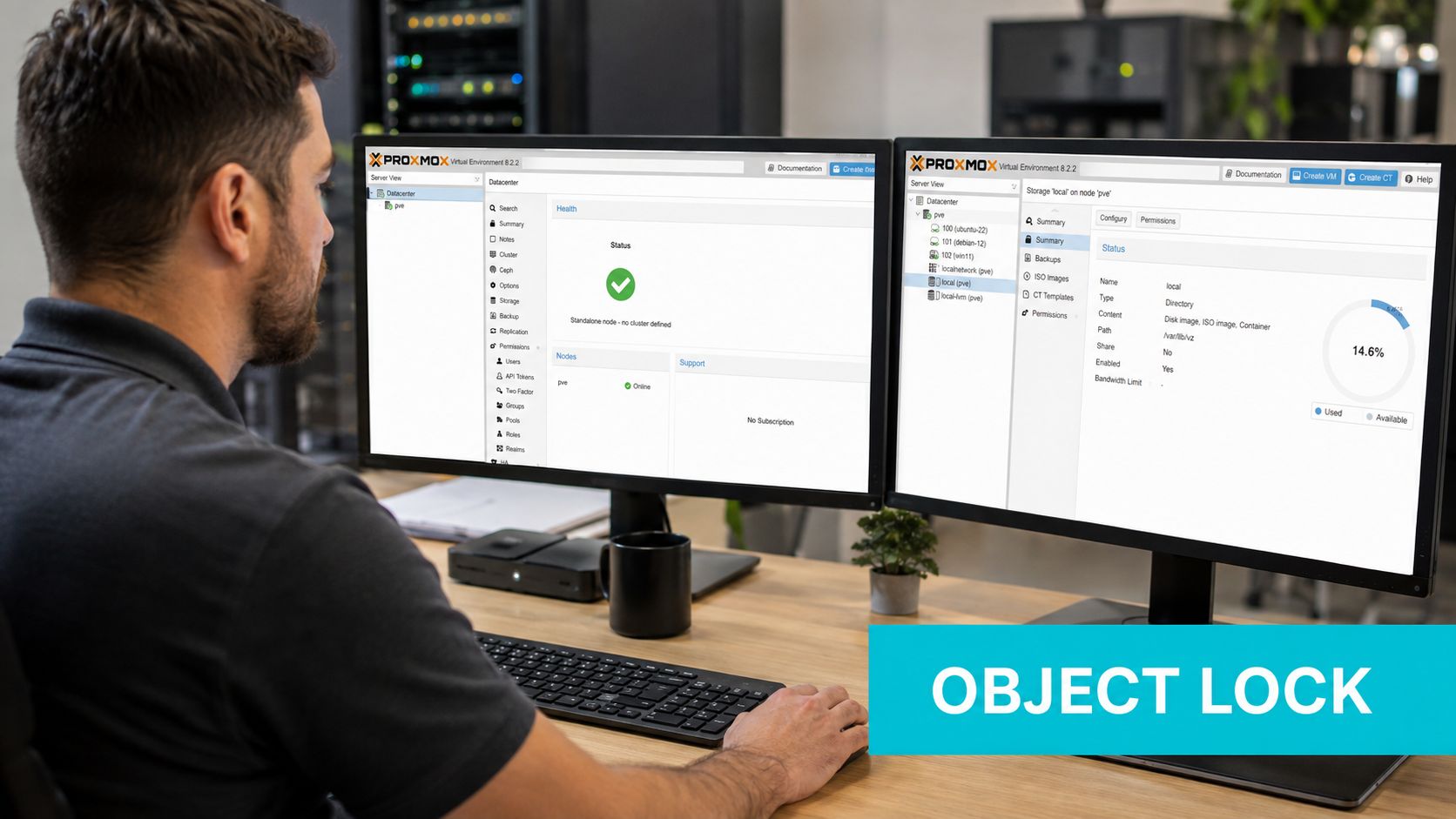
What this looks like in production is a backup window that ends cleanly, followed by a storage target that refuses administrative cleanup until the retention timer expires. That's boring in the best possible way.
Ransomware Recovery and Compliance Use Cases
Immutable backup matters because it breaks the attacker's next move. After production gets encrypted, the usual playbook is to delete backup history, prune restore points, and call storage APIs with stolen keys. A locked recovery point rejects those operations until the retention date passes, which means the copy still exists when you need it.
Why the lock changes the recovery sequence
NIST's ransomware guidance, as summarized in vendor-independent security discussions, frames immutable backups as one part of a broader recovery strategy that also includes isolated recovery paths and restore testing. That aligns with the practical incident flow. The attacker hits production, then tries to destroy the copies, and the storage layer says no.
In NIST-aligned language, the goal is an isolated recovery path, not just a copy somewhere in the environment. The recovery point has to survive credential compromise, retention shortening, and destructive encryption attempts, and that's exactly where immutable storage earns its keep. NIST CSF 2.0 is the right place to anchor that thinking when you're mapping controls to policy.
A locked backup is only useful if you already know it restores cleanly.
The catch is that immutability doesn't clean infected data. If the backup was already compromised before the lock was applied, the copy is still locked, but it's still bad. That's why restore verification matters just as much as retention enforcement.
Where compliance teams care
In practice, regulated environments tend to care about the same property for different reasons. Healthcare teams want retention behavior that can support HIPAA record handling. Financial services teams look for WORM-style retention that matches SEC 17a-4(f) expectations. Law enforcement data often maps to CJIS handling rules that require defensible retention and integrity controls. In each case, the conversation isn't “Is there a backup,” it's “Can anyone shorten or remove the lock before the retention date?”
The production pattern I see most often is an immutable off-site copy plus a separate restore verification job that runs against known-good test data. That's what turns a retained object into something auditors and incident responders can both trust.
For a fuller recovery-oriented view, this companion piece stays close to the operational side: ransomware backup strategy.
Best Practices for Operating Immutable Storage
The biggest mistake is turning on immutability before the operational boundaries are set. Once the lock exists, your day-to-day admin workflow has to respect it, so the credential model, retention scheme, and restore drill process all need to be designed first.
Separate write access from delete authority
The principal that writes to the locked bucket should not also have s3:DeleteObject or s3:PutBucketPolicy. That separation keeps normal backup traffic from becoming a cleanup path during an incident. Delete capability belongs in a break-glass role, ideally protected by MFA and stored offline.
Keep retention simple
Bucket-default retention is easier to reason about than a patchwork of different per-object timers, especially during recovery. A single tier usually beats a layered 7, 30, 90 scheme because shorter tiers can disappear before the attack is even detected. If your team can't say exactly which copy survives which incident, the policy is already too complicated.
Test restore, not just backup success
A successful job means the data landed somewhere. It does not mean the catalog is intact, the keys are usable, or the files restore cleanly. Run a restore drill on a regular cadence, and measure how long it takes to recover the service, not just to extract one file.
| Mode | Retention Enforcement | Can Root Override? | Typical Use |
|---|---|---|---|
| Governance Mode | Storage layer enforces retention unless bypassed with permission | Yes, with the right override | Controlled environments where trusted admins may need a legal escape hatch |
| Compliance Mode | Storage layer enforces retention without override | No, not before the retention date | Ransomware-resistant and regulated workloads |
| WORM Appliance | Storage subsystem enforces write-once retention | No, while locked | Dedicated archive and backup repositories |
Monitor failed delete attempts
A spike in failed DeleteObject requests is worth attention because it often means someone is probing for writable backup paths. CloudTrail or MinIO audit logs should be part of the normal watchlist, not an afterthought. If those failures show up during an incident, treat them as reconnaissance.
ARPHost's Proxmox-based backup services are one of the practical ways teams can place an immutable off-site copy in a different facility boundary from production, which matters when the primary site is also the place attackers are trying to reach. In Tampa, that separation also helps when local disaster recovery planning has to account for hurricane and grid resilience.
Common Misconceptions About Immutable Backup
The biggest misconception is that any backup with a delete button hidden in the UI is immutable. Soft delete, recycle bins, admin hold toggles, and lifecycle expiration rules on a standard bucket don't equal storage-layer immutability. They're useful controls, but they're not the same thing.
What procurement should verify
Before a vendor gets marked as “immutable,” check the actual contract between the backup app and the storage target. Ask whether retention is enforced at the storage layer or only in application logic. Ask whether root or break-glass credentials can shorten the lock, whether the retention is per-object and tamper-evident, and whether a privileged user can overwrite the bucket policy.
If a vendor says the backup is immutable but can't answer which Object Lock mode is supported, that's a red flag. The same goes for vague claims about bucket deletion, because a real immutable design has to survive administrative mistakes as well as hostile actions. A UI label doesn't survive a stolen session token.
Practical rule: if policy can be undone by the same plane that created it, you're looking at access control, not immutability.
The clean definition stays boring. True immutability requires WORM or S3 Object Lock in compliance mode at the underlying storage, not a cosmetic lock in the backup console.
Recovery Implications and Where ARPHost Fits In
An immutable copy only helps if the restore path is tested and the retention window matches the recovery target. S3-locked backups are usually the easiest for granular file restores, while WORM tape or appliance archives often take longer because the catalog and media have to be rehydrated before useful recovery starts.
What I look for in production is separation. The backup target should be logically or geographically apart from the workload it protects, and the retention policy should line up with actual RTO and RPO expectations. If the copy is immutable but unreachable or untested, it's still a risk.
ARPHost's Tampa facility footprint and Proxmox-native backup stack fit that pattern when a tenant needs a locked off-site copy without building the whole storage plane themselves. Combined with immutable retention, it gives you a recovery target that's separate from production and operationally simple enough to verify on a schedule.
If you're building immutable backup into Proxmox, S3, or a dedicated recovery tier, ARPHost, LLC can help with the storage and backup plumbing behind it. Visit ARPHost, LLC to review Proxmox private clouds, Proxmox Backup as a Service, colocation, and managed infrastructure options that support real recovery workflows, not just backup checkboxes.
Leave a Reply
You must be logged in to post a comment.